Unlock a world of possibilities! Login now and discover the exclusive benefits awaiting you.


 Michael_Tarallo
- Subscribe to RSS Feed
- Mark as New
- Mark as Read
- Bookmark
- Subscribe
- Printer Friendly Page
- Report Inappropriate Content
Recap
In my last article Metadata Management the Customer’s Way – Part 1, I covered a customer’s specific metadata challenge and proposed a QlikView Expressor (QVE) solution to address it. To summarize, our customer needed to know which existing QlikView applications (.qvw) were in compliance with the newly established rules appointed by the organization’s Business Intelligence Competency Center.
This article and companion video (below) will provide some details about the proposed solution along with QlikView and QlikView Expressor samples. (attached in this post)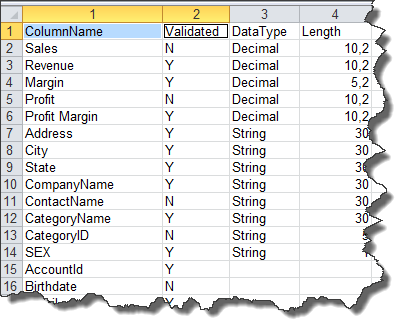
We know from the previous article that the customer’s metadata, such as column labels and validation flags, are stored within database tables as part of their metadata management application. For simplicity I will use an Excel spreadsheet to simulate the customer’s metadata repository and focus on the two fields “ColumnName” and “Validated”.
Leveraging the QlikView Governance Dashboard
I've implemented this solution using data files produced by the QlikView Governance Dashboard (QVGD) scanning process and a QlikView Expressor Dataflow. The QVGD working data files (*.qvx) contain QlikView deployment metadata such as column labels, expressions and field names. Typically, this metadata creates the associative data model read by the QVGD’s information sheets. Leveraging these data files with QVE’s QlikView Read operator provides significant advantages when developing custom QlikView Metadata Management solutions such as this. Since we already have the data files from the QVGD scan, there’s no need to create a custom program to extract QlikView label metadata from the QlikView applications.
The QlikView Expressor Solution
Using the QlikView Expressor Design Studio a multi-step Dataflow can be created that will:
- Extract and load the custom metadata into a QVE Lookup table for later processing
- Read and join the appropriate QVGD data files on their appropriate keys
- “Lookup” what labels have been validated or not
- Provide appropriate business terms to all validated, non-validated and missing labels
- Capture the labels that are not in the custom metadata repository and write them back to the repository for later approval
- Write the results to a new QlikView data file to be used for analysis in QlikView
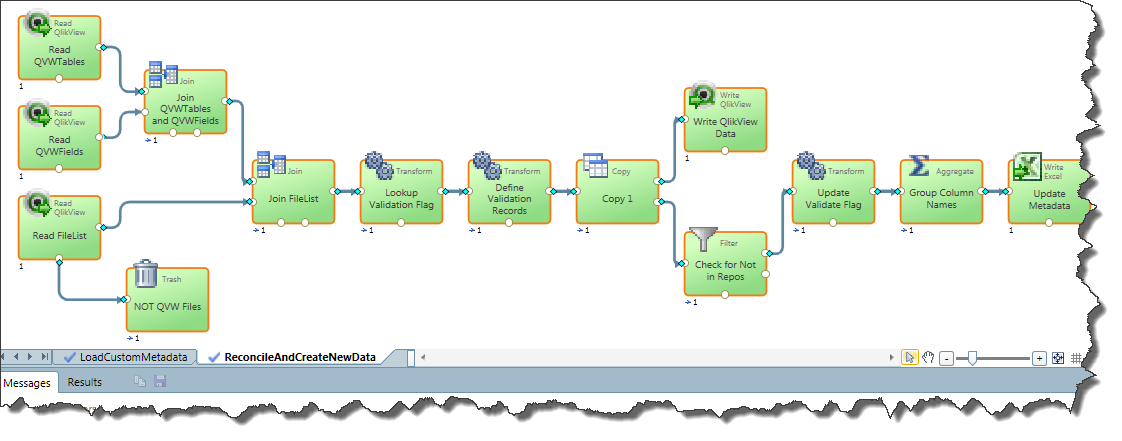
Fig. 1 - QlikView Expressor Dataflow that prepares the data for QlikView analysis and updates the metadata repository
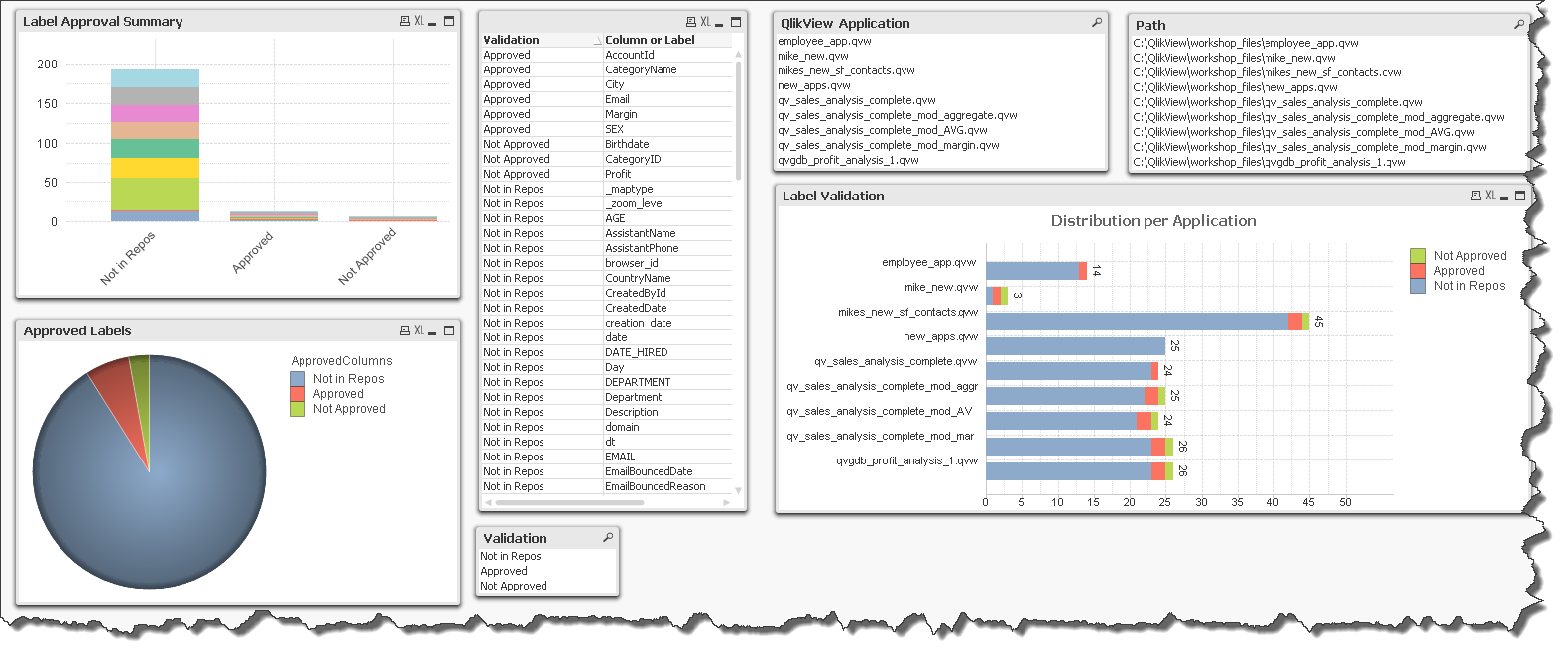
Fig. 2 - Simple QlikView application used to analyze the compliance of the lables used in existing QlikView applications
Review the below video (full screen 480p or higher) to learn more and see the solution in action:
If the video does not display - please use this link: http://www.youtube.com/watch?v=IADq2IT1U6Y
Regards,
Michael Tarallo
Senior Product Marketing Manager
QlikView and QlikView Expressor
You must be a registered user to add a comment. If you've already registered, sign in. Otherwise, register and sign in.