This article gives an overview of how to start multiple Qlik Talend Data Integration tasks and wait for their completion before starting the next task(s) using Qlik Automate.
It explains a basic example of a template configured in Qlik Automate for this scenario.
You can make use of the template which is available in the template picker. You can find it by navigating to Add new -> New automation -> Search templates and searching for 'Start Data Integration tasks and wait for completion' in the search bar, and clicking the Use template option.
You will find a version of this automation attached to this article: "Start-Data-Integration-tasks-and-wait-for-completion.json".
Full Automation
Automation structure
The following steps describe how to build the demo automation.
Before you continue, create a new automation and search for the Qlik Talend Data Integration connector in the Block Library:
Search for the 'Get Project' block in the Qlik Cloud Data Integration connector, drag it to the automation editor, and attach it to the Start block. Configure it by providing the data project ID in the 'Project ID' input parameter. You can use the do lookup functionality to find a project ID.
Add the 'List Data Tasks' block to the automation and configure the 'Project ID' input parameter to the ID from the output of the previous block to get all the tasks from the data project.
Add a 'Filter List' block to get all the storage tasks from the given data project.
Add the 'Start Data Tasks and Wait For Completion' block to start multiple storage tasks in parallel and wait for their completion. Configure the 'Project ID' input parameter to the ID from the output of the 'Get Project' block and the 'Data Task IDs' input parameter to the storage task IDs obtained from the filter list block. While configuring the 'Data Task IDs' input parameter use the implode formula to convert a list of storage tasks IDs into a comma-separated list.
Add the 'Condition' block to check whether the storage tasks have been completed successfully.
If the condition block outcome evaluates to true:
Add the 'Lookup Item In List' block to search for the transform task from the 'List Data Task' block.
Add the 'Start Data Task' block to start the transform task retrieved from the above step. Configure the 'Project ID' input parameter to the ID from the output of the 'Get Project' block and the 'Data Task ID' input parameter to the ID from the output of the 'Lookup Item In List' block.
Add the 'Update Run Title' block by searching for it in the block library. We set the run title to specify that the storage tasks were completed successfully.
If the condition block outcome evaluates to false:
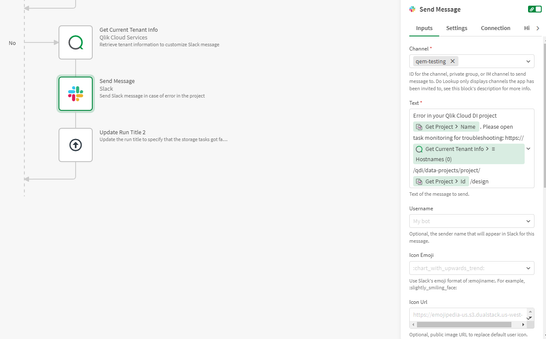
Add the 'Get Current Tenant Info' block from the Qlik Cloud Services connector to retrieve the tenant information.
Add the 'Send Message' block from the Slack connector to send out error notifications via Slack.
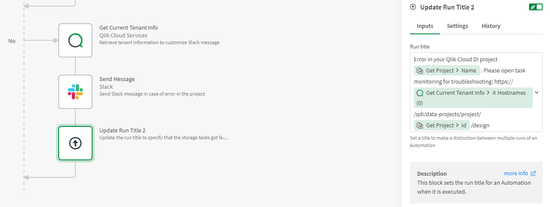
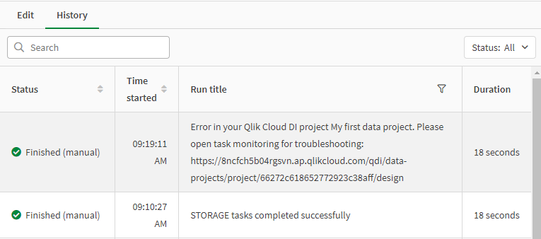
Add the 'Update Run Title' block to specify that the storage tasks failed. You can open the data project using the link in the run title to get more information about the error message.
The information in this article is provided as-is and will be used at your discretion. Depending on the tool(s) used, customization(s), and/or other factors, ongoing support on the solution below may not be provided by Qlik Support.