Unlock a world of possibilities! Login now and discover the exclusive benefits awaiting you.

- Qlik Community
- :
- Support
- :
- Support
- :
- Knowledge
- :
- Support Articles
- :
- Using OData Connector with OData v4.0 JSON Message...
- Subscribe to RSS Feed
- Mark as New
- Mark as Read
- Bookmark
- Subscribe
- Printer Friendly Page
- Report Inappropriate Content
Using OData Connector with OData v4.0 JSON Messages with Standalone Qlik Web Connectors

 Sonja_Bauernfei
- Mark as New
- Bookmark
- Subscribe
- Mute
- Subscribe to RSS Feed
- Permalink
- Report Inappropriate Content
Using OData Connector with OData v4.0 JSON Messages with Standalone Qlik Web Connectors
Sep 28, 2023 4:18:23 AM
Mar 28, 2022 3:31:10 AM
Qlik Web Connectors support OData v4.0 and responses in JSON format. The support was introduced in the standalone connectors at the March 2022 release (2.122.1).
This article documents a how-to scenario for the Standalone Qlik Web Connectors. For an example using Qlik Cloud, see Using OData Connector with OData v4.0 JSON Messages with Qlik Web Connectors (Qlik Cloud).
Environment:
Qlik Web Connectors March 2022 (2.122.1) and later
Qlik Sense Enterprise on Windows
Real-World Scenario
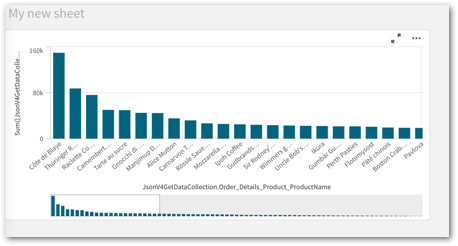
Find the total revenue of each product from all orders using the example OData service: https://services.odata.org/V4/Northwind/Northwind.svc
Obtain Qlik Sense Script from Qlik Web Connectors Standalone
Using the JsonV4ListResources Table
The JsonV4ListResources table will return the available resources from your OData service.
- In Qlik Web Connectors Standalone, choose the Qlik OData Connector
- Select the JsonV4ListResources table and click the Parameters button
- Provide the OData Service Root (https://services.odata.org/V4/Northwind/Northwind.svc) and click the Save Inputs and Run Table button
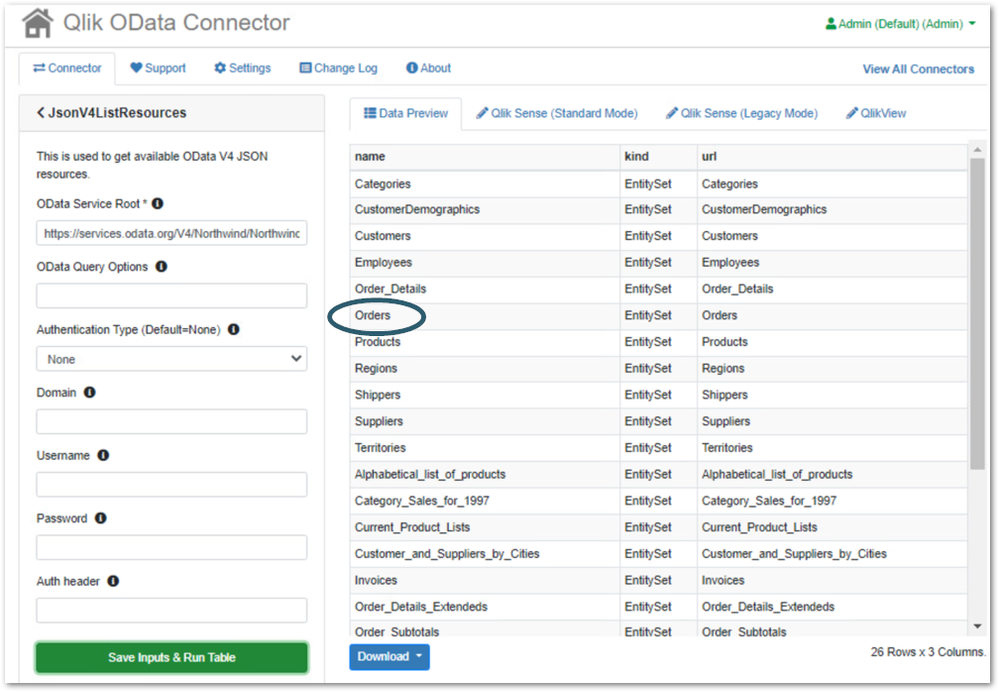
You can use the values returned in the name column from the JsonV4ListResources table as the input to the OData Resource Path parameter on the JsonV4GetData table. For this example, we want to use the Orders resource.
Using the JsonV4GetData Table
The JsonV4GetData table will return the data from the resource specified in the OData Resource Path parameter.
- Go back to the OData table list from the JsonV4ListResources table by selecting
“< JsonV4ListResources“ - Select the JsonV4GetData table and click the Parameters button
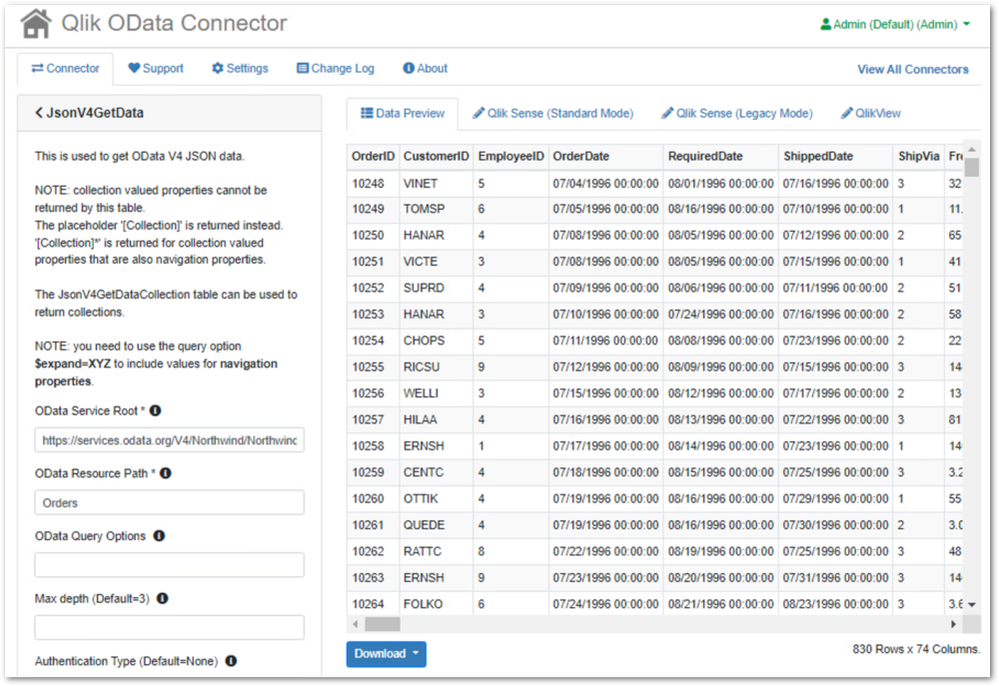
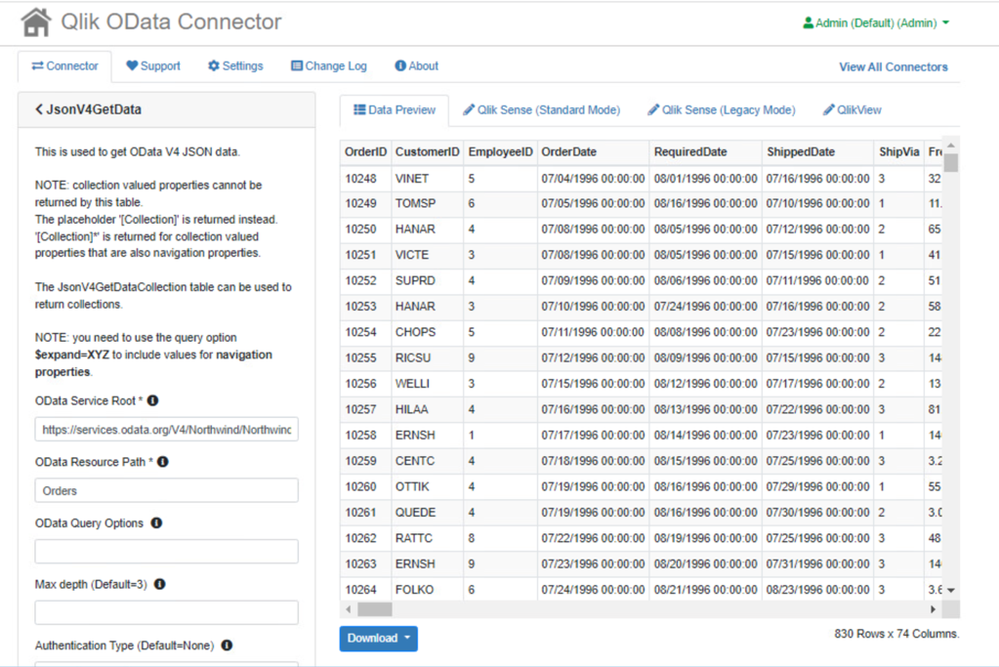
- Enter the value from the name column from the JsonV4ListResources table (Orders) into the OData Resource Path parameter and click the Save Inputs and Run Table button
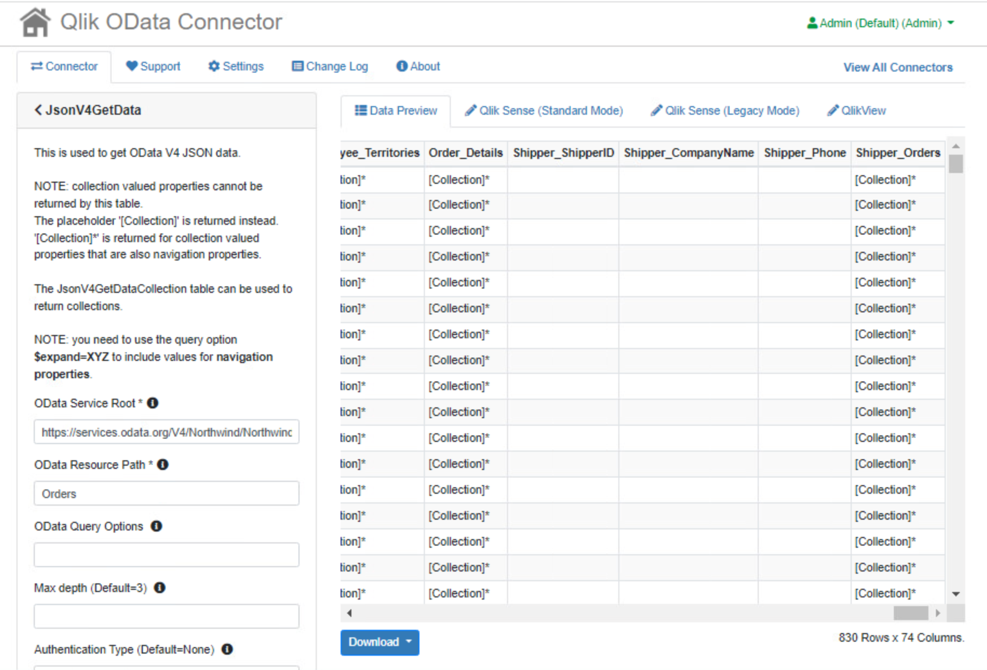
Note that collection valued properties are not returned by this table. A placeholder with the value “[Collection]” is returned instead. That data can then be retrieved by using the JsonV4GetDataCollection table. In cases where the collection values properties are also navigation properties, the placeholder that is returned is “[Collection]*”.
In this example, we want to obtain the data in the Order_Details collection for each order so we can calculate the total revenue by product. To do this we must use the metadata returned from the JsonV4GetData table and identify the following columns to be used as parameter values in the JsonV4GetDataCollection table:
- the OData ID column name – in this case, OrderID
- the OData collection column name – in this case, Order_Details
- the OData ID column name – in this case, OrderID
Using the JsonV4GetDataCollection Table
The JsonV4GetDataCollection table will return the data from the OData collection specified in the OData collection column name parameter.
- Go back to the OData table list from the JsonV4GetData table by selecting
“< JsonV4GetData“ - Select the JsonV4GetDataCollection table and click the Parameters button
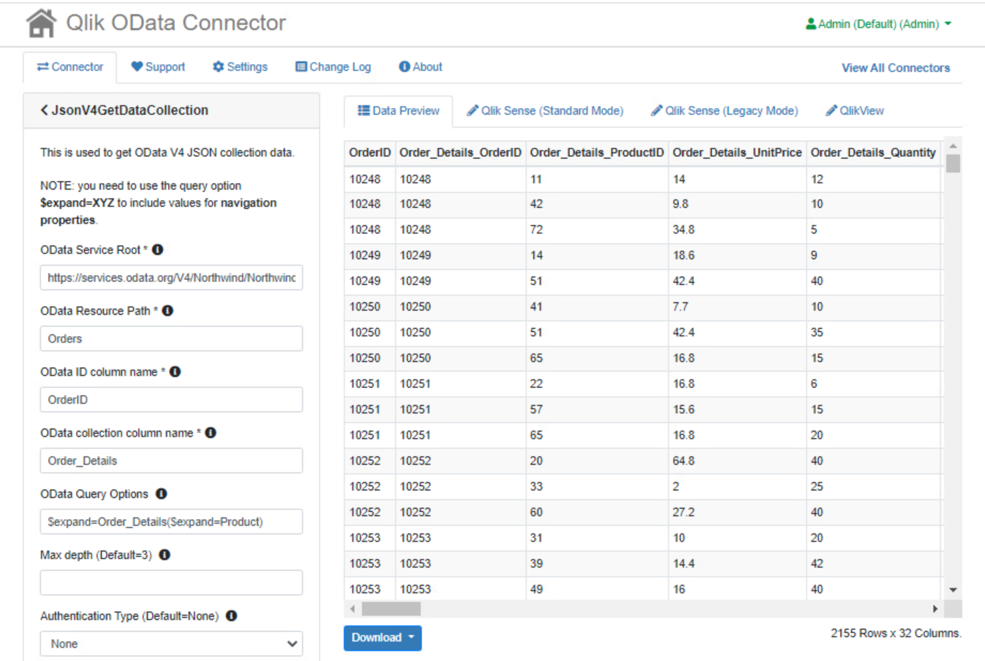
- Enter the value from the name column from the JsonV4ListResources table (Orders) into the OData Resource Path parameter
- Enter the column name from the JsonV4GetData table that will be used as the ID for the resulting table (OrderID) into the OData ID column name parameter
- Enter the column name from the JsonV4GetData table of the collection you wish to get data from (Order_Details) into the OData collection column name parameter
- Since Order_Details is a navigation property, as noted by the “[Collection]*” placeholder, you will need to specify the value $expand=Order_Details in the OData Query Options parameter to retrieve the data.
For this example, we also wish to expand the Product navigation property within the Order_Details collection to return the actual product name. To do this you will need to nest the $expand options and set the value of the OData Query Options parameter to $expand=Order_Details($expand=Product) - Click the Save Inputs & Run Table button
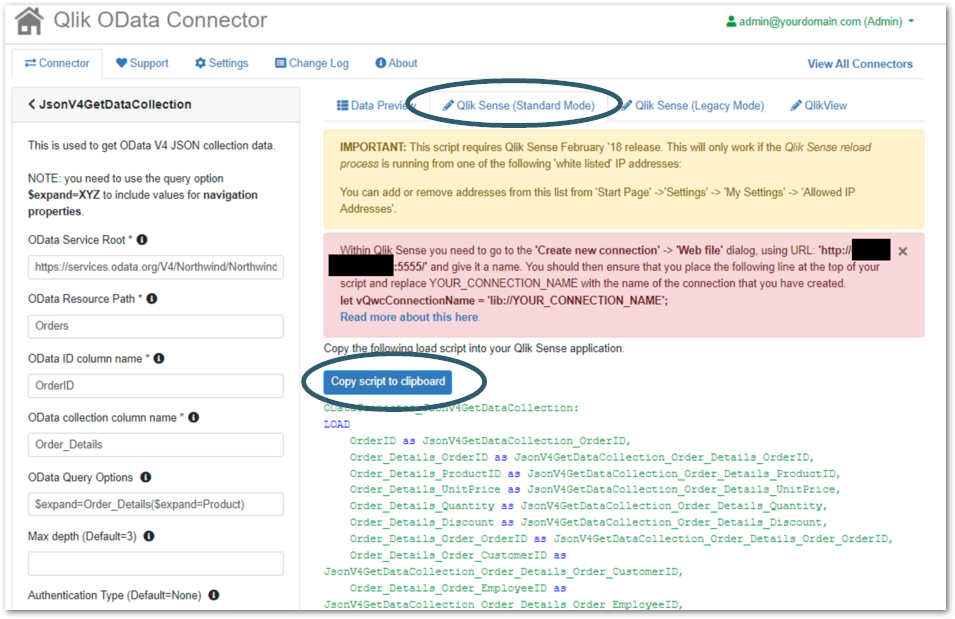
- Click Qlik Sense (Standard Mode) tab and click to Copy Script to Clipboard button
Add Your Script to Qlik Sense
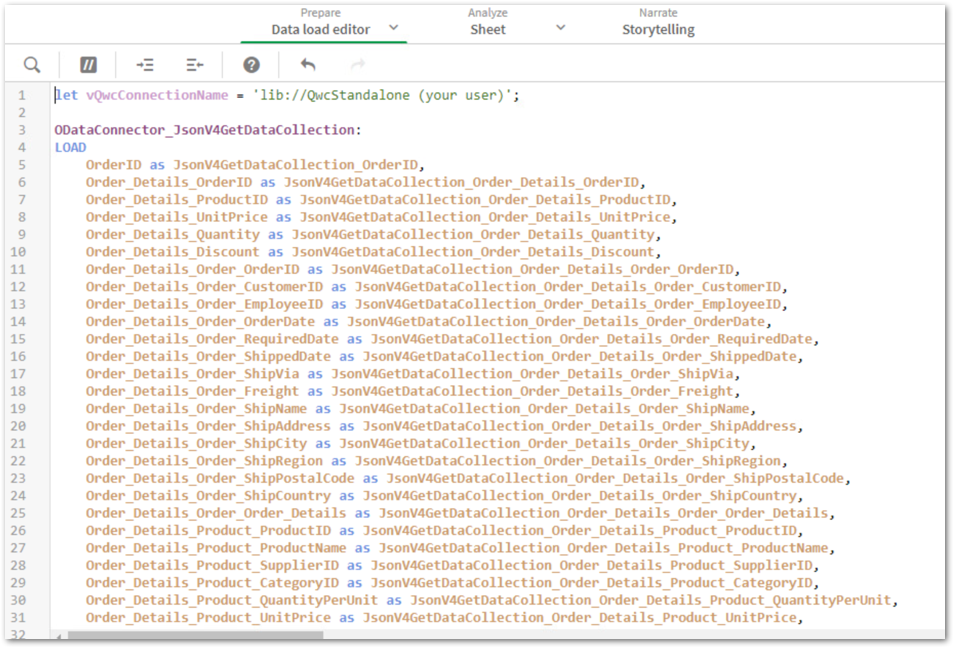
Paste the Qlik Web Connector OData script you copied above into your Qlik Sense Server app.
- Open a Qlik Sense Server App
- Navigate to the Data Load Editor
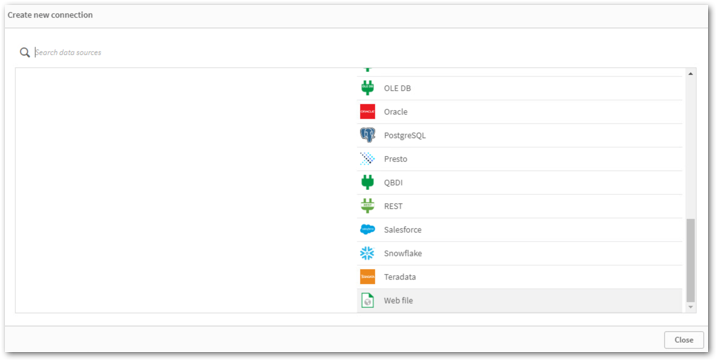
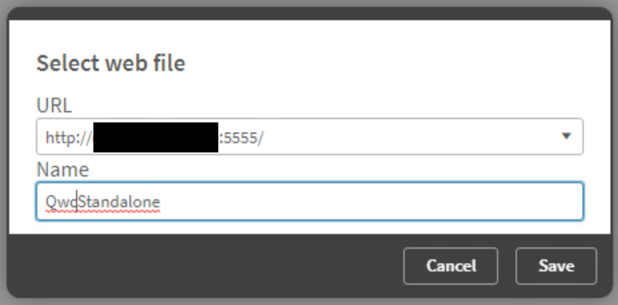
- Create a new Web File connection and use the URL to your Qlik Web Connector Standalone instance
- Add the variable assignment for the new Web File connection to the Data Load Editor
let vQwcConnectionName = ‘lib//QwcStandalone (your user)’; - Paste the script from Qlik Web Connector Standalone into the Data Load Editor
- Click the Load Data button
Visualize the OData data
- Build a new sheet in your app
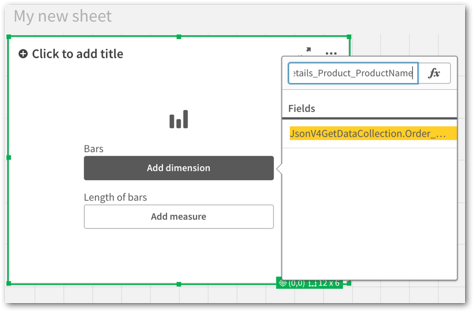
- Add a Bar Chart to the sheet
- Add a new Dimension to your Bar Chart using the following field:
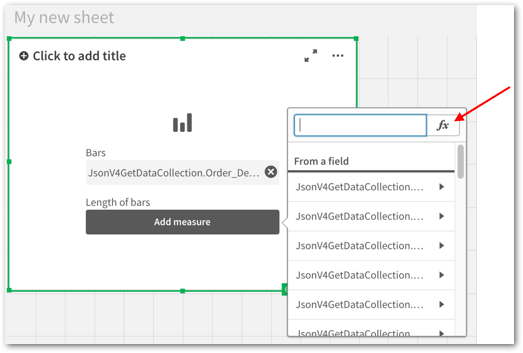
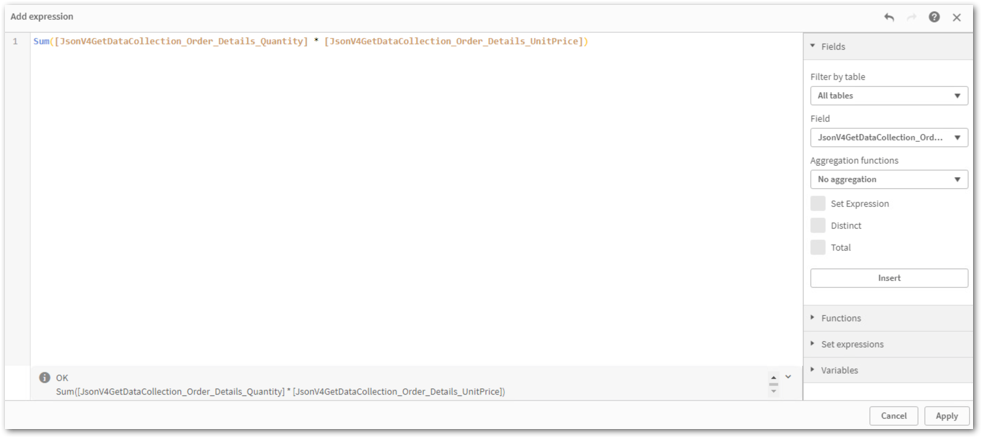
JsonV4GetDataCollection_Order_Details_Product_ProductName - Add a new Measure to you Bar Chart with the following expression and Apply:
Sum([JsonV4GetDataCollection_Order_Details_Quantity] * [JsonV4GetDataCollection_Order_Details_UnitPrice]) - Finish editing the sheet