Unlock a world of possibilities! Login now and discover the exclusive benefits awaiting you.

- Qlik Community
- :
- All Forums
- :
- QlikView App Dev
- :
- Re: Condition in dimension
- Subscribe to RSS Feed
- Mark Topic as New
- Mark Topic as Read
- Float this Topic for Current User
- Bookmark
- Subscribe
- Mute
- Printer Friendly Page

 jose_vargas
- Mark as New
- Bookmark
- Subscribe
- Mute
- Subscribe to RSS Feed
- Permalink
- Report Inappropriate Content
Condition in dimension
Hi.
I want to aplicate a condition in a dimension. My case is:
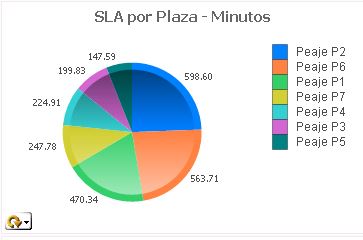
I have a graphic with some cod of location: 4,5,6,7,8,9 and 10. and the code i used is: =if(Cod_Localizacion>=4 and Cod_Localizacion<=10,Desc_Localizacion)
That is perfect!!!.. Its work
I have a dimension, the values for default is:
- desarrolloti
- helpdesk
- none
- sysadmin
But i need to filter the dimension and show only the values that belong at cod of location.
If i used in dimension the value "expression" its work.
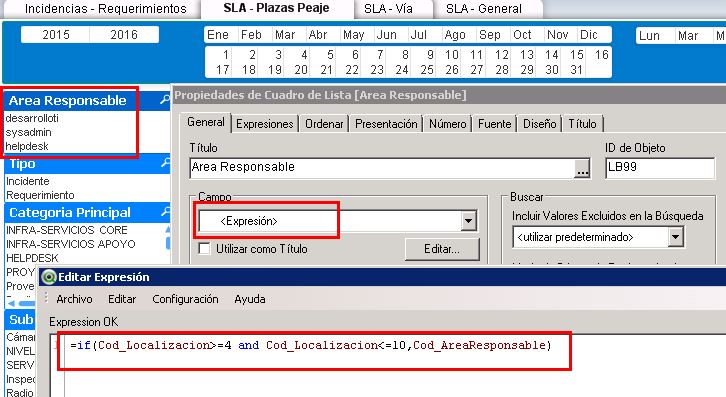
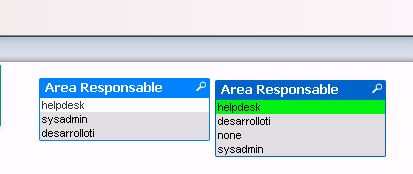
BUT, when i select some values of this dimension, dont show the green color, i select the value but no show color of selection. I think is because you can not use other different variables that dimension, in my case my dimension is "Cod_AreaResponsable" and i use condition with "Cod_Localizacion"
Please help me!!, what should i do to work correctly???
- « Previous Replies
-
- 1
- 2
- Next Replies »
jose_vargas
- Mark as New
- Bookmark
- Subscribe
- Mute
- Subscribe to RSS Feed
- Permalink
- Report Inappropriate Content
Hi..
Someone there who solved this problem??  i try everything and not works...

- Mark as New
- Bookmark
- Subscribe
- Mute
- Subscribe to RSS Feed
- Permalink
- Report Inappropriate Content
Hi,
have you try to create a new field in script based on your expression "if(Cod_Localizacion>=4 and Cod_Localizacion<=10,Cod_AreaResponsable)" to get one variable on your list box.
Regards
- « Previous Replies
-
- 1
- 2
- Next Replies »