Unlock a world of possibilities! Login now and discover the exclusive benefits awaiting you.

- Qlik Community
- :
- All Forums
- :
- QlikView App Dev
- :
- Export graph to excel
- Subscribe to RSS Feed
- Mark Topic as New
- Mark Topic as Read
- Float this Topic for Current User
- Bookmark
- Subscribe
- Mute
- Printer Friendly Page

 nareshthavidish
- Mark as New
- Bookmark
- Subscribe
- Mute
- Subscribe to RSS Feed
- Permalink
- Report Inappropriate Content
Export graph to excel
Hi,
We were facing an issue like,
The user wants to export graphs(bar..) in excel , but when they click on export to excel button they get tables.
Please let me know how to export an graph directly into excel.
Thanks..
- « Previous Replies
-
- 1
- 2
- Next Replies »
nareshthavidish- Mark as New
- Bookmark
- Subscribe
- Mute
- Subscribe to RSS Feed
- Permalink
- Report Inappropriate Content
Yes we can but user want it automated
Is there any script to get this..
Thanks..
nareshthavidish- Mark as New
- Bookmark
- Subscribe
- Mute
- Subscribe to RSS Feed
- Permalink
- Report Inappropriate Content
Hi,
Am able to export the chart in to excel but the last sheet object is came out as blank.Please find the below code used and the red colour highlighted object alone is not able to reflect in excel.
sub Sheet2
Dim aryExport(12,3)
aryExport(0,0) = "CH18"
aryExport(0,1) = "Traffic Count"
aryExport(0,2) = "A1"
aryExport(0,3) = "image"
aryExport(1,0) = "CH17"
aryExport(1,1) = "Top Performers"
aryExport(1,2) = "A1"
aryExport(1,3) = "image"
aryExport(2,0) = "CH07"
aryExport(2,1) = "Traffic Count Trend"
aryExport(2,2) = "A1"
aryExport(2,3) = "image"
aryExport(3,0) = "CH16"
aryExport(3,1) = "Top 10 locations on Traffic count"
aryExport(3,2) = "A1"
aryExport(3,3) = "image"
Dim objExcelWorkbook 'as Excel.Workbook
Set objExcelWorkbook = copyObjectsToExcelSheet(ActiveDocument, aryExport)
end sub
Private Function copyObjectsToExcelSheet(qvDoc, aryExportDefinition) 'as Excel.Workbook
Dim i 'as Integer
Dim objExcelApp 'as Excel.Application
Dim objExcelDoc 'as Excel.Workbook
Set objExcelApp = CreateObject("Excel.Application") ---->Subscript out of range
objExcelApp.Visible = true 'false if you want to hide Excel
objExcelApp.DisplayAlerts = false
Set objExcelDoc = objExcelApp.Workbooks.Add
Dim strSourceObject
Dim qvObjectId 'as String
Dim sheetName
Dim sheetRange
Dim pasteMode
Dim objSource
Dim objCurrentSheet
Dim objExcelSheet
for i = 0 to UBOUND(aryExportDefinition)
'// Get the properties of the exportDefinition array
qvObjectId = aryExportDefinition(i,0)
sheetName = aryExportDefinition(i,1)
sheetRange = aryExportDefinition(i,2)
pasteMode = aryExportDefinition(i,3)
Set objExcelSheet = Excel_GetSheetByName(objExcelDoc, sheetName)
if (objExcelSheet is nothing) then
Set objExcelSheet = Excel_AddSheet(objExcelApp, sheetName)
if (objExcelSheet is nothing) then
msgbox("No sheet could be created, this should not occur!!!")
end if
end if
objExcelSheet.Select
set objSource = qvDoc.GetSheetObject(qvObjectId)
Call objSource.GetSheet().Activate()
'objSource.Minimize
'qvDoc.GetApplication.WaitForIdle
if (not objSource is nothing) then
if (pasteMode = "image") then
Call objSource.CopyBitmapToClipboard()
else
Call objSource.CopyTableToClipboard(true) '// default & fallback
end if
Set objCurrentSheet = objExcelDoc.Sheets(sheetName)
objExcelDoc.Sheets(sheetName).Range(sheetRange).Select
objExcelDoc.Sheets(sheetName).Paste
if (pasteMode <> "image") then
With objExcelApp.Selection
.WrapText = False
.ShrinkToFit = False
End With
end if
objCurrentSheet.Range("A1").Select
end if
next
Call Excel_DeleteBlankSheets(objExcelDoc)
'// Finally select the first sheet
objExcelDoc.Sheets(1).Select
'// Return value
Set copyObjectsToExcelSheet = objExcelDoc
end function
'// ________________________________________________________________
'// ****************************************************************
'// Internal function for getting the Excel sheet by sheetName
'// ****************************************************************
Private Function Excel_GetSheetByName(ByRef objExcelDoc, sheetName) 'as Excel.Sheet
For Each ws In objExcelDoc.Worksheets
If (trim(ws.Name) = Excel_GetSafeSheetName(sheetName)) then
Set Excel_GetSheetByName = ws
exit function
End If
Next
'// default return value
Set Excel_GetSheetByName = nothing
End Function
'// ________________________________________________________________
Private Function Excel_GetSafeSheetName(sheetName)
'// can be max 31 characters long
retVal = trim(left(sheetName, 31))
Excel_GetSafeSheetName = retVal
End Function
'// ****************************************************************
'// Internal function for adding a new sheet
'// ****************************************************************
Private Function Excel_AddSheet(objExcelApplication, sheetName) ' as Excel.Sheet
'// add a sheet to the last position
objExcelApplication.Sheets.Add , objExcelApplication.Sheets(objExcelApplication.Sheets.Count)
Dim objNewSheet
Set objNewSheet = objExcelApplication.Sheets(objExcelApplication.Sheets.Count)
objNewSheet.Name = left(sheetName,31)
'// return the newly created sheet
Set Excel_AddSheet = objNewSheet
End function
'// ________________________________________________________________
'// ****************************************************************
'// Delete all empty sheets
'// ****************************************************************
Private Sub Excel_DeleteBlankSheets(ByRef objExcelDoc)
For Each ws In objExcelDoc.Worksheets
If (not HasOtherObjects(ws)) then
If objExcelDoc.Application.WorksheetFunction.CountA(ws.Cells) = 0 Then
On Error Resume Next
Call ws.Delete()
End If
End If
Next
End Sub
'// ________________________________________________________________
'// ****************************************************************
'// Helper function to determine if there are other objects placed
'// on the sheet ...
'// ****************************************************************
Public Function HasOtherObjects(ByRef objSheet) 'As Boolean
Dim c
If (objSheet.ChartObjects.Count > 0) Then
HasOtherObjects = true
Exit function
End If
If (objSheet.Pictures.Count > 0) Then
HasOtherObjects = true
Exit function
End If
If (objSheet.Shapes.Count > 0) Then
HasOtherObjects = true
Exit function
End If
HasOtherObjects = false
End Function
'//
Thanks...

 tyagishaila
- Mark as New
- Bookmark
- Subscribe
- Mute
- Subscribe to RSS Feed
- Permalink
- Report Inappropriate Content
Are you able to create sheet with name
"Top 10 locations on Traffic count".
nareshthavidish- Mark as New
- Bookmark
- Subscribe
- Mute
- Subscribe to RSS Feed
- Permalink
- Report Inappropriate Content
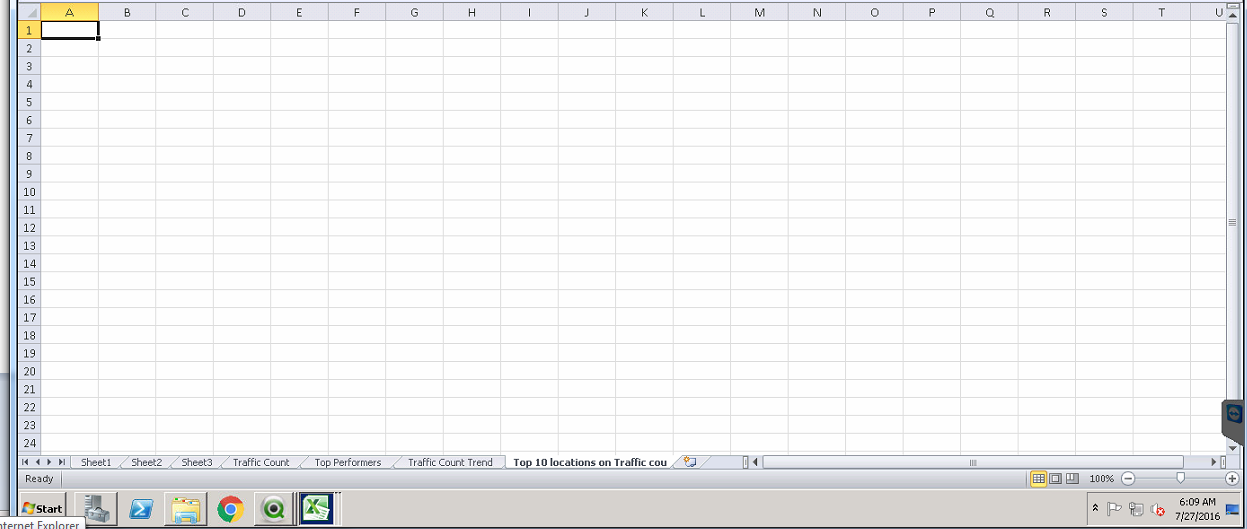
yes am able to create sheet name with "Top 10 locations on Traffic count"
but the chart is not exported to excel it shows blank.
tyagishaila
- Mark as New
- Bookmark
- Subscribe
- Mute
- Subscribe to RSS Feed
- Permalink
- Report Inappropriate Content
Try it,
Short your sheet name, because sheet name limit is 31 character in your code.
nareshthavidish- Mark as New
- Bookmark
- Subscribe
- Mute
- Subscribe to RSS Feed
- Permalink
- Report Inappropriate Content
changed the string lengtht but not came output

 beck_bakytbek
- Mark as New
- Bookmark
- Subscribe
- Mute
- Subscribe to RSS Feed
- Permalink
- Report Inappropriate Content
Hi Naresh
here you fine more helpful Information to your issue: qlikblog.at | QlikView / Qlik Sense Blog by Stefan Walther
i hope that helps
beck
tyagishaila
- Mark as New
- Bookmark
- Subscribe
- Mute
- Subscribe to RSS Feed
- Permalink
- Report Inappropriate Content
It is chart(image) or Table(data). And don't change SheetName length in code, first change name of your sheet.
Without showing qvw file, it is difficult to know where is problem?

- « Previous Replies
-
- 1
- 2
- Next Replies »