When accessing the HUB you are getting the following error when trying to open an application in the Qlik Sense Hub Unable to connect to the Qlik Sense engine. Possible causes: too many connections, the service is offline, or networking issues.
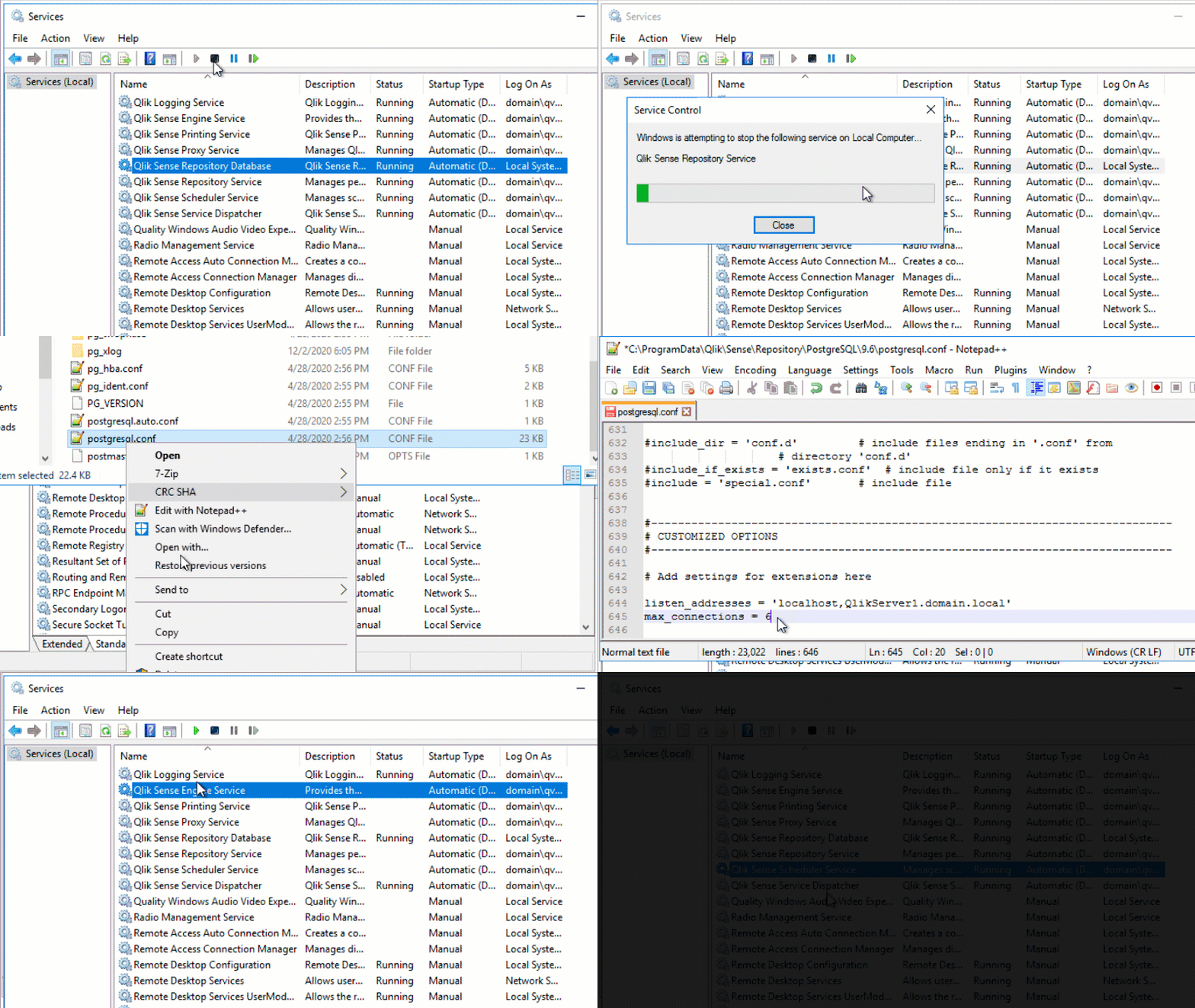
1. Insufficient number of connections configured for the max connections entry in the %ProgramData%Qlik\Sense\Repository\PostgreSQL\<version>\postgresql.conf file located on the server hosting the in the Qlik Sense Repository database (PostgreSQL)
2. Due to the WebSocket traffic not being allowed between the client computer and the Qlik Sense Server. You can test the websocket connectivity following this article: Qlik Sense Websocket Connectivity Tester
Resolution:
Two possible resolutions respectively...
1. Ensure the max connections entry in the %ProgramData%Qlik\Sense\Repository\PostgreSQL\<version>\postgresql.conf file located in the Qlik Sense Repository database is correctly configured. The value needs to equate to the the number of nodes in the deployment multiplied by 110 (+20) as defined in the Configuring PostgreSQL - Qlik Sense for Administrators.
I went through many articles, each article was explaining about web socket communication but was not clear which port/flow is getting blocked. We are using multi node deployment i.e. central node, engine, schedule and 3 proxy nodes (3 app nodes, 3 web nodes).
We were able to investigate that port 4747 (Engine) was blocked between app nodes and web nodes. We opened the port and it all started working fine.