Unlock a world of possibilities! Login now and discover the exclusive benefits awaiting you.

- Qlik Community
- :
- Forums
- :
- Analytics & AI
- :
- Products & Topics
- :
- Visualization and Usability
- :
- Dynamic Titles/Dimensions based on expression load...
- Subscribe to RSS Feed
- Mark Topic as New
- Mark Topic as Read
- Float this Topic for Current User
- Bookmark
- Subscribe
- Mute
- Printer Friendly Page

 mateusz_nitek
- Mark as New
- Bookmark
- Subscribe
- Mute
- Subscribe to RSS Feed
- Permalink
- Report Inappropriate Content
Dynamic Titles/Dimensions based on expression loaded but not visible
Hi Guys,
I'm trying to apply 'dynamic' titles on charts/text box etc. in Qlik Sense based on selected Language in script. Unfortunately, I'm facing an issue, while Sheet Reference Number is not selected titles are not visible. Is it possible to see titles, even tho selection is not make?
I would like to have hardcoded expressions, where only in code I would like to change languages and see different titles.
So, how does it work:
1. In excel sheet I have prepared dictionary example (attached) and loaded it into QS
let LanguageSel = 'EN';

[Language_raw]:
LOAD
    SheetRefNo,
    Language AS h_Language,
    Description AS h_SheetDescription
FROM [lib://Config/measures\Description.xlsx]
(ooxml, embedded labels, table is Sheet1);


Left Join
LOAD * INLINE
[
h_Language_Selected,
$(LanguageSel)
];

Language_Description:
NoConcatenate
Load *,
IF (SheetRefNo&h_Language=SheetRefNo&h_Language_Selected,h_SheetDescription) AS DescriptionSheet
Resident Language_raw;

Language:
NoConcatenate
Load *
Resident Language_Description
WHERE Len(DescriptionSheet) > '0';
2. I have a table loaded in QS with Unique Reference Numbers which I want to assign to each Sheet/Title/Dimension
3. I tried to use 'If' formula in expression but apparently, it doesn't work
=If(SheetRefNo='1',DescriptionSheet)
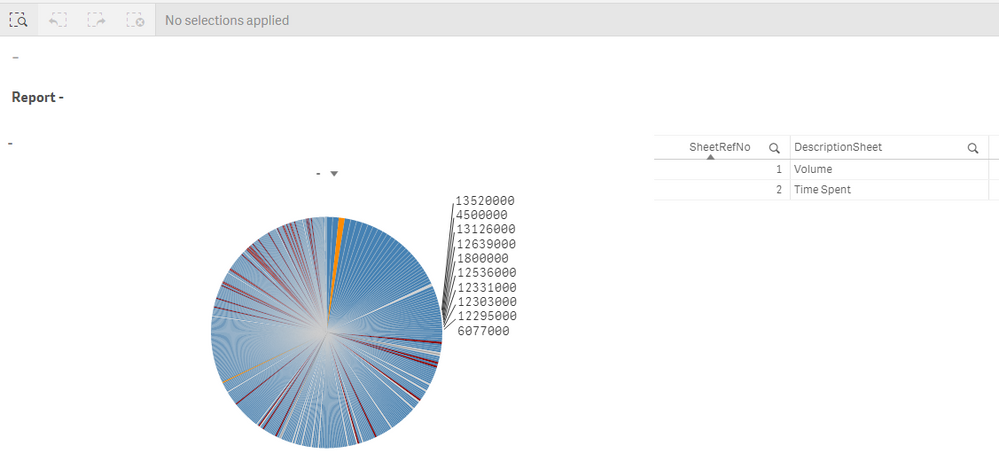
4. I can see Sheet/Title/Dimension only when SheetRefNo is selected but this is not the results which I would like to achieve..
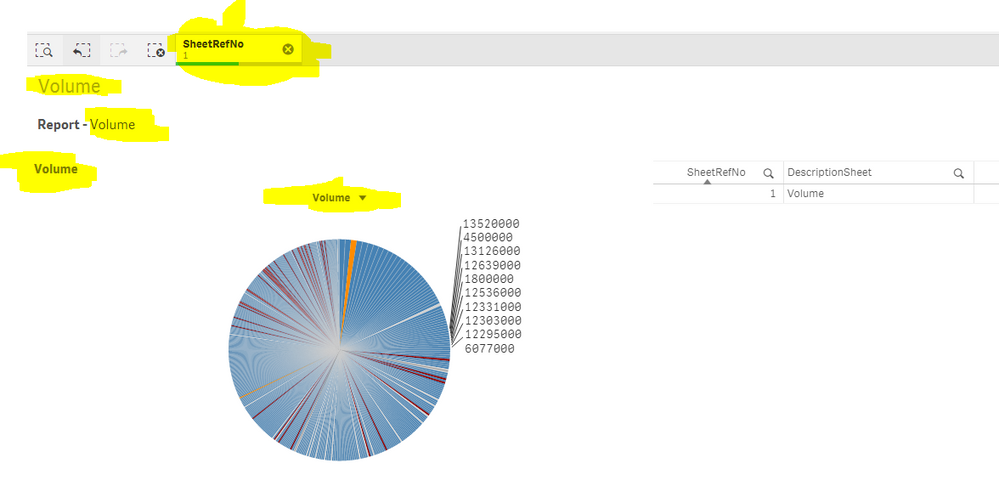
I don't want to on each Sheet select SheetRefNo, I want to have it automatically visible without any action needed.
Could you please help me with this?
Many thanks for response.
Best,
Mati
