Unlock a world of possibilities! Login now and discover the exclusive benefits awaiting you.

- Qlik Community
- :
- Forums
- :
- Analytics & AI
- :
- Products & Topics
- :
- Visualization and Usability
- :
- Switching measures in a pie chart
- Subscribe to RSS Feed
- Mark Topic as New
- Mark Topic as Read
- Float this Topic for Current User
- Bookmark
- Subscribe
- Mute
- Printer Friendly Page

 Newbie777
- Mark as New
- Bookmark
- Subscribe
- Mute
- Subscribe to RSS Feed
- Permalink
- Report Inappropriate Content
Switching measures in a pie chart
Hello,
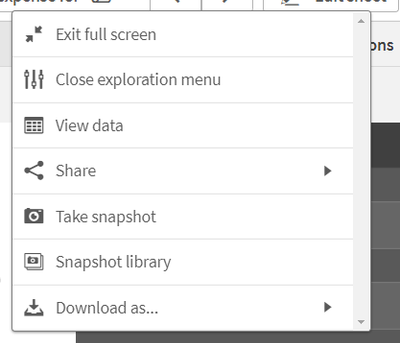
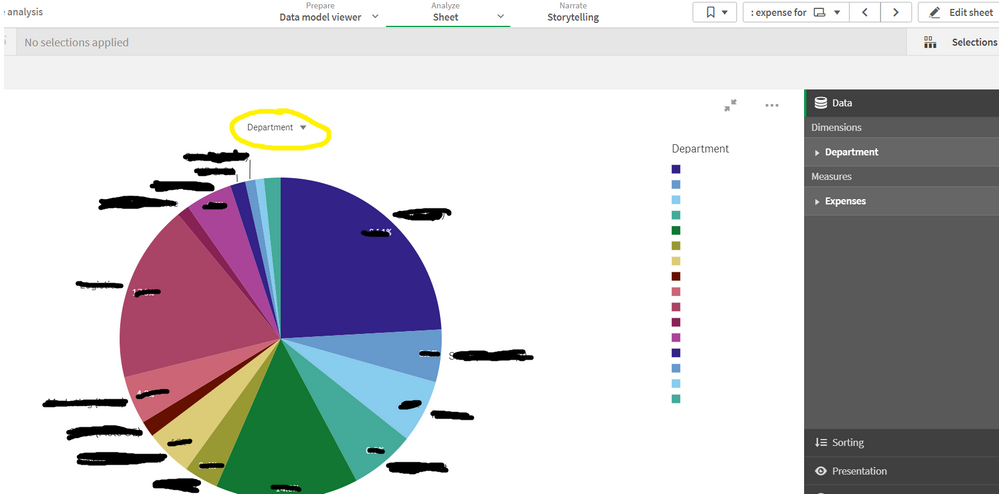
I'd like to switch between multiple measures in a pie chart. At the moment, although there is a yellow circled dimension label to switch between alternative dimensions, for switching between alternative measures, it seems that I have to open "Close exploration menu" pane. Is this assumption correct? Is there more subtle way to switch between measures for a pie chart without opening up "Close exploration menu"?
Thank you for your help.

 gileswalker
- Mark as New
- Bookmark
- Subscribe
- Mute
- Subscribe to RSS Feed
- Permalink
- Report Inappropriate Content
I am having the same issue. Seems like a design blunder

 vinieme12
- Mark as New
- Bookmark
- Subscribe
- Mute
- Subscribe to RSS Feed
- Permalink
- Report Inappropriate Content
Create a Variable Input Button list and allow users to simply click on buttons instead
something like below
Variable Input >> show as Buttons
Dynamic Values
'1~Sales|2~Margin|3~SomethingElse' ( << a button for each measure)
In the Pie chart
Add One Measure as below
=Pick( vVariableName
, ExpressionForSales
, ExpressionForMargin
, ExpressionForSomethingElse
)
If a post helps to resolve your issue, please accept it as a Solution.
