Unlock a world of possibilities! Login now and discover the exclusive benefits awaiting you.

- Qlik Community
- :
- Forums
- :
- Analytics & AI
- :
- Products & Topics
- :
- App Development
- :
- QS April 2018 - Map object not able to pick Brookl...
- Subscribe to RSS Feed
- Mark Topic as New
- Mark Topic as Read
- Float this Topic for Current User
- Bookmark
- Subscribe
- Mute
- Printer Friendly Page

 vkish16161
- Mark as New
- Bookmark
- Subscribe
- Mute
- Subscribe to RSS Feed
- Permalink
- Report Inappropriate Content
QS April 2018 - Map object not able to pick Brooklyn, NY
All,
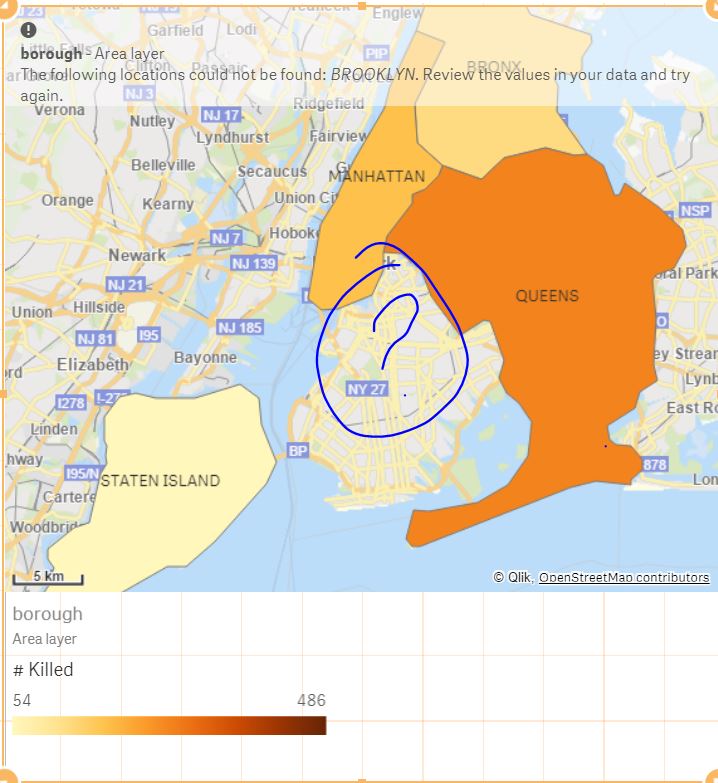
The Map object is not able to pick up Brooklyn. I tried it with lowercase.
I've also tried it with 'Brooklyn, New York, USA'
Any thoughts on how to do this?

 Clever_Anjos
- Mark as New
- Bookmark
- Subscribe
- Mute
- Subscribe to RSS Feed
- Permalink
- Report Inappropriate Content
Same issue here, both in native map and GeoAnalytics
Clever_Anjos
- Mark as New
- Bookmark
- Subscribe
- Mute
- Subscribe to RSS Feed
- Permalink
- Report Inappropriate Content
I´ve made some tests using both QlikCloud and Qlik Sense Enterprise Nov 2018.
In both we have a strange situation
I´ve loaded the borough and zip codes in 3 ways
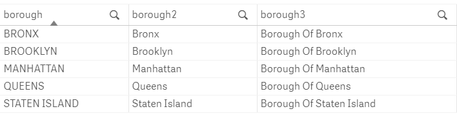
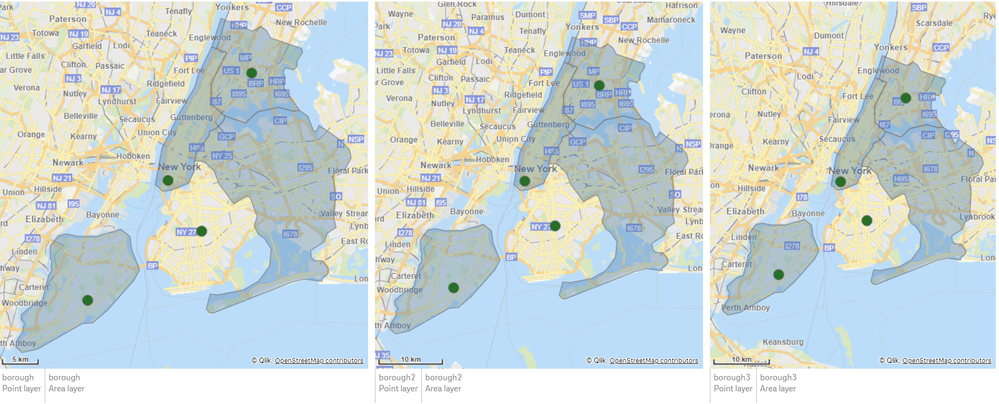
And tried use them as point and area layers.
- Brooklyn is ok for point but not area
- Queens is ok for area but not for point
Clever_Anjos
- Mark as New
- Bookmark
- Subscribe
- Mute
- Subscribe to RSS Feed
- Permalink
- Report Inappropriate Content
i´ve found a small workaround for plotting Brooklyn as area
Using the Data Manager or Load Script, rewrite Brooklyn with Kings (accordingly with this https://en.wikipedia.org/wiki/Brooklyn)
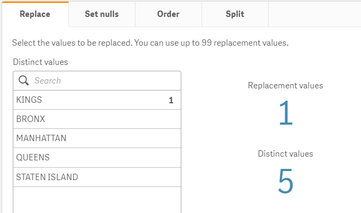
Now the map for areas are ok, but Brooklyn is not marked as point anymore.
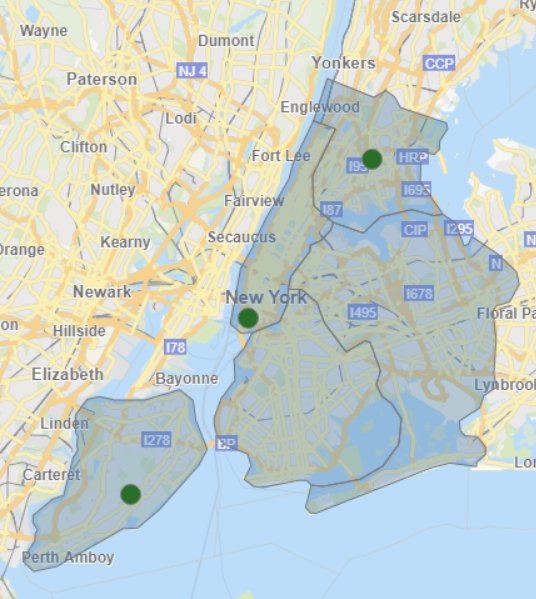
Maybe a solution would be having two fields

 Patric_Nordstro
- Mark as New
- Bookmark
- Subscribe
- Mute
- Subscribe to RSS Feed
- Permalink
- Report Inappropriate Content
Hi,
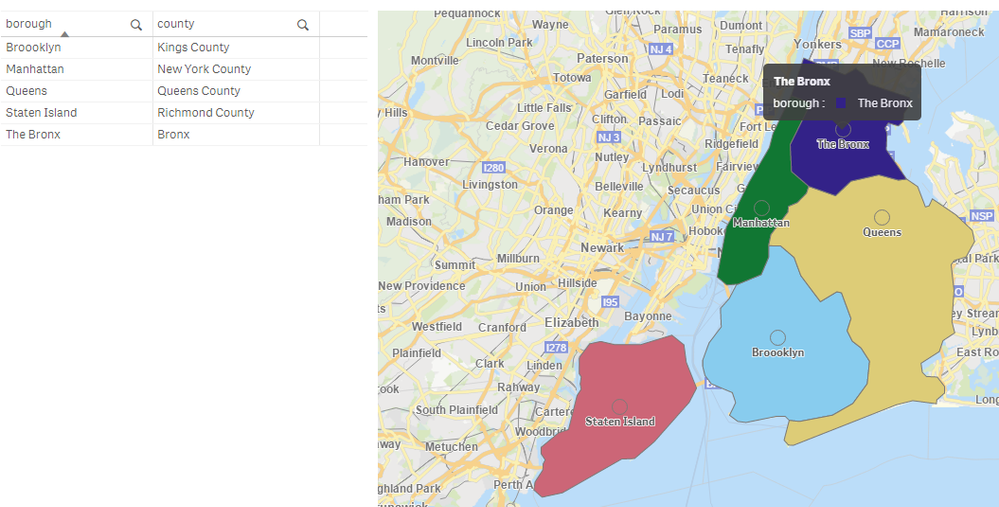
This happens because the Qlik location database contains county areas but not the boroughs. Also there are more points than areas, Brooklyn exists as a point but not as an area in the db. In the case with NYC the counties align with boroughs: https://en.wikipedia.org/wiki/Boroughs_of_New_York_City
So for NYC use the county name as the location field in order to plot the areas and or a center point.
Thanks,
Patric
