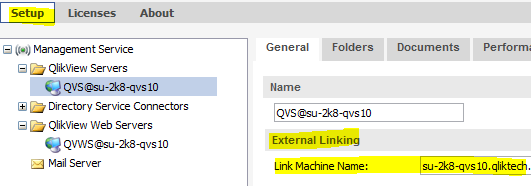
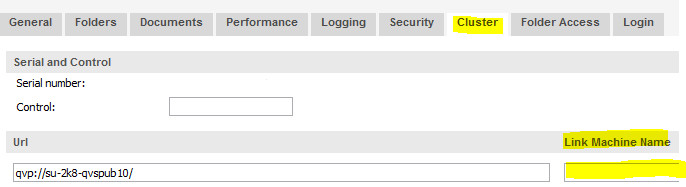
Change the Link Machine Name for the QlikView Server.
Open the Enterprise Management Console.
Go to System > Setup
Pick the QlikView Server resource in the menu.
If the QlikView Server license does not include a CLUSTER tag: Edit the External Linking / Link Machine Name to match the fully qualified or otherwise externally available host name of the QlikView Server.
If the QlikView Server license includes a CLUSTER tag: Go to the < Cluster > tab and edit the External Linking / Link Machine Name to match the fully qualified or otherwise externally available host name of the QlikView Server.