Unlock a world of possibilities! Login now and discover the exclusive benefits awaiting you.

- Qlik Community
- :
- Support
- :
- Support
- :
- Knowledge
- :
- Support Articles
- :
- How does Qlik GeoAnalytics handle Shape (SHP) file...
- Subscribe to RSS Feed
- Mark as New
- Mark as Read
- Bookmark
- Subscribe
- Printer Friendly Page
- Report Inappropriate Content
How does Qlik GeoAnalytics handle Shape (SHP) files?

 Bjorn_Wedbratt
- Mark as New
- Bookmark
- Subscribe
- Mute
- Subscribe to RSS Feed
- Permalink
- Report Inappropriate Content
How does Qlik GeoAnalytics handle Shape (SHP) files?
Jul 19, 2022 3:05:40 AM
Mar 23, 2017 5:48:14 AM
Is it possible to load Shape (SHP) files into Qlik using Qlik GeoAnalytics and if so is any conversion required?
Environment:
Qlik Sense Enterprise on Windows, all versions
Qlik GeoAnalytics / GeoAnalytics+ , all versions
Resolution
Shape (SHP) files can either be loaded from a local file using Qlik GeoAnalytic+ or through an URL using Qlik GeoAnalytics Connector.
Prerequisites
- A shapefile (see attached for example) in zipped format containing the .shp, file
- Qlik GeoAnalytics Plus installed
Example Qlik Sense
1. Copy the zipped shapefile attached to this article to any location (C:\tmp\CHE_Adm3.zip in this example)
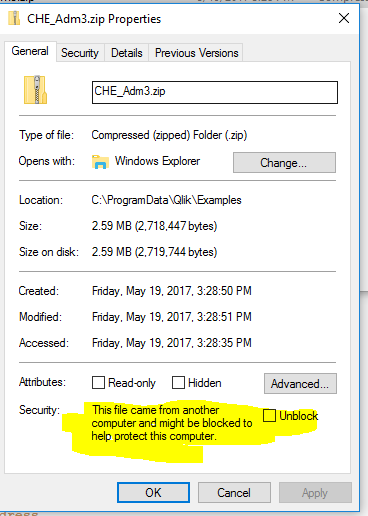
2. Launch Qlik Sense, select Create new app and name the app. Press Create and Open app
3. Go to Data load editor and Create new connection
4. Select Qlik GeoAnalytics Connector
5. In the drop-down make sure to select GeoAnalytics Plus and give the connection a meaningful name
6. Press Test Connection to verify the connection and then Save
7. Press Select data

8. Set the following:
- Operation: Simplify (in this example the geometry will be simplified during load)
- Resolution: Auto
- Name: Myshape
- Type: File based geo dataset
- URL: file:///<path to zip file> (in this example, file:///c:\tmp\CHE_Adm3.zip)
- File Type: ESRI shape file
- CRS: EPSG:4326* (this can be found by loading the shapefile into QGis or similar tools)
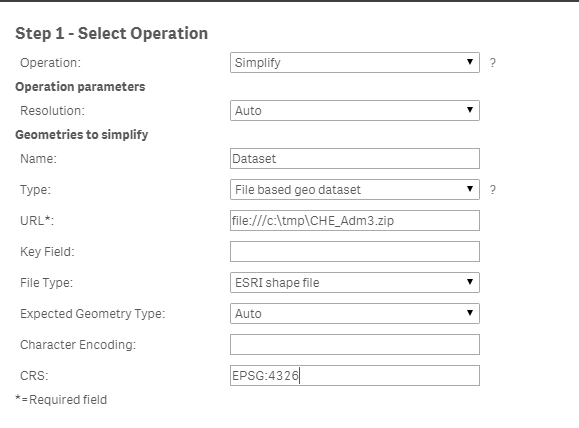
9. Press Next, and in the Select data to load check the tables Dataset_simplified as well as Dataset

10. Press Insert script to insert the script into the Data load editor
11. Press Load data to fetch the data into the data model
12. Once data has been loaded into the data model, create a new GeoAnalytics Map object and a GeoAnalytics Area Layer in a new sheet
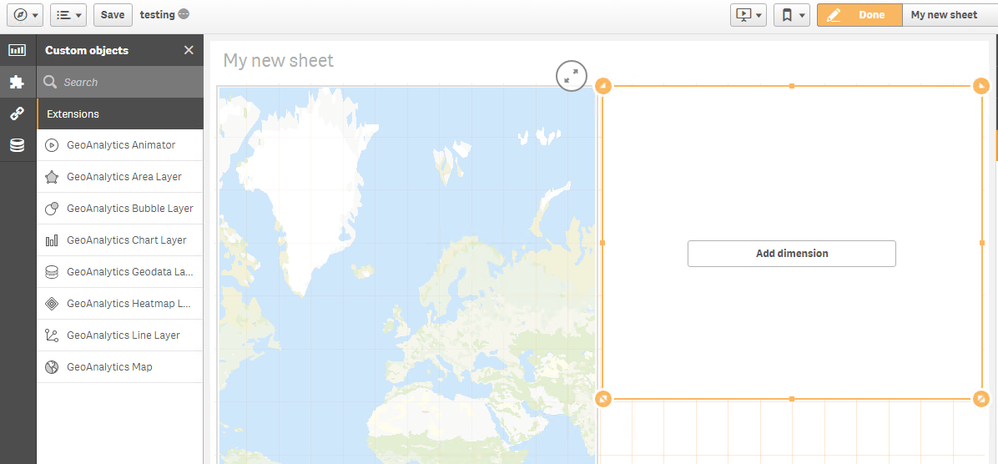
13. Click Add dimension on the GeoAlaytics Area Layer and select the field Dataset_Simplified_Geometry
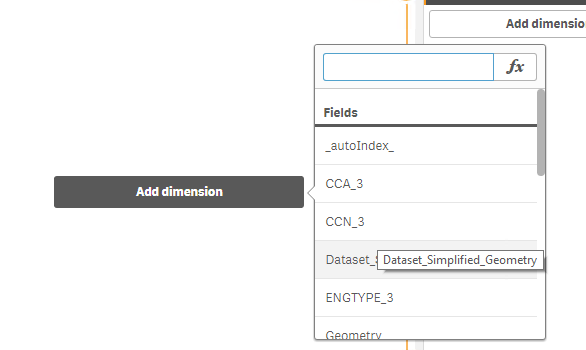
14. Verify the shapefile is shown correctly on the map
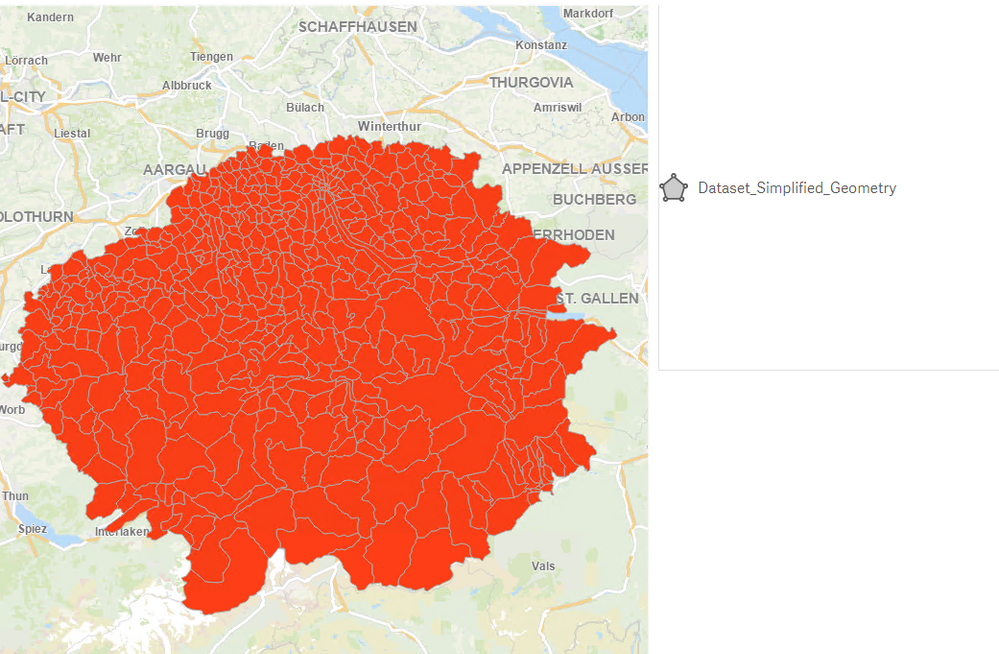
Note that there may be occasional issues with SHP file quality and the use of differing Coordinates Reference Systems.



 SwapneelGolapka
- Mark as Read
- Mark as New
- Bookmark
- Permalink
- Report Inappropriate Content
Thanks @Bjorn_Wedbratt for all the details.
We were able to create connection using your article.
Only one thing missing seems - Java path update.
we struggled due to this, may be because of Java versions on our system.
We would recommend users to update the Java path in environment variables - so as to over come the connection issue.

 JuMacedo
- Mark as Read
- Mark as New
- Bookmark
- Permalink
- Report Inappropriate Content
I see that this process seems to go smoothly if one uses GeoAnalitycs...but any tips how to deal with it using GeoOperatoins?
Is there a way to transform the shape_leng, shape_area and Geometry into Latitude and longitude so it can be visualized?

 Sonja_Bauernfei
- Mark as Read
- Mark as New
- Bookmark
- Permalink
- Report Inappropriate Content
Hello @JuMacedo
Please post about your query in detail in the Qlik GeoAnalytics forum, where our active users and support agents can better assist you.
All the best,
Sonja
 mherrera
- Mark as Read
- Mark as New
- Bookmark
- Permalink
- Report Inappropriate Content
Hi Thanks for the article
I have the following error, i reviewed the following steps
1) ZIP file, are no locked,
2) The zip file path is generated by firefox browser (file://///192.168.2.67/Produccion/Staging/Dimensiones/ArchivosTabla/Shapefile_Poligonos_AMVA.zip)
3) The windows qlik account services has full control over ZIP Folder file

Thanks
Sonja_Bauernfei- Mark as Read
- Mark as New
- Bookmark
- Permalink
- Report Inappropriate Content
Hello @mherrera
I recommend posting your issue in the Qlik GeoAnalytics forum, where our active product experts and your knowledgeable Qlik peers can better assist you.
I've reviewed similar cases for you though and found this article to assist in some cases (I am not certain if it applies in your case as the exact error message is different, but checking the size of the file may be worth it): Shapefile Size Limit for GeoAnalytics
All the best,
Sonja
mherrera
- Mark as Read
- Mark as New
- Bookmark
- Permalink
- Report Inappropriate Content
Hi Dea @Sonja_Bauernfeind
Thanks for the answer, i posted a Question on Qlik GeoAnalytics forum, also i reviewed the article related with Shapefile Size Limit for GeoAnalytics, the Size of ZIP file are 817MB and see the size of files included on ZIP File


