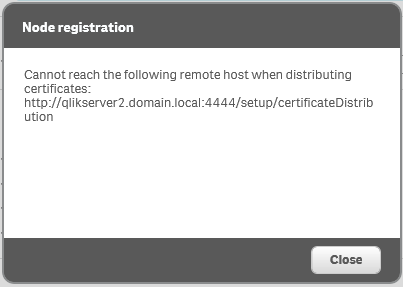
If the TCP port 4444 is not blocked in the environment between the Central and Rim nodes, the Node registration error Cannot reach the following remote host when distributing certificates will also pop up when re-registering the RIM node if uninstall/reinstall of the Qlik Sense server was not performed using a local Administrator account on the Rim node.
Mismatched Qlik Sense version on Central node and Rim node. The Central node would not distribute the certificate because the Central node had been patched and the Rim node had not been patched to the same level.
Resolution
Make sure Central and Rim nodes have been patched to the same level.
To be able to re-register a deleted RIM node, it is necessary to uninstall Qlik Sense on the Rim node and reinstall it before the node re-registration.
The "Remove Qlik Sense certificates and data folders" option should be selected when uninstalling the Qlik Sense Enterprise Server. See Deleting Nodes as the reference.
Notes:
The Qlik Sense service account needs to be a member of the Administrator group on the RIM node when the re-distribution of the certificate is performed. Certificate distribution to Rim nodes is considered a deployment (installation) task. As such, administrative privileges are needed.
If the service account is found without administrative local rights (added to the local administrators group on the server), then add it, restart the services, and try again.


.png "Former Employee")