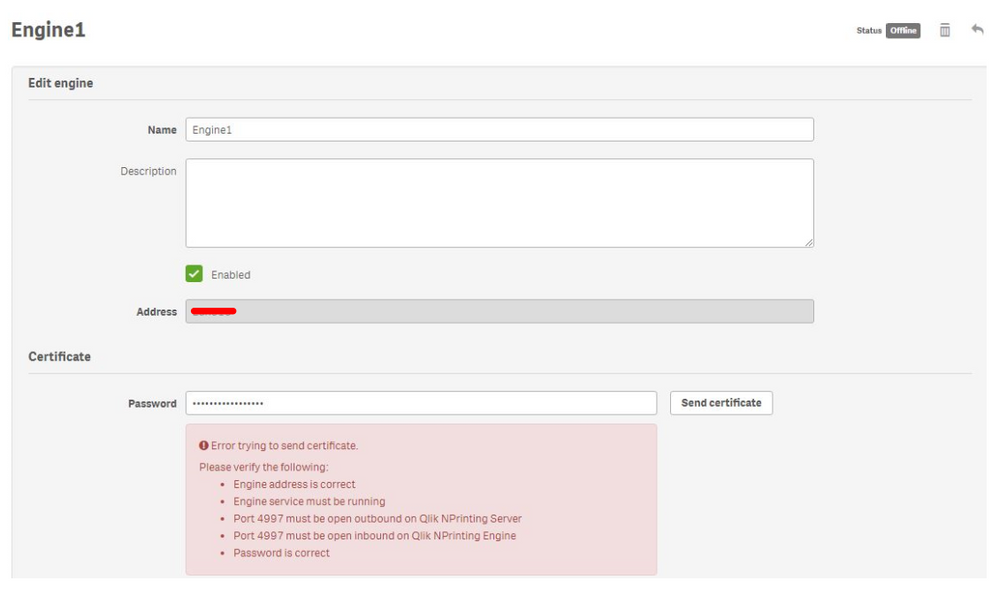
Adding the NPrinting Engine in the engine manager doesn't accept the password needed to register the certificate.
No new engine can be installed or added to the system.
The following messages/errors are displayed:
Error trying to send certificate. Please verify the following: Engine address is correct Engine service must be running Port 4997 must be open outbound on Qlik NPrinting Server Port 4997 must be open inbound on Qlik NPrinting Engine Password is correct
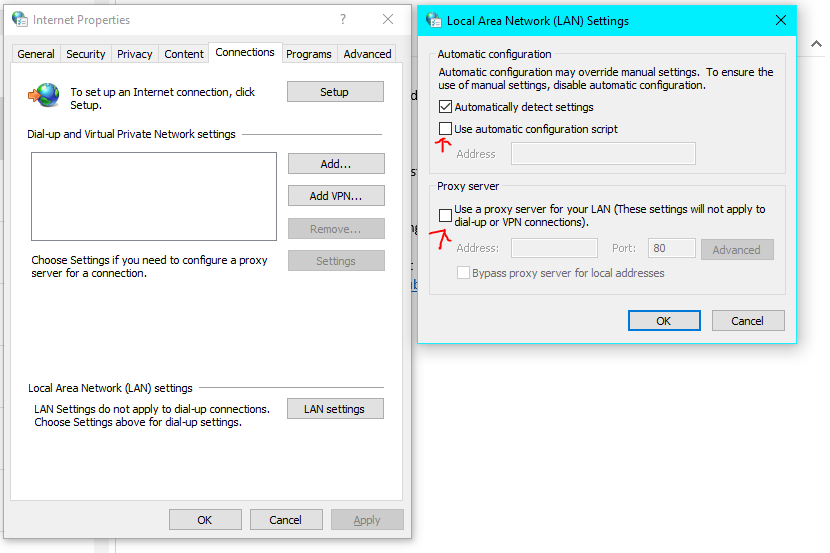
Verify if a proxy is configured in Internet Explorer
Open Internet Explorer
Open Internet Options
Select Options
Open LAN Settings
Uncheck the proxy option (see fig 1)
Fig 1
Uninstall the NPrinting Engine and make sure that the NPrinting Engine is the exact same version as the NPrinting Server before reinstalling the NP engine or this will fail
Install the NPrinting Engine and use the documented NP engine password.
Go to the NP web console>Engine Manager and try to send the certificate again. (You may need to delete the engine from the Engine manager and re-add it to complete the resolution)