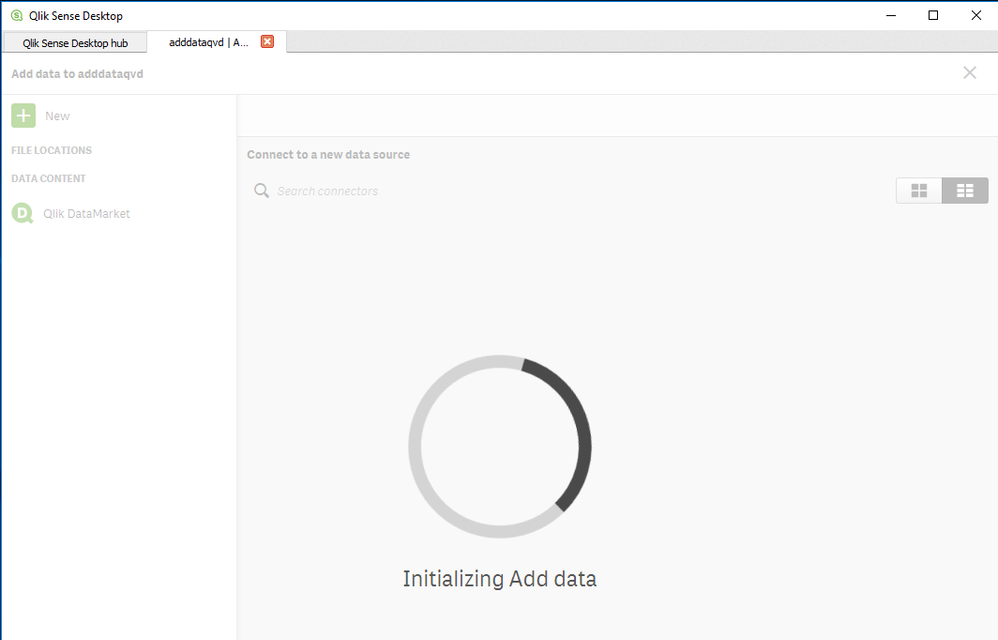
Opening the Add data wizard or dragging/droping a data file into Qlik Sense Desktop, the screen hangs and the following error is displayed:
Initializing Add data
Resolution
Make sure the user running Qlik Sense Desktop has full control to folder C:\Users\<username>\AppData\Local\Programs\Qlik\Sense\DataPrepService
Run the matching installation file with admin privilege and repair the installation. You may need to download it from the Qlik download site again: https://demo.qlik.com/download/
In some cases it was needed to uninstall and reinstall as below:
Uninstall Qlik Sense Desktop from Control Panel / Uninstall programs
Delete the program folders located in: C:\Users\<username>\AppData\Local\Programs\Qlik\Sense C:\Users\<username>\AppData\Local\Programs\Common Files\Qlik\Custom Data
Install Qlik Sense Desktop by Signing on as an Administrator and doing a Right Click Run as Administrator
Select the Custom Installation option when you get asked and - Install Qlik Sense Desktop to a Folder that all users have full rights access - Select the same Folder in the Next screen.
Tried all of this many times. Installing file as admin on default patch, on C: main, on E: main. Tried to run as admin, treid to repair, nothing works Im tired on that program , if this is demo so heavily bugged so what about full version