Do not input private or sensitive data. View Qlik Privacy & Cookie Policy.
Skip to main content

Announcements
ALERT: QlikView server communication interruptions following Microsoft Windows Domain Controller security updates

"Export sheet to PDF" generates blank PDFs

No ratings
cancel
Showing results for 
Search instead for 
Did you mean: 
Sonja_Bauernfeind
Digital Support
Digital Support

"Export sheet to PDF" generates blank PDFs

Last Update:

May 24, 2021 6:27:18 AM

Updated By:

Sonja_Bauernfeind

Created date:

Jul 28, 2019 2:30:58 AM

Qlik Sense fails to export a sheet to PDF and returns a blank page. 

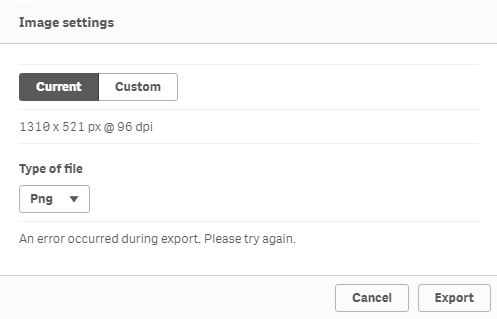
When exporting an object as an image, the error:

An error occurred during export. Please try again.

Export Sheet Blank PDF.png


Environment:

Qlik Sense Enterprise on Windows 


Resolution:


  1. Verify if port 4899 is available. Unblock if it is not. 
  2. Check the System_Printing log to see if the following error message can be found:

    Failed to connect to an IPC Port: The system cannot find the file specified. Server stack trace: at System.Runtime.Remoting.Channels.Ipc.IpcPort.Connect(String portName, 

    If so, please continue the following:
    1. Go to  C:\Windows\Microsoft.NET\Framework64\v4.0.30319\config\
    2. Make a backup of machine.config file first
    3. Open machine.config to see if the following line is included:
      <commonBehaviors><endpointBehaviors><Microsoft.VisualStudio.Diagnostics.ServiceModelSink.Behavior/></endpointBehaviors><serviceBehaviors><Microsoft.VisualStudio.Diagnostics.ServiceModelSink.Behavior/></serviceBehaviors></commonBehaviors></system.serviceModel>​
    4. Delete this line and save the file
    5. Restart QlikSense printing service
Labels (1)
Comments
ArmaganYali
Partner - Contributor II

Hi Sonja,

Will this method work for Windows operating system 2012 R2 and Qlik Sense May 24 product ?

Thanks in advance,

Contributors
Version history
Last update:
‎2021-05-24 06:27 AM
Updated by: