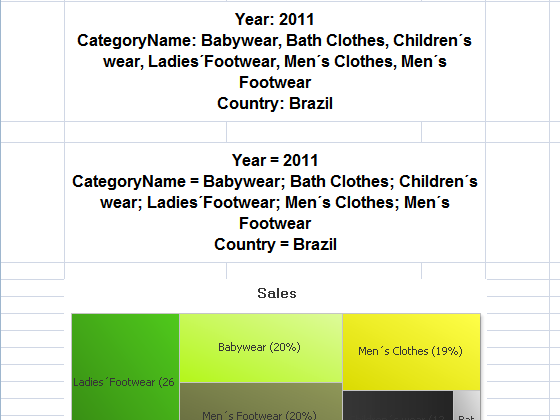
Formulas will be used to display NPrinting Current Selections within the report. We will start from a simplified version of the report in the Formulas tutorial. We will add two versions of a formula to display the filters set in NPrinting to be applied.
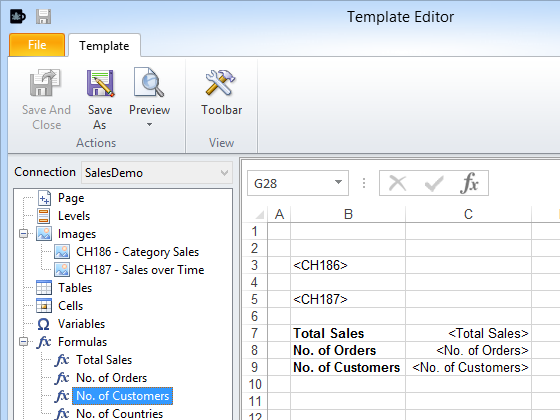
Start with Simple Report
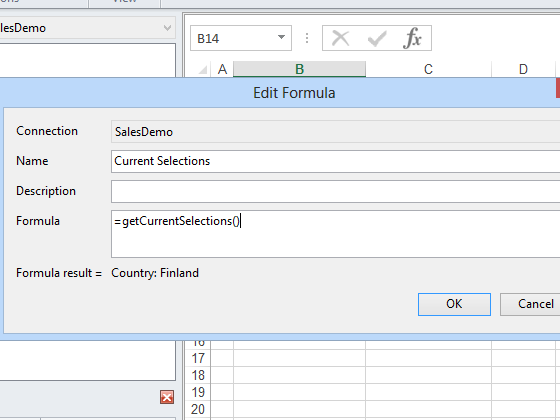
Add Unformatted Formula
This formula queries for the current selections.
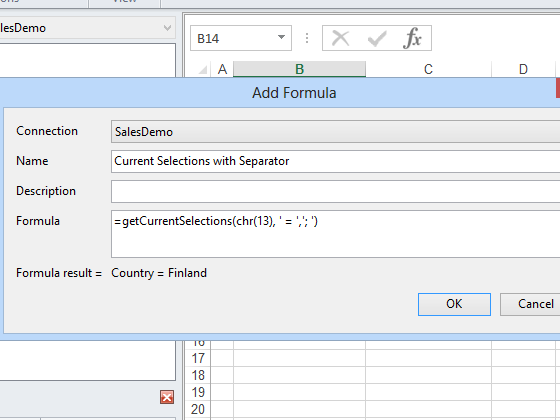
Add Formatted Version
This formula queries for the current selections but with different separators. QlikView Help explains that chr(13), carriage return, causes a new paragraph. The first combination of characters between single quotes ' = ' (space, equal sign, space) defines the separator between the field name and the list of values, and the second '; ' (semicolon, space) defines the separator between field values.
Embed Formulas in Template
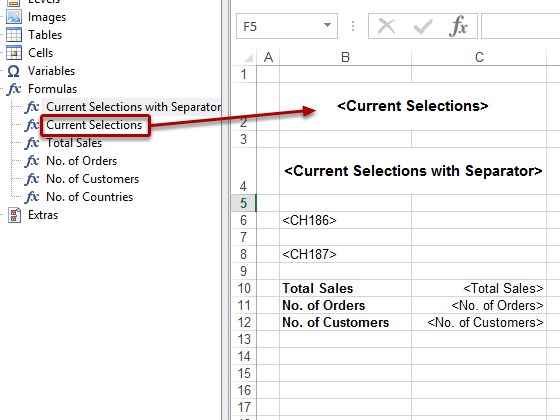
Drag the Current Selections and Current Selections with Separator node tokens into the template and drop them into empty cells. Save, Close, and Preview.
Report Displays Current Selections
You can see the difference in effect between the default values and the custom values.
I am facing issue with current selection box in nprinting report, i have created formula in nsq file as getcurrentselection function and added to nprinting report , so only year and month are coming but other field selection are not coming , please help me why other filed are not coming in my current selection .
I have checked in my template also , in my PPT template there are two slides , but when i am trying current selection formula at first slide it is working. But when using in second slide it is only showing year and month selection in as current selection not other fields.