Unlock a world of possibilities! Login now and discover the exclusive benefits awaiting you.

- Qlik Community
- :
- Support
- :
- Support
- :
- Knowledge
- :
- Member Articles
- :
- How to Manage Dimensions Containing Cyclic Groups ...
- Move Document
- Delete Document
- Subscribe to RSS Feed
- Mark as New
- Mark as Read
- Bookmark
- Subscribe
- Printer Friendly Page
- Report Inappropriate Content
How to Manage Dimensions Containing Cyclic Groups in Word, Excel, PowerPoint and HTML Reports

 Stefano_Dalla_G
- Move Document
- Delete Document
- Mark as New
- Bookmark
- Subscribe
- Mute
- Subscribe to RSS Feed
- Permalink
- Report Inappropriate Content
How to Manage Dimensions Containing Cyclic Groups in Word, Excel, PowerPoint and HTML Reports
Nov 13, 2015 5:01:55 AM
Nov 13, 2015 5:01:55 AM
The "Use This Group Field" property has been added to the Table column Properties menu in Word, Excel, PowerPoint and HTML report templates. It is displayed only for dimensions and only if they contain a Cyclic Group. It has a predefined value, "(Active Field)" which will use the field which is active at run time. It is also possible to force NPrinting to display a specific dimension by selecting it from the list.
Formula and drill-down groups are not supported.
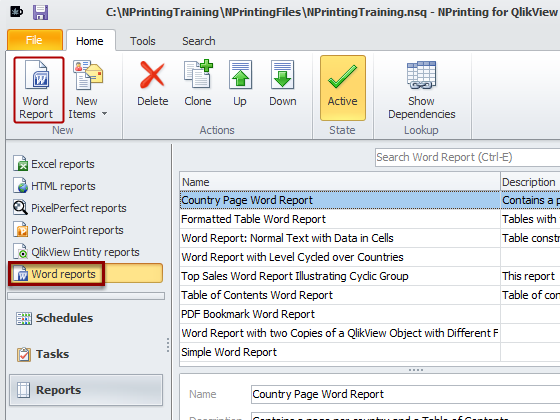
Set Basic Parameters and Open Template Editor
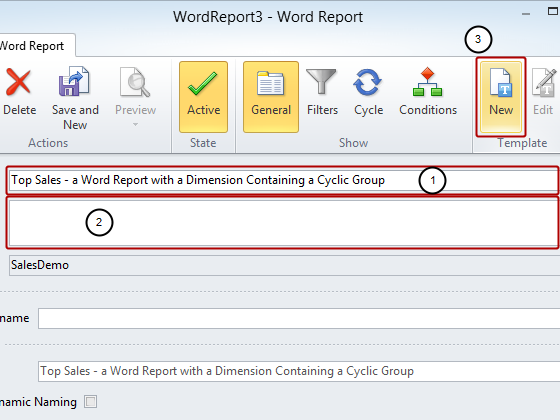
- Enter a Name for your report
- Enter a more detailed Description (optional)
- Click on the New icon in the Template group
Save Template
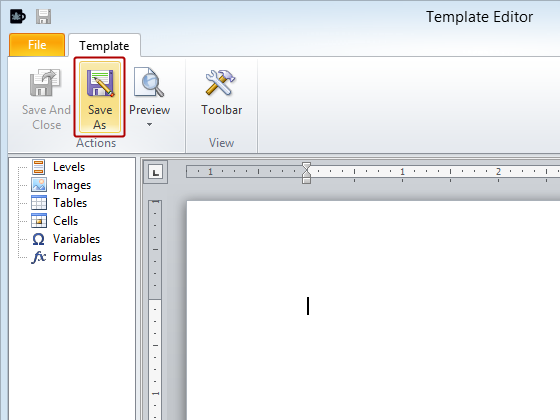
Click on the Save As icon
Save Template
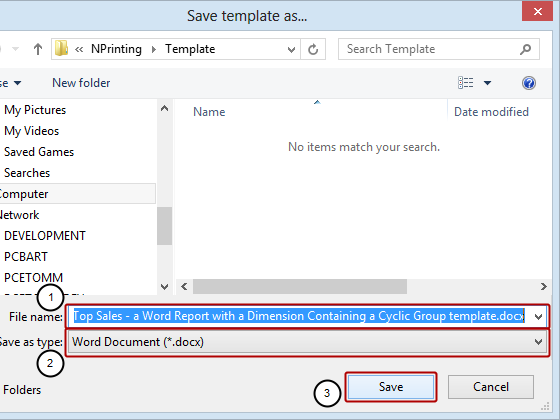
- Enter a File name for the template or accept the suggested one
- Save as type: can be set to Word Document (*.docx) or the default Word 97-2003 Document (*.doc) as they are both compatible with this feature
- Click on the Save button
Add Heading and QlikView Object to Template
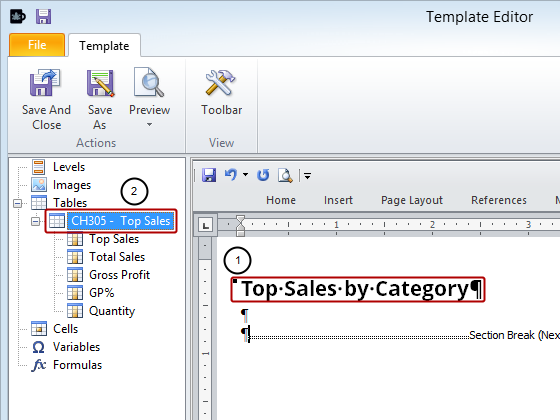
- Add Top Sales by Category as a heading to Word template
- Add QlikView object CH305 - Top Sales to template as a table
Set CategoryName as Field to Be Used
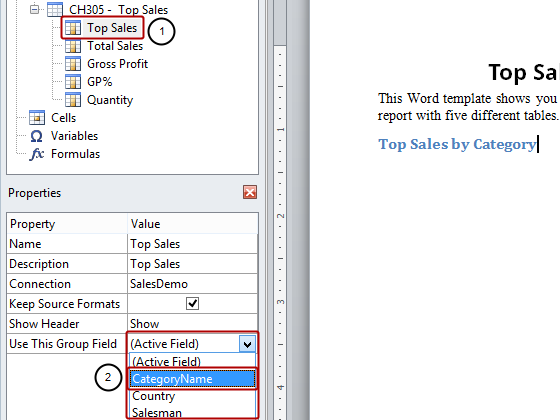
- Select the Top Sales column node under the CH305 - Top Sales table node
- Select CategoryName in the Value cell of the Use This Group Field property in the Properties pane
Embed CH305 - Top Sales in Template
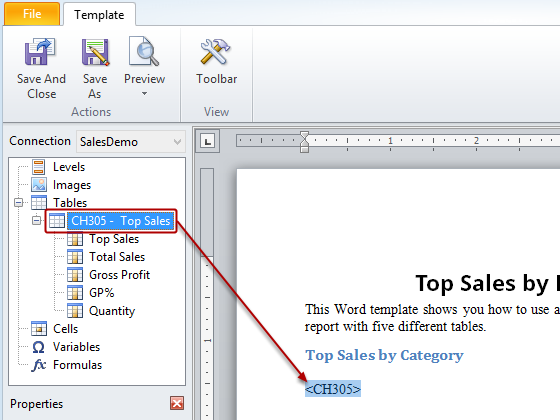
Drag and drop the CH305 - Top Sales table-node token into the template.
Add Second Heading and Same QlikView Object to Template
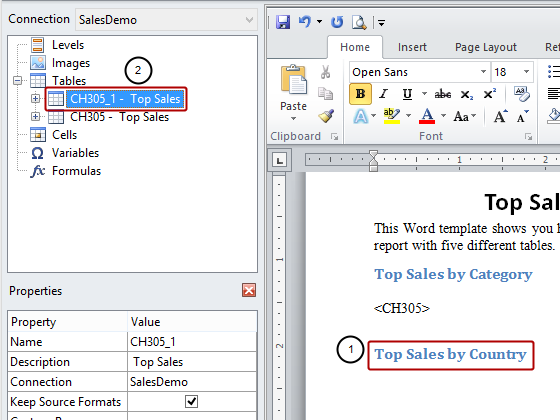
- Add Top Sales by Country as a new heading to the template
- Add QlikView object CH305 - Top Sales to template as a table again, resulting in the CH305_1 - Top Sales node
Set Country as Field to Be Used
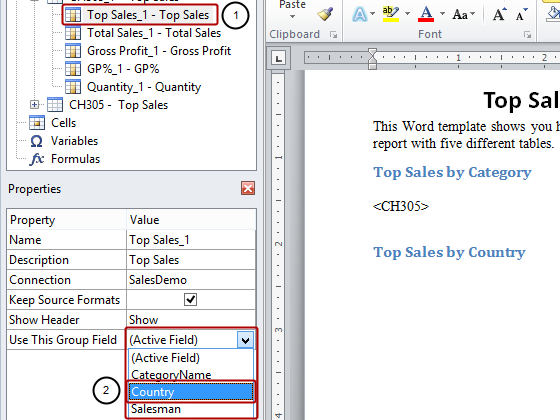
- Select the Top Sales_1 - Top Sales column node
- Select Country in the Value cell of the Use This Group Field property in the Properties pane
Embed CH305_1 - Top Sales in Template
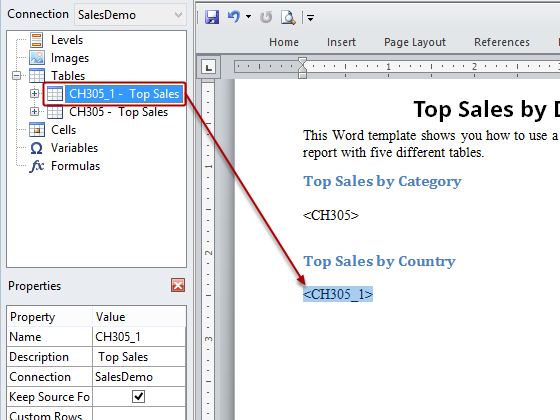
Drag and drop the CH305_1 - Top Sales table-node token into the template.
Add Third Heading and Same QlikView Object to Template
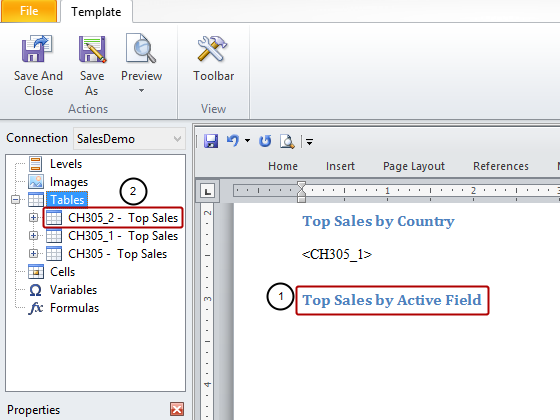
- Add a new heading to the template
- Add QlikView object CH305 - Top Sales to template as a table again, resulting in the CH305_2 - Top Sales node
Set Salesman as Field to Be Used
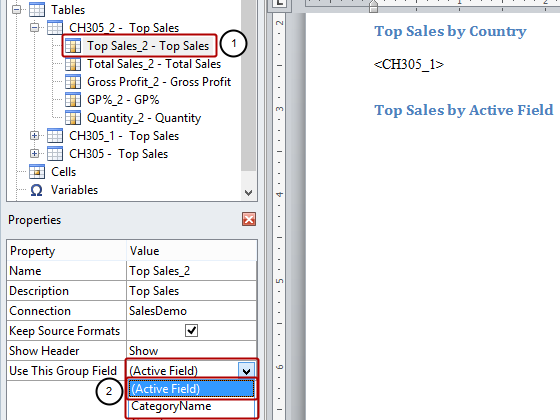
- Select the Top Sales_2 - Top Sales column node
- Select Active Field in the Value cell of the Use This Group Field property if it is not already selected
N.B. Active Field means the field of the group active at the moment of saving the QlikView document. In this case, though we haven't saved the QlikView document, the last active field is Country. If you use Active Field in an Excel report template and add the fields one by one, then you need to set Show Header to Show Above Tag Cell
Embed CH305_2 - Top Sales in Template
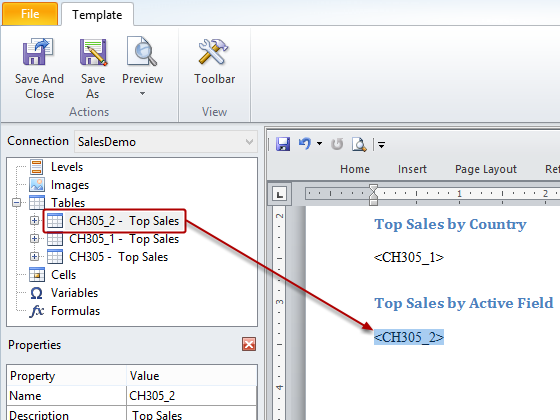
Drag and drop the CH305_2 - Top Sales node token into the template.
Run Preview
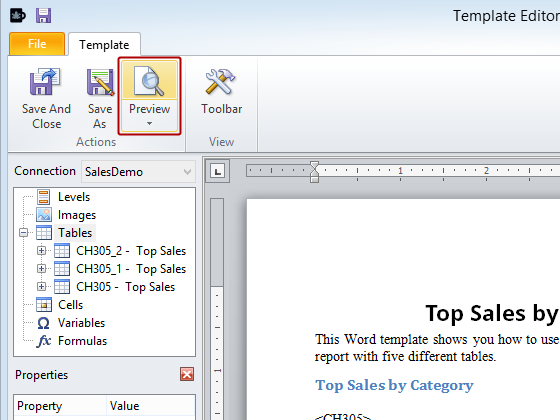
Click on Preview in the Actions group
Inspect Report Preview
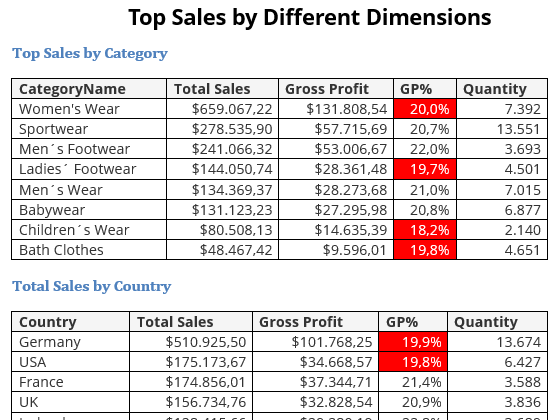
Notice that the table has been repeated but the first dimension displays a different field from the cyclic group and the other dimensions show the relevant data.
Be Sure to Save Your Work
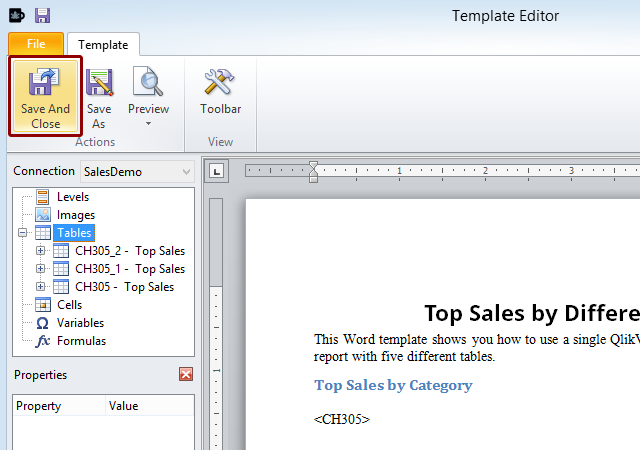
Click on the Save and Close icon.