The QlikView AJAX client times out after 60 seconds of inactivity and the session is disconnected.
Environment:
All version of QlikView
Default timeout value between the QlikView Server (QVS) and WebServer (QVWS) is 60 seconds by default. This timeout can be adjusted by modifying the SocketTimeOutInSeconds.
QlikView Web Server:
Stop the QlikView WebServer Service
Navigate to C:\Program Files\QlikView\Server\Web Server
Open QVWebServer.exe.config
Inside the <appSettings> section, add the following key (if not already present): <add key="SocketTimeOutInSeconds" value="600"/>
Save the file, and start the QlikView WebServer Service
If using IIS:
Open IIS manager on the webserver
Highlight the Default Web Site (if not using Default Web Site, select the web site which was chosen during the QlikView Settings Service installation process)
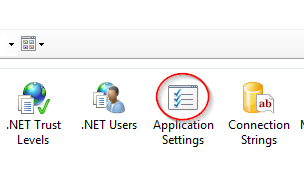
Double-click Application Settings
Right-click in blank space and choose Add
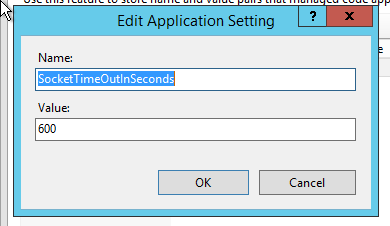
In Name field, enter SocketTimeOutInSeconds In Value field, enter desired value*, click OK
*a value of 600 will set the timeout value to 10 minutes