The Qlik Sense Repository Database does not start.
The service fails with the error:
The Qlik Sense Repository Database service on Local Computer started and then stopped. Some services stop automatically if they are not in use by other services or programs.
The Windows Application log reads:
PostgreSQL "PANIC: could not open control file "global/pg_control": Permission denied"
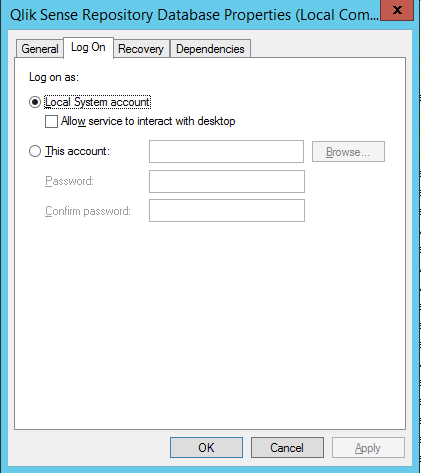
The Qlik Sense Repository Database Service needs to at all times be run by the Local System account. If the account has been changed, the service cannot start.
To change the account:
Open the Windows Services Console
Locate the Qlik Sense Repository Database Service
Right-click go to Properties
Go to the Log On tab
Select the Local System account.
The Qlik Sense Repository Database service will now start.
If the service still does not start, then then the database files may have been set to Read Only, which can happen as a result of permissions inheritance in the file system.
To fix this:
On the database server navigate to the postgres directory (if installed with Qlik Sense it will be located at %ProgramData%\Qlik\Sense\Repository\PostgreSQL\9.6)
Select all
Click Properties
Uncheck Read Only
Click Apply
Ensure Apply Changes to the selected items, subfolders and files is select