QlikView Distribution Services does not start: Error The service must have sufficient permissions in Publisher Application Data Folder, Exception=System.IO.DirectoryNotFoundException
QlikView Distribution Services does not start: Error The service must have sufficient permissions in Publisher Application Data Folder, Exception=System.IO.DirectoryNotFoundException
Reviewing the relevant log files (Windows Event logs or Distribution Service root logs) indicates the following:
Startup failure. Read the log file and/or event log for determinating the cause of this problem. Note! The service must have sufficient permissions in Publisher Application Data Folder: "C:\ProgramData\QlikTech\DistributionService". Exception=System.IO.DirectoryNotFoundException: Could not find a part of the path '\\your\shared\QDSfolder'. at System.IO.__Error.WinIOError(Int32 errorCode, String maybeFullPath) at System.IO.Directory.InternalCreateDirectory(String fullPath, String path, Object dirSecurityObj, Boolean checkHost) at System.IO.Directory.InternalCreateDirectoryHelper(String path, Boolean checkHost) at SolutionGlobal.Config.set_ApplicationDataFolder(String value) at QDSMain.MainClass.Run()
Resolution:
If the Distribution Service Application Data folder has been stored on a shared drive, then it is likely that this path was not yet available when the service attempted to start. This will lead to it being unable to start, as it cannot obtain its configuration files.
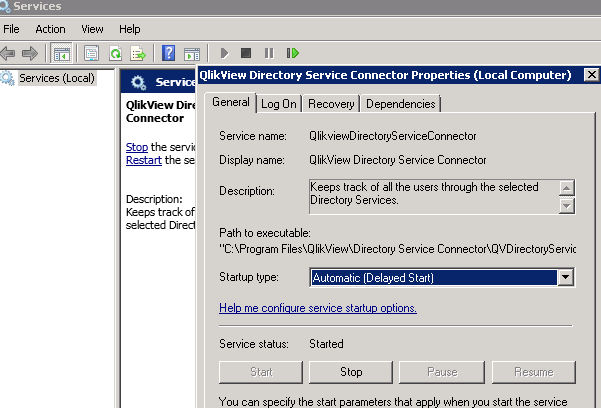
A possible workaround is to set the QlikView Services to start at a Delay.