Unlock a world of possibilities! Login now and discover the exclusive benefits awaiting you.

Announcements
FLASH SALE: Save $500! Use code FLASH2026 at checkout until Feb 14th at 11:59PM ET. Register Now!
- Qlik Community
- :
- All Forums
- :
- QlikView App Dev
- :
- Count Date in PivotTable
Options
- Subscribe to RSS Feed
- Mark Topic as New
- Mark Topic as Read
- Float this Topic for Current User
- Bookmark
- Subscribe
- Mute
- Printer Friendly Page
Turn on suggestions
Auto-suggest helps you quickly narrow down your search results by suggesting possible matches as you type.
Showing results for

Not applicable
2015-09-24
06:00 AM
- Mark as New
- Bookmark
- Subscribe
- Mute
- Subscribe to RSS Feed
- Permalink
- Report Inappropriate Content
Count Date in PivotTable
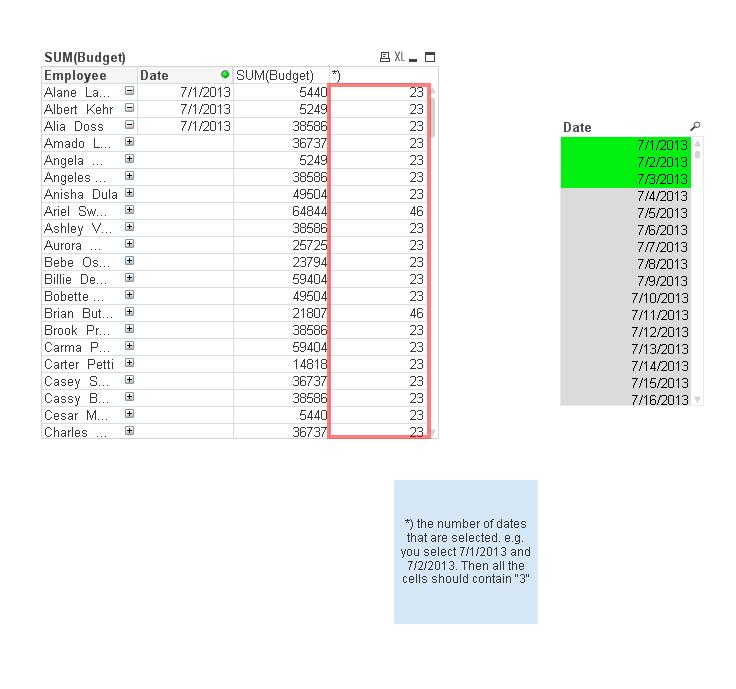
Hi There, I have a PivotTable with two dimensions. Now I want to have the number of Dates that I select in each cell. I attached a screenshot and the Qlikview-file.
Thanks very much in advance!
900 Views
1 Solution
Accepted Solutions

 tresB
tresB
Champion III
2015-09-24
06:12 AM
- Mark as New
- Bookmark
- Subscribe
- Mute
- Subscribe to RSS Feed
- Permalink
- Report Inappropriate Content
Use Expression: =count(total distinct Date)
5 Replies

 gautik92
Specialist III
2015-09-24
06:04 AM
- Mark as New
- Bookmark
- Subscribe
- Mute
- Subscribe to RSS Feed
- Permalink
- Report Inappropriate Content
if the field have those dates oly itt ll be shown
if the field is not associated with that date it wont show
637 Views
Not applicable
2015-09-24
06:04 AM
Author
- Mark as New
- Bookmark
- Subscribe
- Mute
- Subscribe to RSS Feed
- Permalink
- Report Inappropriate Content
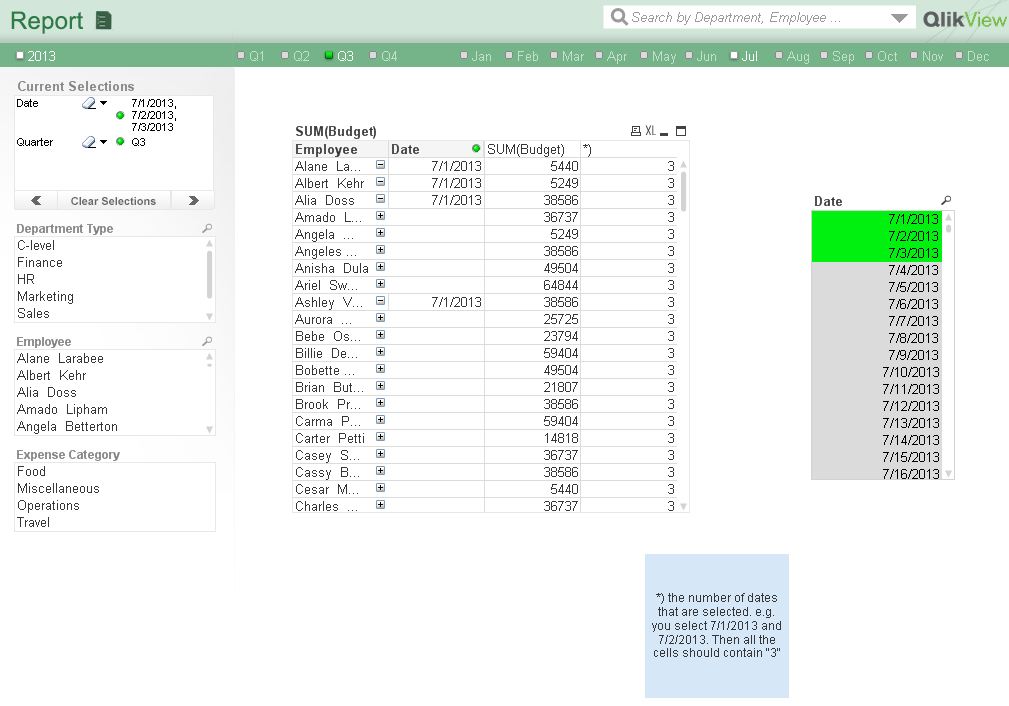 use getselectedCount(Date) instead of count(Date)..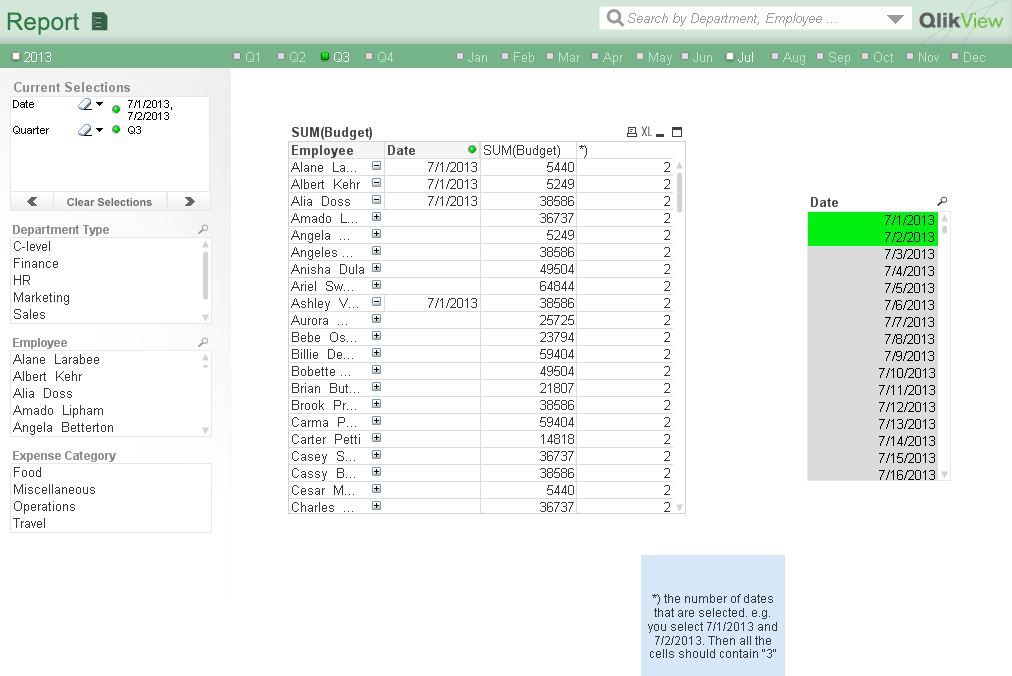
tresB
Champion III
2015-09-24
06:12 AM
- Mark as New
- Bookmark
- Subscribe
- Mute
- Subscribe to RSS Feed
- Permalink
- Report Inappropriate Content
Use Expression: =count(total distinct Date)
Not applicable
2015-09-24
06:15 AM
Author
- Mark as New
- Bookmark
- Subscribe
- Mute
- Subscribe to RSS Feed
- Permalink
- Report Inappropriate Content
That´s it!!! Thanks very much
637 Views
Not applicable
2015-09-24
06:17 AM
Author
- Mark as New
- Bookmark
- Subscribe
- Mute
- Subscribe to RSS Feed
- Permalink
- Report Inappropriate Content
Thats a very good hint, but I couldn´t use it, because I didn´t select the date directly. I have forgotten to mention it. but thanks very much
637 Views