Unlock a world of possibilities! Login now and discover the exclusive benefits awaiting you.

- Qlik Community
- :
- All Forums
- :
- QlikView App Dev
- :
- Disappearing objects, Screen not updating properly
- Subscribe to RSS Feed
- Mark Topic as New
- Mark Topic as Read
- Float this Topic for Current User
- Bookmark
- Subscribe
- Mute
- Printer Friendly Page

 bdiamante
- Mark as New
- Bookmark
- Subscribe
- Mute
- Subscribe to RSS Feed
- Permalink
- Report Inappropriate Content
Disappearing objects, Screen not updating properly
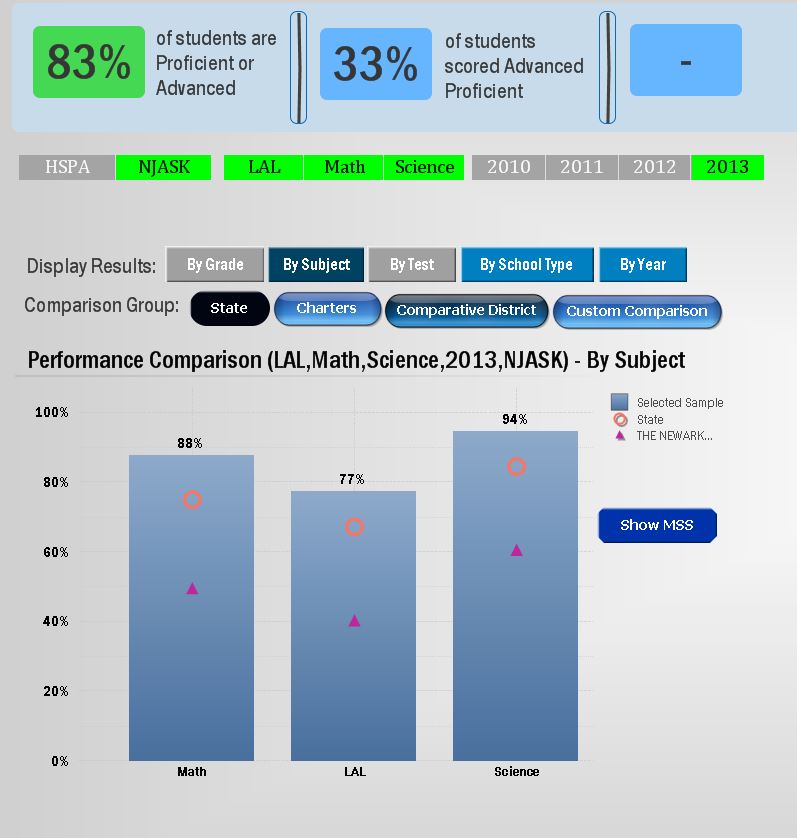
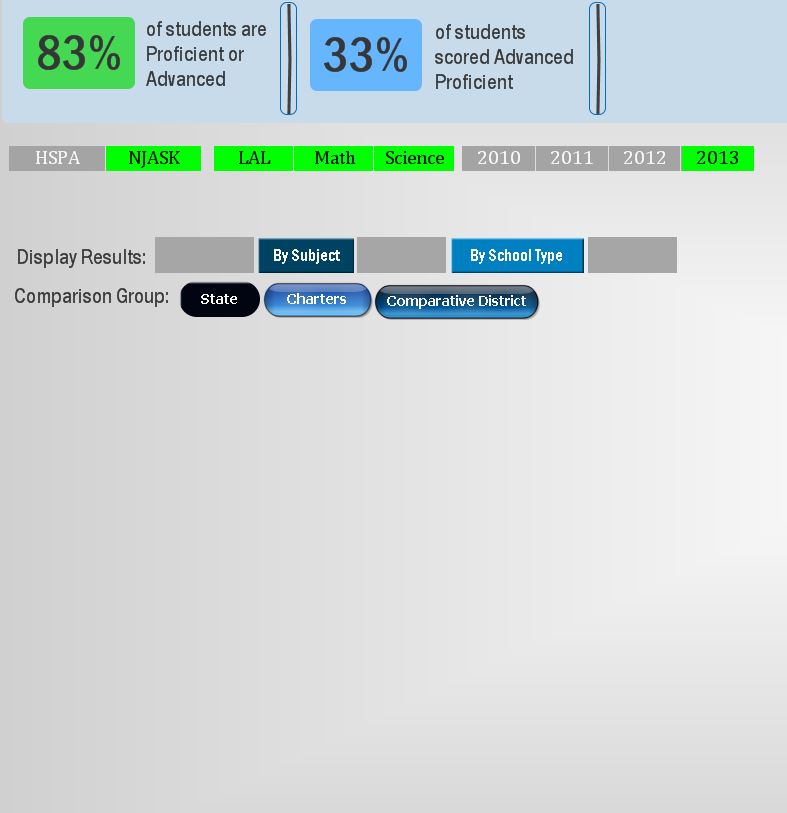
Over the past few weeks I've been noticing that sheet objects on the screen disappear randomly while using the application. Once it starts happening it doesn't stop. Sometimes if I click where I know the object is supposed to be it will reappear or flash, but as you can imagine this renders the application unusable. I am only seeing the issue while using Qlikview Desktop for Windows.
In addition to objects disappearing, in some instances, they will just turn completely gray. There is no pattern to this behavior that I have noticed. It just seems like there's some graphical glitch and the screen is not redrawing properly. Is anyone else experiencing this problem?
Example: This is what the screen should look like:
This is what randomly happens when the glitch kicks in:
- « Previous Replies
-
- 1
- 2
- Next Replies »

 Nicole-Smith
- Mark as New
- Bookmark
- Subscribe
- Mute
- Subscribe to RSS Feed
- Permalink
- Report Inappropriate Content
What version of IE are you running? QV11.20 SR5+ are the only releases that support IE11. So if you're using an earlier version, you may need to downgrade IE.

- Mark as New
- Bookmark
- Subscribe
- Mute
- Subscribe to RSS Feed
- Permalink
- Report Inappropriate Content
I have the same issue, Layers have no impact, it is simply things that are close to the side. It gets worse if you apply zooming to make full use of the screen.
I will try the webview option but I had hoped for a better solution than that.
bdiamante
- Mark as New
- Bookmark
- Subscribe
- Mute
- Subscribe to RSS Feed
- Permalink
- Report Inappropriate Content
I ended up rolling back to version 11.00.1154.0 64-bit and I no longer experience the problem at all. It's unfortunate not being able to use the latest version, but until they correct that bug, I'm staying with 11.0. Depending on what version you're currently running, maybe give that a try?
- « Previous Replies
-
- 1
- 2
- Next Replies »