Unlock a world of possibilities! Login now and discover the exclusive benefits awaiting you.

- Qlik Community
- :
- All Forums
- :
- QlikView App Dev
- :
- How can I change the background color and popup??I...
Options
- Subscribe to RSS Feed
- Mark Topic as New
- Mark Topic as Read
- Float this Topic for Current User
- Bookmark
- Subscribe
- Mute
- Printer Friendly Page
Turn on suggestions
Auto-suggest helps you quickly narrow down your search results by suggesting possible matches as you type.
Showing results for

Anonymous
Not applicable
2018-07-25
07:47 AM
- Mark as New
- Bookmark
- Subscribe
- Mute
- Subscribe to RSS Feed
- Permalink
- Report Inappropriate Content
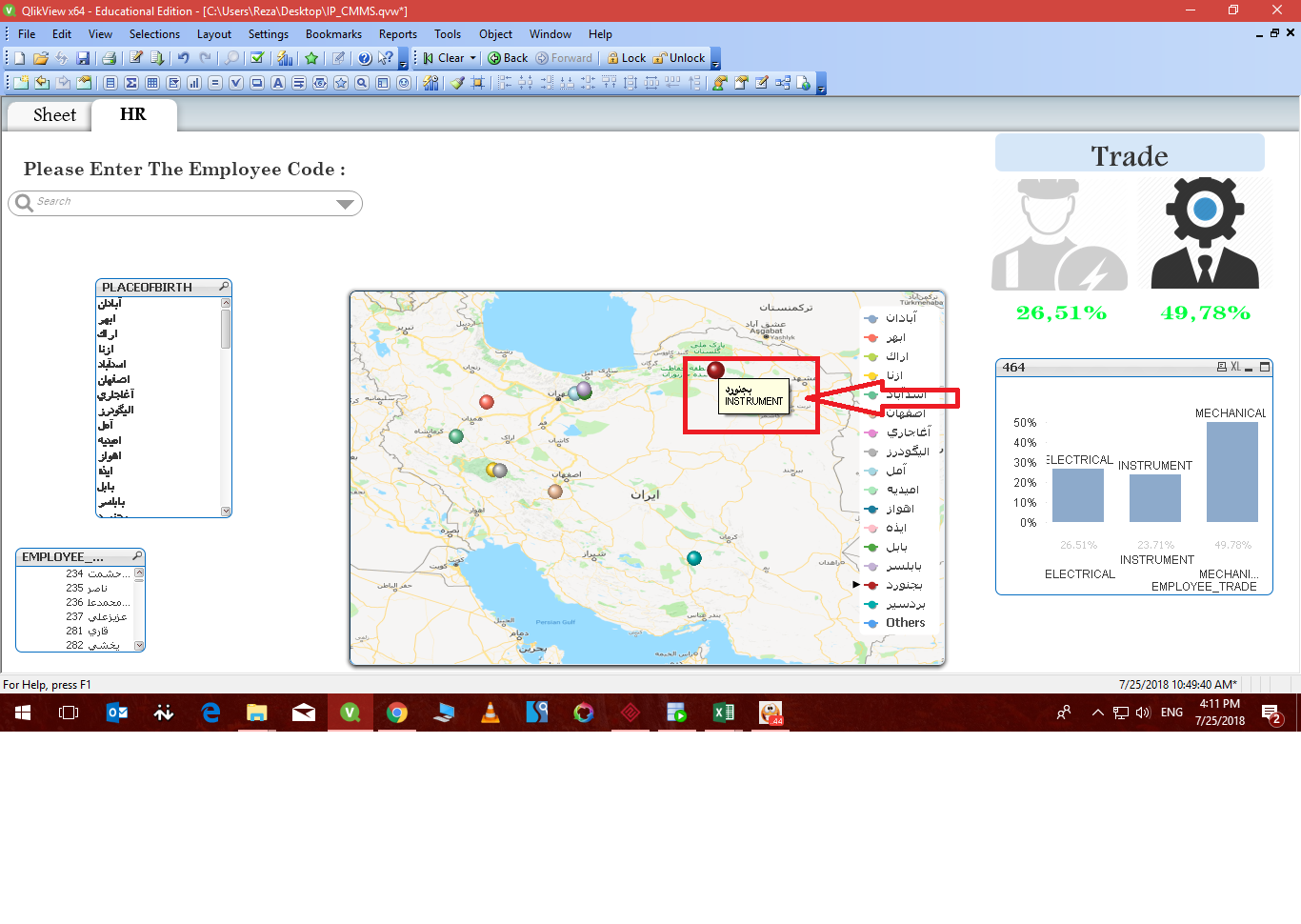
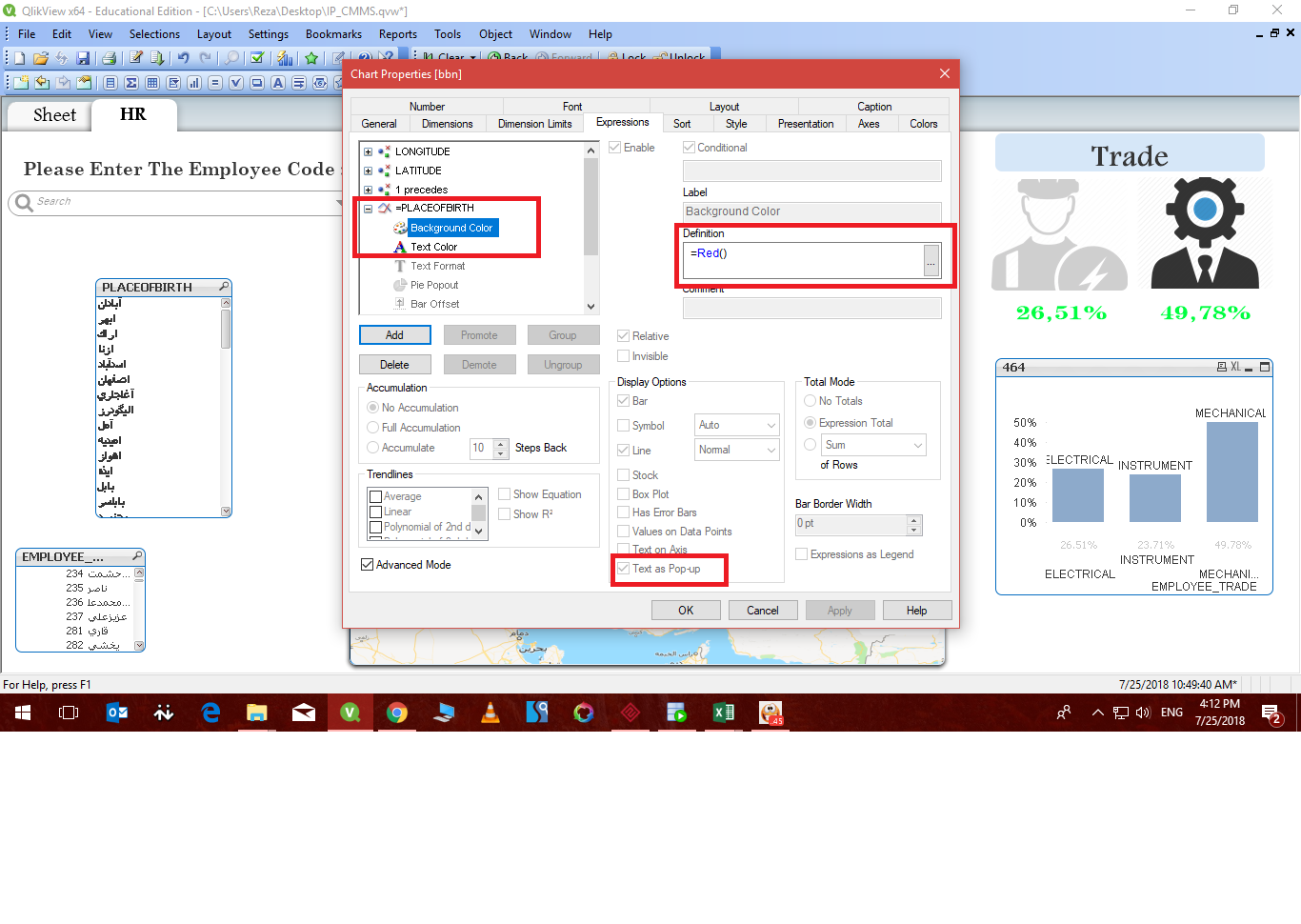
How can I change the background color and popup??I also did not succeed through the photo you see
967 Views
4 Replies

 felipedl
Partner - Specialist III
2018-07-26
01:57 PM
- Mark as New
- Bookmark
- Subscribe
- Mute
- Subscribe to RSS Feed
- Permalink
- Report Inappropriate Content
HI Reza,
I believe you cannot change that natively on Qlik.
The "=Red()" you used is for the graph only, so that your chart expression is red now, not the pop-up.
Try searching Qlik Branch
and see if there's an extension for it.
884 Views
Anonymous
Not applicable
2018-07-27
11:12 PM
Author
- Mark as New
- Bookmark
- Subscribe
- Mute
- Subscribe to RSS Feed
- Permalink
- Report Inappropriate Content
But I've seen this on some sites
884 Views

 balabhaskarqlik
Master
2018-07-28
06:46 AM
- Mark as New
- Bookmark
- Subscribe
- Mute
- Subscribe to RSS Feed
- Permalink
- Report Inappropriate Content
May be, can modify the Background color expression like this:
if(Sum(Sales)=5000,rgb(0,255,0), if(Sum(Sales)=3000, rgb(255,255,0),rgb(255,0,0)))
884 Views


2018-07-28
09:49 AM
- Mark as New
- Bookmark
- Subscribe
- Mute
- Subscribe to RSS Feed
- Permalink
- Report Inappropriate Content
You can custom Text color and font but not Back ground color for Popup 
Best Anil, When applicable please mark the correct/appropriate replies as "solution" (you can mark up to 3 "solutions". Please LIKE threads if the provided solution is helpful
884 Views