Unlock a world of possibilities! Login now and discover the exclusive benefits awaiting you.

- Qlik Community
- :
- All Forums
- :
- QlikView App Dev
- :
- Last 10 days in a graph
- Subscribe to RSS Feed
- Mark Topic as New
- Mark Topic as Read
- Float this Topic for Current User
- Bookmark
- Subscribe
- Mute
- Printer Friendly Page

- Mark as New
- Bookmark
- Subscribe
- Mute
- Subscribe to RSS Feed
- Permalink
- Report Inappropriate Content
Last 10 days in a graph
I am trying to get another graph to show just the last 10 days of data
My Date field is ReportDate. The attached seems to bring through every day in 2014 and not just the last 10 days.
ideally I would like to remove the year part so when we are on the 2nd Jan 2015 it will show 8 days worth of December also.
sum({<Year={$(=Max({1}Year))},ReportDate={">=$(=ReportDate(Max(Reportdate)-10)<=$(=ReportDate(Max(ReportDate))))"}>}RenewedCounter)
- Mark as New
- Bookmark
- Subscribe
- Mute
- Subscribe to RSS Feed
- Permalink
- Report Inappropriate Content
I am using no other dimensions in my actual graph ... only ReportDate.
I want the graph to be populated for the last 10 days ignoring all other date selection criteria in my app....
However it must still be dynamic if other options such as Product is changed from other dynamic list boxes in my App.

 MayilVahanan
- Mark as New
- Bookmark
- Subscribe
- Mute
- Subscribe to RSS Feed
- Permalink
- Report Inappropriate Content
Hi
Then above expression, is not working?
Please close the thread by marking correct answer & give likes if you like the post.
- Mark as New
- Bookmark
- Subscribe
- Mute
- Subscribe to RSS Feed
- Permalink
- Report Inappropriate Content
If you mean:
sum({<Year={=Max(Year)},Month=,ReportDate={">=$(=Date(Max(ReportDate)-10))"}*{"<=$(=Date(Max(ReportDate)))"}>}RenewedCounter)
This returns no data at all.
This was the best solution so far:
sum({1<ReportDate={">=$(=Date(Max({1}ReportDate)-10))"}*{"<=$(=Date(Max({1}ReportDate)))"}>}RenewedCounter)
However the 1 at the start means it is completely locked down.
I think we are going around in circles!
Ok I will try and explain fully
I want my graph with ReporDate on the X Axis to Never change. The X Axis must always show the last 10 days worth of Data based on the ReportDate Field. The Y Axis is the Sum of Renewed Counter. Tis screen shot shows the last 10 days for all Products (The red box)
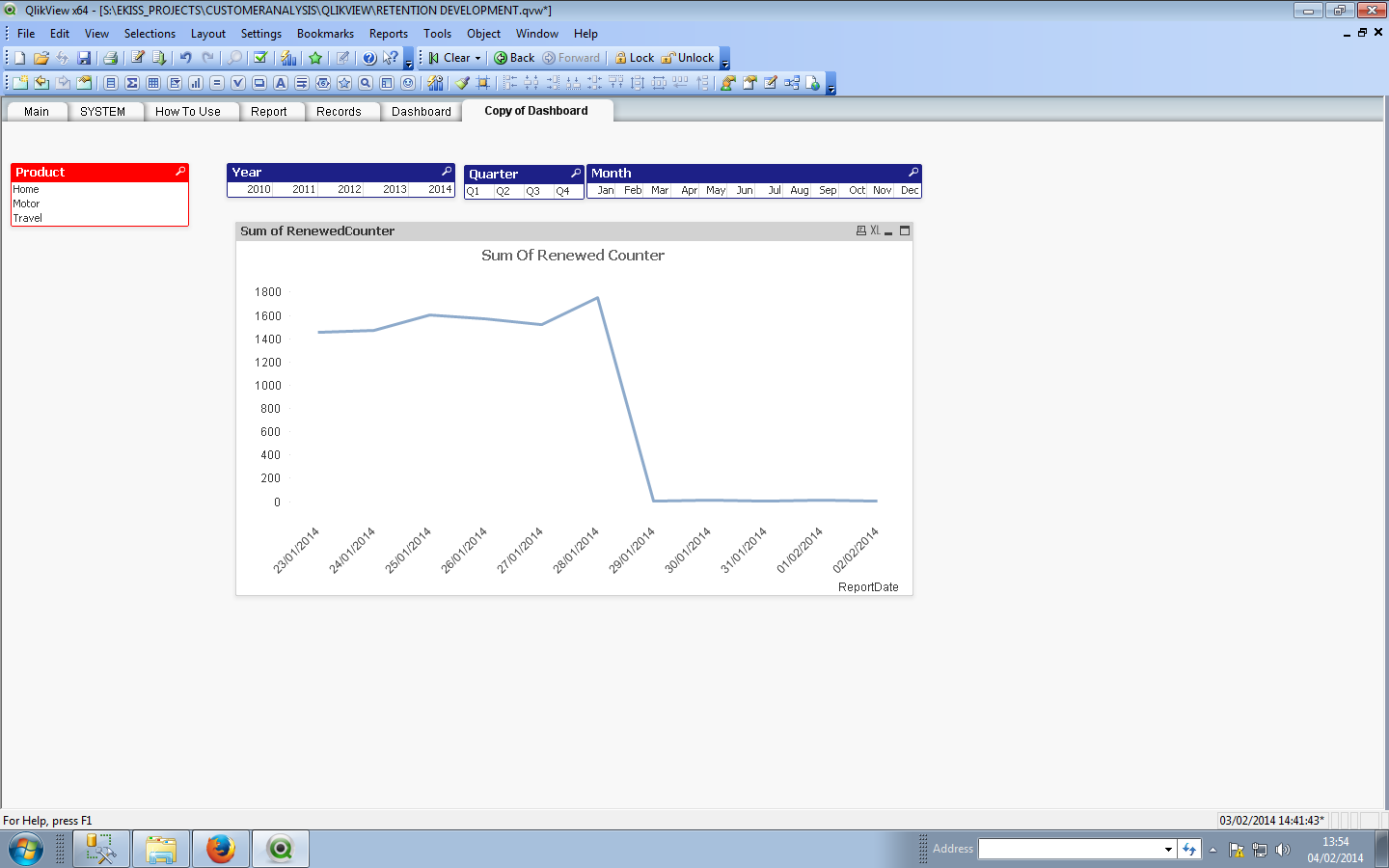
If I then Select a Product Say 'Home' the graph changes
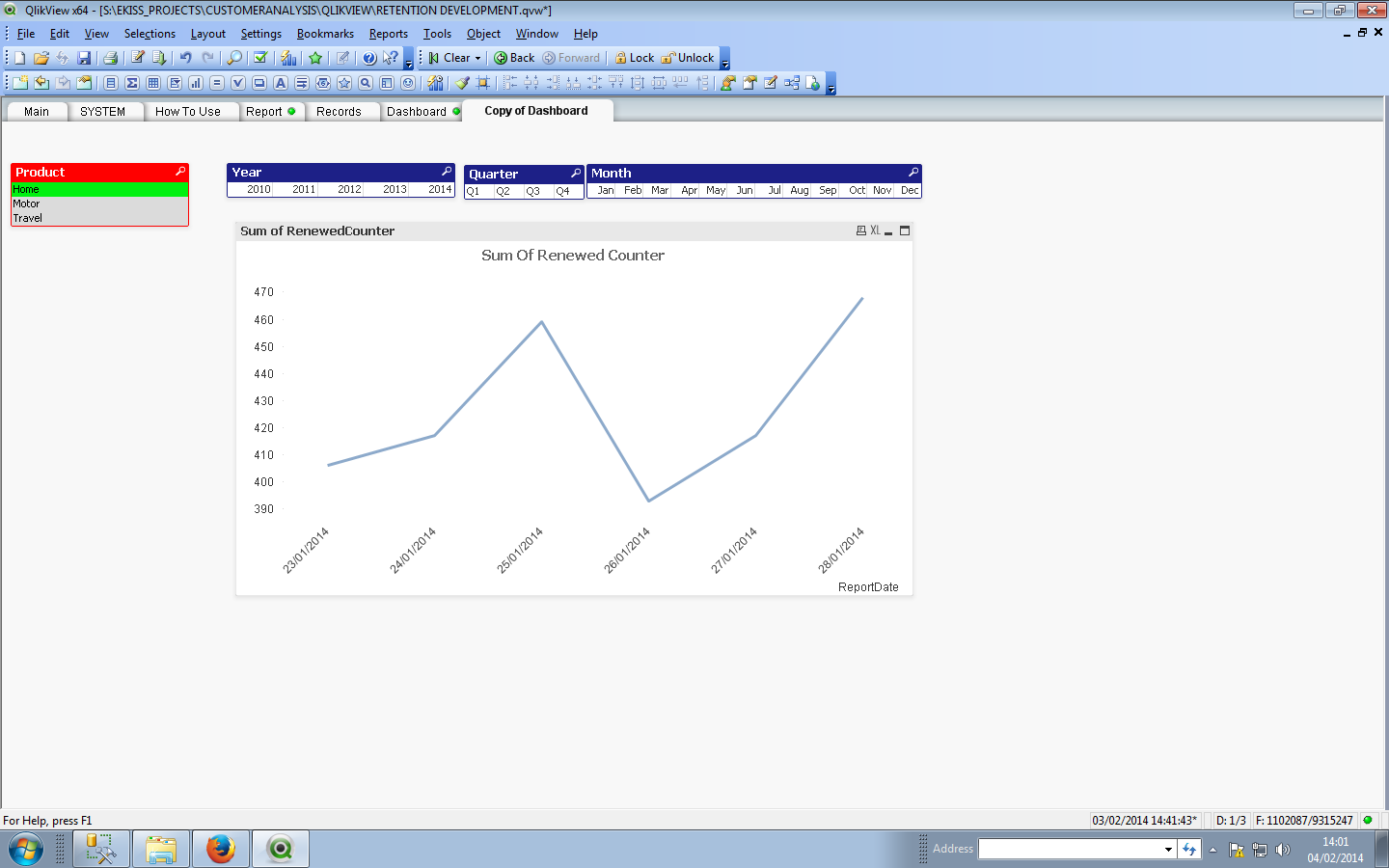
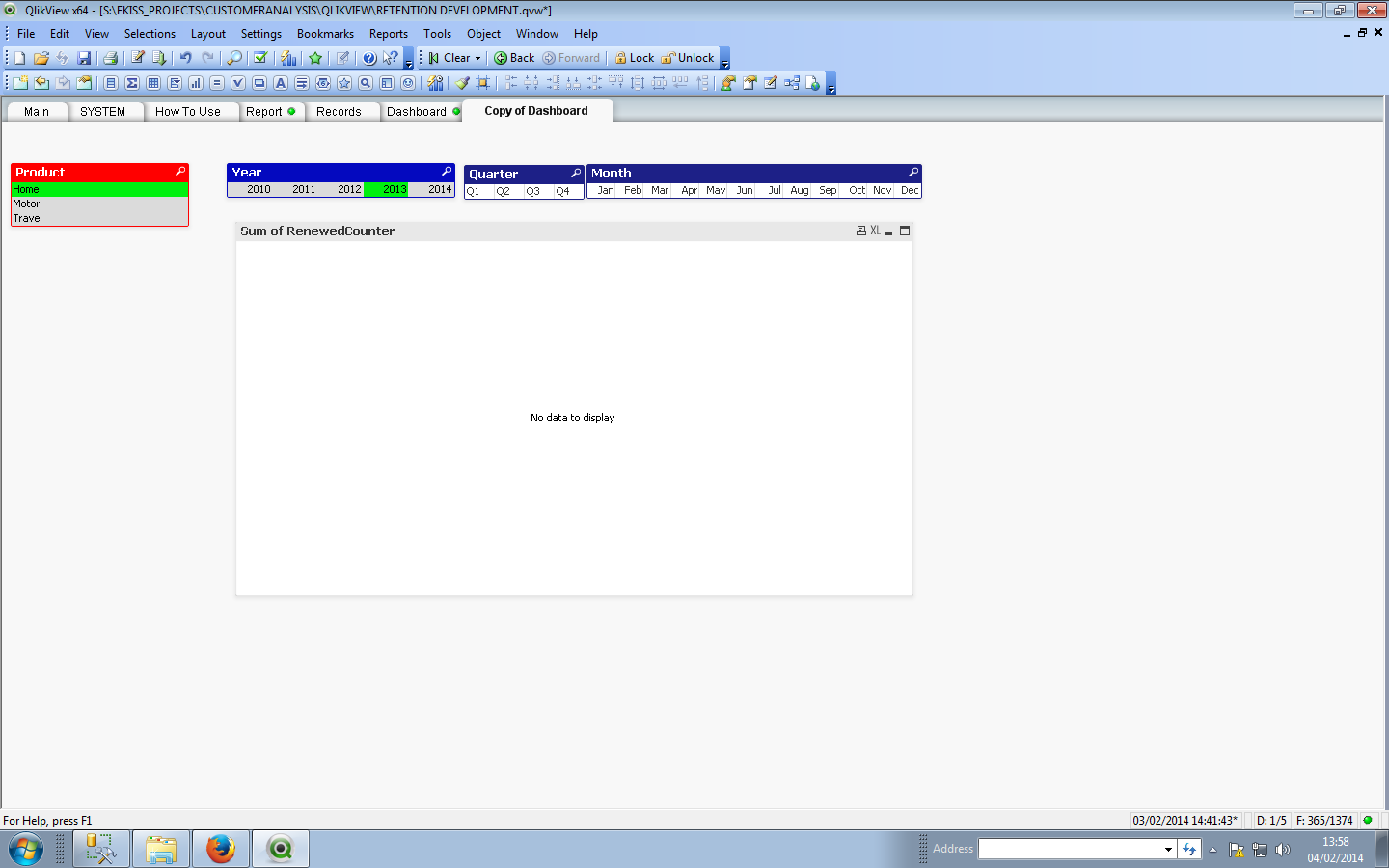
If I now click on any of the Date Fields "Blue Boxes" ---- I DONT WANT THE GRAPH TO CHANGE BUT IT DOES  It changes to No Data to Display when i click on 2013 as this is the previous year. So teh Graph MUST ignore any Date selections on my APP.
MayilVahanan
- Mark as New
- Bookmark
- Subscribe
- Mute
- Subscribe to RSS Feed
- Permalink
- Report Inappropriate Content
HI
Try like this
sum({<Year=,Month=,ReportDate={">=$(=Date(Max({1}ReportDate)-10))"}*{"<=$(=Date(Max({1}ReportDate)))"}>}RenewedCounter)
Please close the thread by marking correct answer & give likes if you like the post.
- Mark as New
- Bookmark
- Subscribe
- Mute
- Subscribe to RSS Feed
- Permalink
- Report Inappropriate Content
Thanks for your continued help. This is now working apart from it is not selecting the last 10 days. Its selecting all dates.
I think its because the Max date bits are now not rendering - using the straight table trick the result shows no Report Dates are selected?
sum(({Year=,Month=,ReportDate={">=-"}*{"<=-"}>}RenewedCounter)
MayilVahanan
- Mark as New
- Bookmark
- Subscribe
- Mute
- Subscribe to RSS Feed
- Permalink
- Report Inappropriate Content
hi
can you provide a sample?
Please close the thread by marking correct answer & give likes if you like the post.
- Mark as New
- Bookmark
- Subscribe
- Mute
- Subscribe to RSS Feed
- Permalink
- Report Inappropriate Content
Sample

 ashwanin
- Mark as New
- Bookmark
- Subscribe
- Mute
- Subscribe to RSS Feed
- Permalink
- Report Inappropriate Content
Please try this :
sum({<ReportDate={">=$(=MonthStart(addmonths(Max(ReportDate),-10)))<=$(=Max(ReportDate))"}>}RenewedCounter)
MayilVahanan
- Mark as New
- Bookmark
- Subscribe
- Mute
- Subscribe to RSS Feed
- Permalink
- Report Inappropriate Content
HI
PFA
Please close the thread by marking correct answer & give likes if you like the post.
- Mark as New
- Bookmark
- Subscribe
- Mute
- Subscribe to RSS Feed
- Permalink
- Report Inappropriate Content
No It doesn't work