Unlock a world of possibilities! Login now and discover the exclusive benefits awaiting you.

- Qlik Community
- :
- All Forums
- :
- QlikView App Dev
- :
- Remove dimension name
- Subscribe to RSS Feed
- Mark Topic as New
- Mark Topic as Read
- Float this Topic for Current User
- Bookmark
- Subscribe
- Mute
- Printer Friendly Page

- Mark as New
- Bookmark
- Subscribe
- Mute
- Subscribe to RSS Feed
- Permalink
- Report Inappropriate Content
Remove dimension name
HI,
How to remove the dimension lable name from bar chart i.e; 1/1,2/1,.... See the attached image
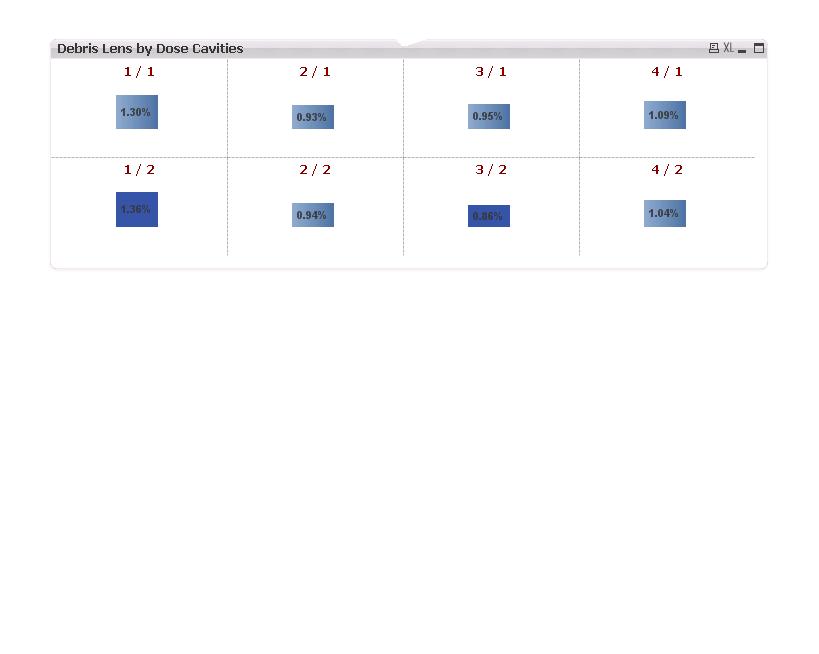
Thanks in advance

 alexandros17
- Mark as New
- Bookmark
- Subscribe
- Mute
- Subscribe to RSS Feed
- Permalink
- Report Inappropriate Content
In the label textbox of the dimension write a blank space or in the caption properties uncheck show caption
- Mark as New
- Bookmark
- Subscribe
- Mute
- Subscribe to RSS Feed
- Permalink
- Report Inappropriate Content
Look!


 sivarajs
- Mark as New
- Bookmark
- Subscribe
- Mute
- Subscribe to RSS Feed
- Permalink
- Report Inappropriate Content
Uncheck show title in chart option in general tab of chart properties

 advait_thakur
- Mark as New
- Bookmark
- Subscribe
- Mute
- Subscribe to RSS Feed
- Permalink
- Report Inappropriate Content
Hello Satish,
Go to the properties of the chart.
Properties > Dimensions > Label (uncheck on label) You can also type a blank space there.
Thanks
Advait
https://www.linkedin.com/groups/6513382/
 narender123
- Mark as New
- Bookmark
- Subscribe
- Mute
- Subscribe to RSS Feed
- Permalink
- Report Inappropriate Content
Hi Satish
In chart property select dimention -> Used dimention (here you select the dimention) -> unchecked lable check box according to that dimention.
Try it.
- Mark as New
- Bookmark
- Subscribe
- Mute
- Subscribe to RSS Feed
- Permalink
- Report Inappropriate Content
Hi all,
I tried all your steps but no success.
I'm using "PrimaryTrellis" and "SecondaryTrellis" in the barchart, then it displays the name of the each bar with its relevant FirstDimension/SecondDimension values.
I tried using below in the dimensions like
1.) =Dual('',PalletCavityPX)
2.)=Dual('',PalletCavityPY)
then i'm able to see like below image but still i needs to remove "\" symbol.
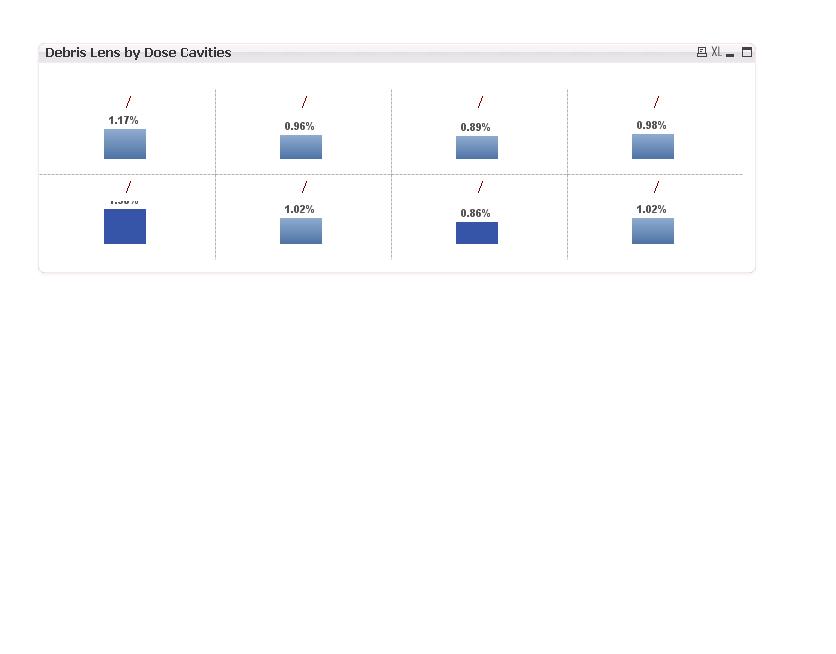
Thanks in advance.
- Mark as New
- Bookmark
- Subscribe
- Mute
- Subscribe to RSS Feed
- Permalink
- Report Inappropriate Content
Can you post an example of the application?