Unlock a world of possibilities! Login now and discover the exclusive benefits awaiting you.

- Qlik Community
- :
- All Forums
- :
- QlikView App Dev
- :
- Show records
- Subscribe to RSS Feed
- Mark Topic as New
- Mark Topic as Read
- Float this Topic for Current User
- Bookmark
- Subscribe
- Mute
- Printer Friendly Page

- Mark as New
- Bookmark
- Subscribe
- Mute
- Subscribe to RSS Feed
- Permalink
- Report Inappropriate Content
Show records
Hi guys,
I have a straight table which I would like to only show records where a field is 5.00 or below
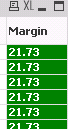
The field is called Margin.
The reason I would like to do this is because when I show all records the table says "object out of memory"
Any help would be appreciated
Thanks
- Tags:
- new_to_qlikview
- « Previous Replies
-
- 1
- 2
- Next Replies »

 sunny_talwar
- Mark as New
- Bookmark
- Subscribe
- Mute
- Subscribe to RSS Feed
- Permalink
- Report Inappropriate Content
Hahahah.... Good job sunny boy....
can you paste a screenshot of both your expressions?
- Mark as New
- Bookmark
- Subscribe
- Mute
- Subscribe to RSS Feed
- Permalink
- Report Inappropriate Content
Haa no worries Sunny. Appreciate the help..
=If(not IsNull([Margin]), (pricing_oplistm_price) - (pricing_oplistm_price/100)*pricing_price_deal_discount)
=If((([Discounted Price] - [Product Cost]) / [Discounted Price] * 100) <= 20, (([Discounted Price] - [Product Cost]) / [Discounted Price] * 100))
sunny_talwar
- Mark as New
- Bookmark
- Subscribe
- Mute
- Subscribe to RSS Feed
- Permalink
- Report Inappropriate Content
Jamel Messaoud not asking to copy paste the expression, but paste a screenshot of them from the application 
- Mark as New
- Bookmark
- Subscribe
- Mute
- Subscribe to RSS Feed
- Permalink
- Report Inappropriate Content
Sorry Sunny. Screenshot below
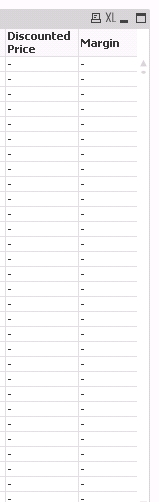
sunny_talwar
- Mark as New
- Bookmark
- Subscribe
- Mute
- Subscribe to RSS Feed
- Permalink
- Report Inappropriate Content
Hahahaha looking for the screenshot of the expression in the Edit Expression window like below
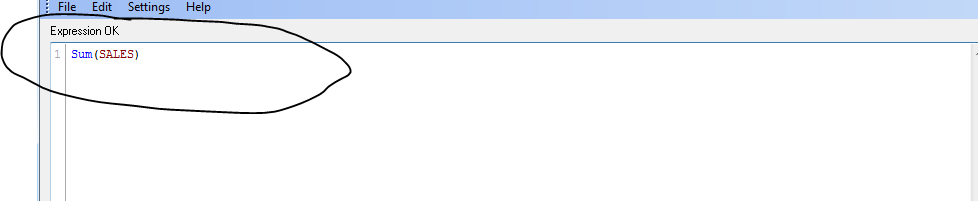
Sorry, if I was not clear before
Best,
Sunny
- Mark as New
- Bookmark
- Subscribe
- Mute
- Subscribe to RSS Feed
- Permalink
- Report Inappropriate Content
Sorry Sunny. What I was being stupid! Haha.
You'll be glad to know I have figured this out now! Hurray...
Thank you very much for your help it is much appreciated
sunny_talwar
- Mark as New
- Bookmark
- Subscribe
- Mute
- Subscribe to RSS Feed
- Permalink
- Report Inappropriate Content
Awesome
I am glad you did, but would you be willing to share what were you doing wrong? May be someone else might benefit (in the future) from your response and won't make the same mistake
Best,
Sunny
- Mark as New
- Bookmark
- Subscribe
- Mute
- Subscribe to RSS Feed
- Permalink
- Report Inappropriate Content
Hi Sunny,
I fixed this by adding one of my expressions as a dimension within the table. I was then able to suppress zero values on the table and this removed the unwanted date
Thanks again for your help. Wouldn't have been able to achieve this without this community 
- « Previous Replies
-
- 1
- 2
- Next Replies »