Unlock a world of possibilities! Login now and discover the exclusive benefits awaiting you.

- Qlik Community
- :
- All Forums
- :
- QlikView App Dev
- :
- table name
- Subscribe to RSS Feed
- Mark Topic as New
- Mark Topic as Read
- Float this Topic for Current User
- Bookmark
- Subscribe
- Mute
- Printer Friendly Page

- Mark as New
- Bookmark
- Subscribe
- Mute
- Subscribe to RSS Feed
- Permalink
- Report Inappropriate Content
table name
Hi,
I need a clarification in qlikview, is it possible to change table names dynamically???
If yes, how it possible???
Plz help me out in this.
R'gs
Satish G
- Tags:
- new_to_qlikview
- tab

 francoiscave
- Mark as New
- Bookmark
- Subscribe
- Mute
- Subscribe to RSS Feed
- Permalink
- Report Inappropriate Content
Hi Sattish,
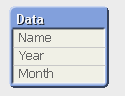
Do you want change the name of the data Model or the title of the chart ?
Screenhot 1:
Screenhot 2:
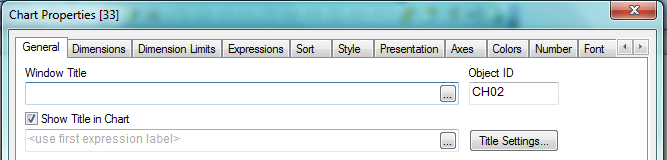
In the first case, I think you can only in the script...
In the second one, yes we can ! Whrite an expression...
François

 maxgro
- Mark as New
- Bookmark
- Subscribe
- Mute
- Subscribe to RSS Feed
- Permalink
- Report Inappropriate Content
you can change the table name in the script, with rename or using a variable
after the reload I don't think is possible to change a table name
 MarcoWedel
- Mark as New
- Bookmark
- Subscribe
- Mute
- Subscribe to RSS Feed
- Permalink
- Report Inappropriate Content
Rename Table
Renames one or more existing QlikView internal table(s) after they have been loaded.
Two differently named tables cannot be renamed to having the same name. The script will run without errors, but the second table will not be renamed.
The syntax is:
rename table (using mapname | oldname to newname{ , oldname to newname })
rename tables (using mapname | oldname to newname{ , oldname to newname })
where:
mapname is the name of a previously loaded mapping table containing one or more pairs of old and new table names.
oldname is the old table name and
newname is the new table name.
Either syntax: rename table or rename tables can be used.
Examples:
Tab1:
Select * from Trans;
Rename table Tab1 to Xyz;
TabMap:
Mapping load oldnames, newnames from tabnames.csv;
Rename tables using TabMap;
Back to Script Statements and Keywords.
QlikView 11.20 SR6
- Mark as New
- Bookmark
- Subscribe
- Mute
- Subscribe to RSS Feed
- Permalink
- Report Inappropriate Content
Hi,
Please elaborate on change table names dynamically????
And what do you want to achieve.
Coming to change table names dynamically - we can only rename tables in script.
Regards
Neetha
- Mark as New
- Bookmark
- Subscribe
- Mute
- Subscribe to RSS Feed
- Permalink
- Report Inappropriate Content
Hi Neeta,
In real time, where/how it would helpful i don't know exactly.But i think, this is needless.But there is one of interview question today i had.
So that's y i questioned here,By defining variables can we change table names dynamically?
Manually we can change the table name by using RENAME or replace with new name.Is there any ways to change dynamically.??Finally that's they want.
Rgs,
satish

 Clever_Anjos
- Mark as New
- Bookmark
- Subscribe
- Mute
- Subscribe to RSS Feed
- Permalink
- Report Inappropriate Content
Can´t figure out why is so important, but you can do like this.
Remember that after load is complete, you can´t change your tables name
SET TableName = 'name';
$(TableName)
LOAD *
FROM yourqvd(qvd);
SET TableName2 = 'anothername';
RENAME $(TableName) to $(TableName2);
- Mark as New
- Bookmark
- Subscribe
- Mute
- Subscribe to RSS Feed
- Permalink
- Report Inappropriate Content
Hi Satish,
No we can't change the table name dynamically after load.
Regards
Neetha

 prieper
- Mark as New
- Bookmark
- Subscribe
- Mute
- Subscribe to RSS Feed
- Permalink
- Report Inappropriate Content
When you work with loops it might make sense to advise table-names dynamically, have done it several times for similar mappings, eg.:
FOR EACH sName IN 'POR', 'POL'
$(sName):
LOAD
PORT AS $(sName),
DESCRIPTION AS $(sName)_Desc
FROM ......
NEXT sName
HTH Peter