Unlock a world of possibilities! Login now and discover the exclusive benefits awaiting you.

Announcements
Talend Cloud AWS EU Scheduled Outage: Starting Tues 26 May 21:00 CEST with expected completion Wed 27 May 01:00 CEST
- Qlik Community
- :
- All Forums
- :
- QlikView
- :
- 100% Stacked Bar with Nulls
Options
- Subscribe to RSS Feed
- Mark Topic as New
- Mark Topic as Read
- Float this Topic for Current User
- Bookmark
- Subscribe
- Mute
- Printer Friendly Page
Turn on suggestions
Auto-suggest helps you quickly narrow down your search results by suggesting possible matches as you type.
Showing results for

 joshakehurst
Partner - Contributor III
2017-03-02
09:34 PM
- Mark as New
- Bookmark
- Subscribe
- Mute
- Subscribe to RSS Feed
- Permalink
- Report Inappropriate Content
100% Stacked Bar with Nulls
Hello,
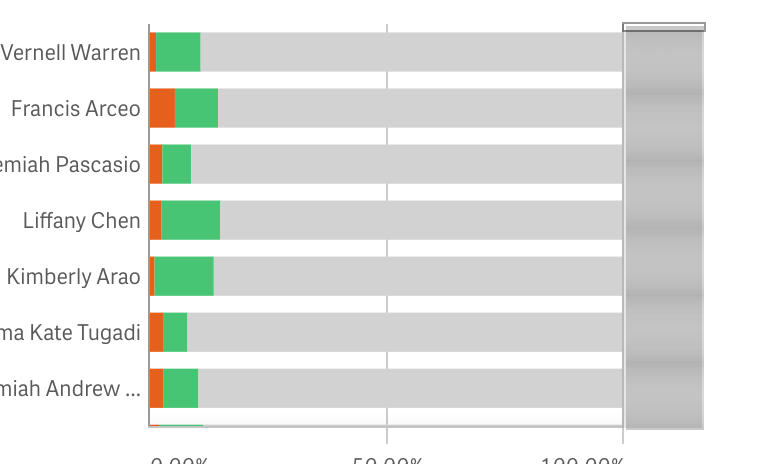
I'm trying to create a 100% stacked bar chart, but eliminate the NULL values from the data set. I know I can deselect "Show Null Values" from the chart settings, but clicking on the graph still pulls in the nulls into the data set.
I'm using the following Expression:
Count(RecordID) / Count(TOTAL <[Agent Name]> RecordID)
380 Views
1 Reply

Not applicable
2017-03-03
12:14 AM
- Mark as New
- Bookmark
- Subscribe
- Mute
- Subscribe to RSS Feed
- Permalink
- Report Inappropriate Content
Could you please post some sample data here..
if I am not wrong
u can try like this if(not isnull(<[Agent Name]) ,
Count(RecordID) / Count(TOTAL <[Agent Name]> RecordID))
329 Views