Unlock a world of possibilities! Login now and discover the exclusive benefits awaiting you.

- Qlik Community
- :
- All Forums
- :
- QlikView
- :
- 1st, 2nd, 3rd, 4th and 5th Highest Values
- Subscribe to RSS Feed
- Mark Topic as New
- Mark Topic as Read
- Float this Topic for Current User
- Bookmark
- Subscribe
- Mute
- Printer Friendly Page

- Mark as New
- Bookmark
- Subscribe
- Mute
- Subscribe to RSS Feed
- Permalink
- Report Inappropriate Content
1st, 2nd, 3rd, 4th and 5th Highest Values
Hi
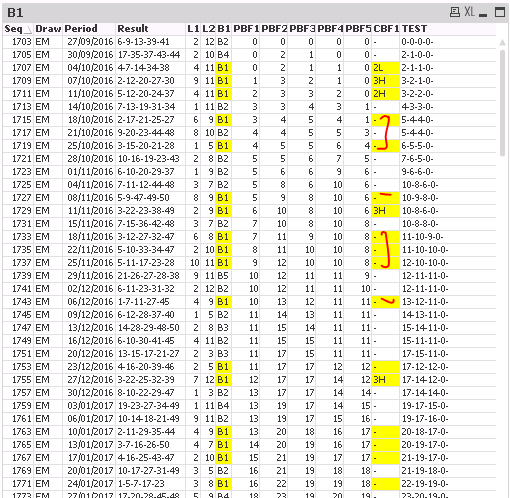
Im trying to create a chart with 1 to 5 highest ranking. Im getting some ranking but where the values are zeros or same then its not showing the ranking as you can see below:
The logic I am trying to build is:
If (B1 = 'B1' , rank 1 to 5) based on COLUMN (PBF1 , PBF2 , PBF3 , PBF4 , PBF5)
Can you please advise me how to resolve this?
I have attached the qv sample file.
Thanks Regards,
Farrukh
Accepted Solutions

 sunny_talwar
- Mark as New
- Bookmark
- Subscribe
- Mute
- Subscribe to RSS Feed
- Permalink
- Report Inappropriate Content
sunny_talwar
- Mark as New
- Bookmark
- Subscribe
- Mute
- Subscribe to RSS Feed
- Permalink
- Report Inappropriate Content
If you look at the example where there is no value for CBF1.. you will see that none of the 5 variables have value 3
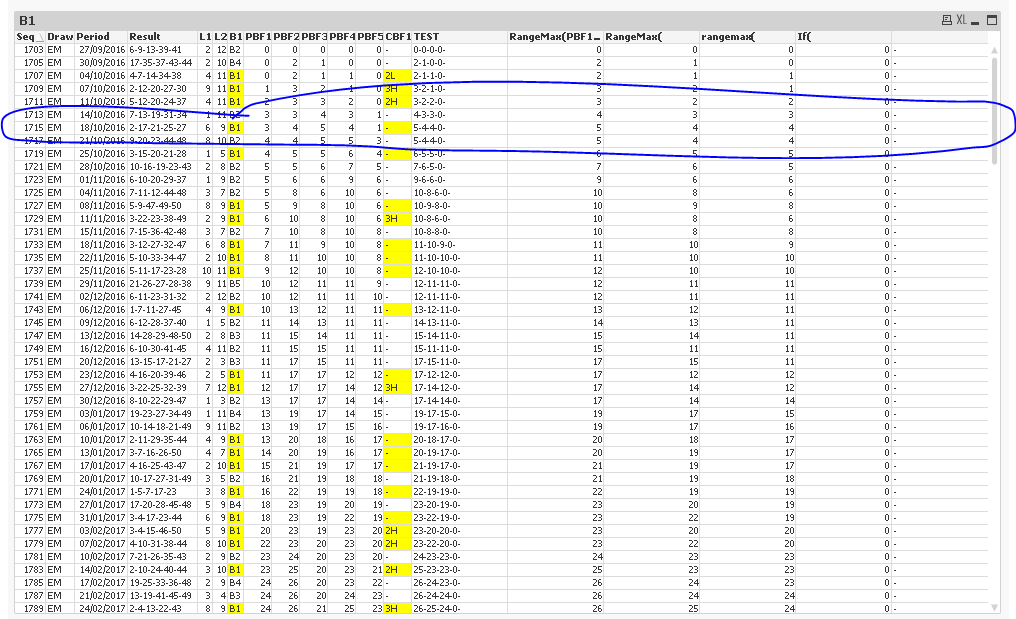
In fact, the last variable ($(PBF_1_5_1L)) is not even available in the application and the second last variable ($(PBF_1_5_2L)) is always 0.
sunny_talwar
- Mark as New
- Bookmark
- Subscribe
- Mute
- Subscribe to RSS Feed
- Permalink
- Report Inappropriate Content
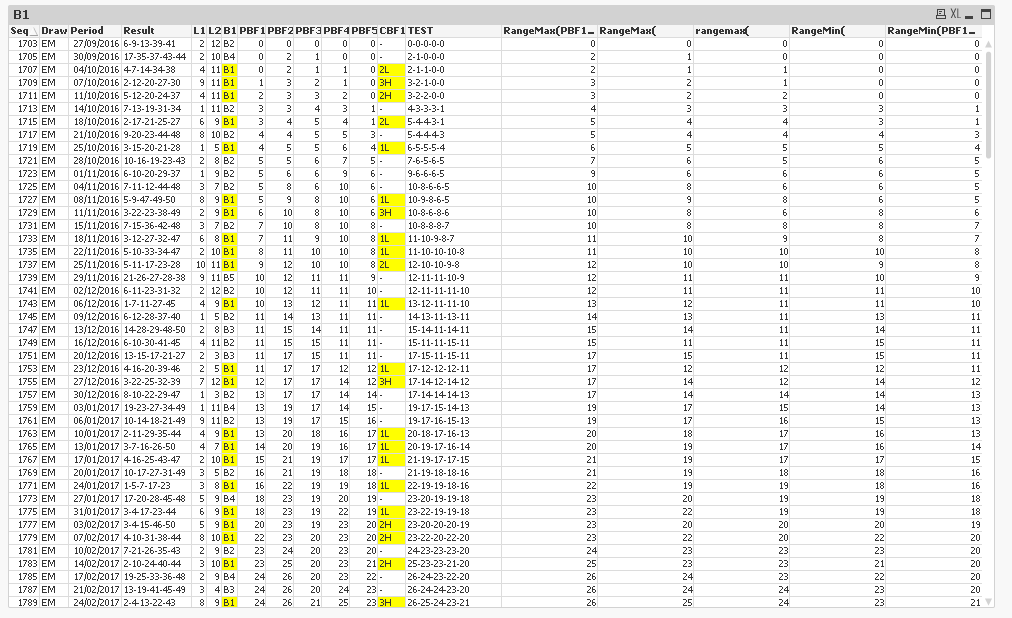
Here fixed the two variables and it seems to fix the issue
- Mark as New
- Bookmark
- Subscribe
- Mute
- Subscribe to RSS Feed
- Permalink
- Report Inappropriate Content
Hi sunny
CBF1 has the formula which is calculating the rank. As u can see some of the cells have 1H 2H etc
PBF1 TO 5 have the values and im using the variables PBF_1_5_1H to 1L ... to rank based on PBF1 , 2 , 3 , 4 , 5
Please let me know if above description not explained clearly
Kind regards
FARRUKH
sunny_talwar
- Mark as New
- Bookmark
- Subscribe
- Mute
- Subscribe to RSS Feed
- Permalink
- Report Inappropriate Content
Did you check my second response?
- Mark as New
- Bookmark
- Subscribe
- Mute
- Subscribe to RSS Feed
- Permalink
- Report Inappropriate Content
Thanks a mil Sunny! 