Unlock a world of possibilities! Login now and discover the exclusive benefits awaiting you.

- Qlik Community
- :
- All Forums
- :
- QlikView
- :
- And and Or
- Subscribe to RSS Feed
- Mark Topic as New
- Mark Topic as Read
- Float this Topic for Current User
- Bookmark
- Subscribe
- Mute
- Printer Friendly Page

- Mark as New
- Bookmark
- Subscribe
- Mute
- Subscribe to RSS Feed
- Permalink
- Report Inappropriate Content
And and Or
Helo,
We have data like below. The requirement is something like
In prop field if I select Color=Blue, Color=Brown, Length=5000mm, I should get pid=P2 and P3 but not P1. Basically the filter applied should be (Color = Blue OR Color = Brown) AND Length=5000mm.
I know the default is (Color = Blue OR Color = Brown OR Length=5000mm) and
in AND mode it is (Color = Blue AND Color = Brown AND Length=5000mm)
but is the combination (AND and OR) even possible?
We could keep Color and Length as separate columns but the property list is big and it keeps growing in every reload so that doesn't look like an option.
Prod:
LOAD * INLINE [
pid, desc
P1, Laptop
P2, Car
P3, PoolTable
];
Properties:
LOAD * Inline [
pid, pname, pval, prop
P1, Color, Blue, Color=Blue
P1, Width, 14inch, Width=14inch
P2, Color, Blue, Color=Blue
P2, HP, 500, HP=500
P2, Length, 5000mm, Length=5000mm
P3, Color, Brown, Color=Brown
P3, Length, 5000mm, Length=5000mm
];
- Tags:
- new_to_qlikview
- « Previous Replies
-
- 1
- 2
- Next Replies »
- Mark as New
- Bookmark
- Subscribe
- Mute
- Subscribe to RSS Feed
- Permalink
- Report Inappropriate Content
Yes but the new properties has to appear on the screen for filtering as a listbox
- Mark as New
- Bookmark
- Subscribe
- Mute
- Subscribe to RSS Feed
- Permalink
- Report Inappropriate Content
Our initial approach was to keep the properties as individual columns. Generic load was one of our option to reload the properties dynamically, including a file with dynamic query (columns get added in the select) was another. But we end up at the same problem of showing the new properties as listbox selection or in a straight table. And thats when we decided to keep the properties as rows instead of columns. This solves the above problems but brings in the And/Or problem.

 petter
- Mark as New
- Bookmark
- Subscribe
- Mute
- Subscribe to RSS Feed
- Permalink
- Report Inappropriate Content
Well QlikView does some magic for you in a lot of areas but I think you might be hoping for too much here ... Maybe not - I am out of suggestions for now - Good Luck anyway - I would love to see your solution some day if you care to share the concepts here on community 

 MarcoWedel
- Mark as New
- Bookmark
- Subscribe
- Mute
- Subscribe to RSS Feed
- Permalink
- Report Inappropriate Content
Hi,
another solution could be to select in a search object, that lists all fields/values:
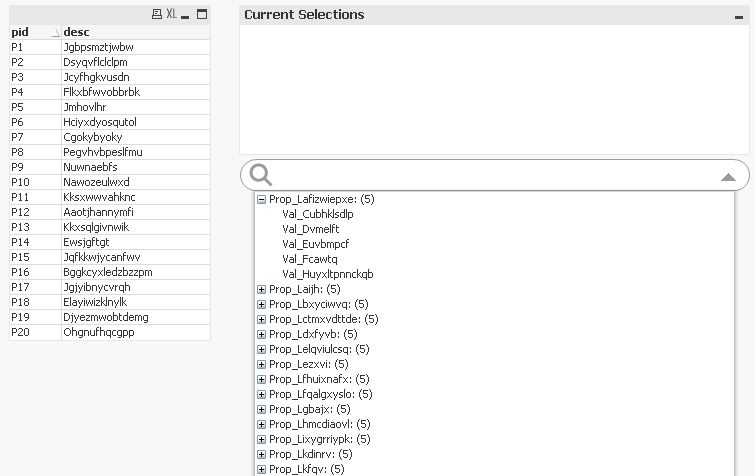
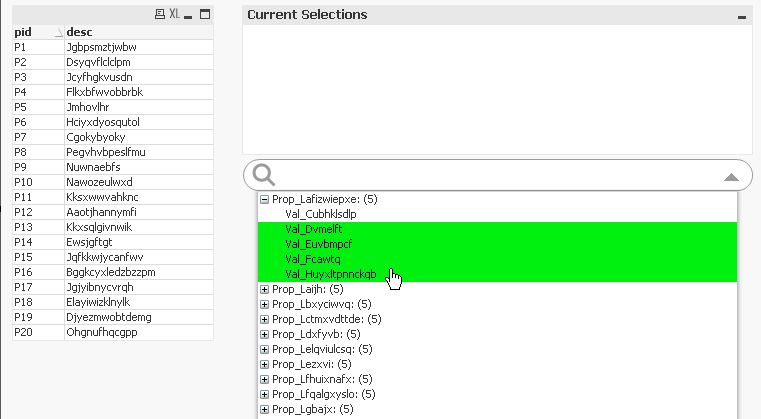
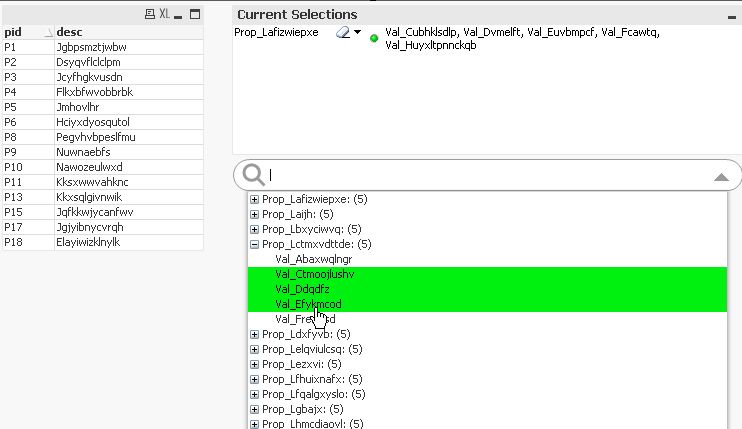
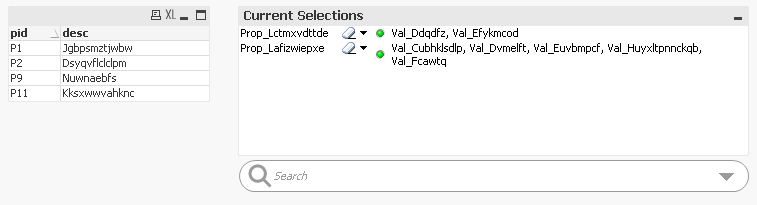
hope this helps
regards
Marco
MarcoWedel
- Mark as New
- Bookmark
- Subscribe
- Mute
- Subscribe to RSS Feed
- Permalink
- Report Inappropriate Content
Hi,
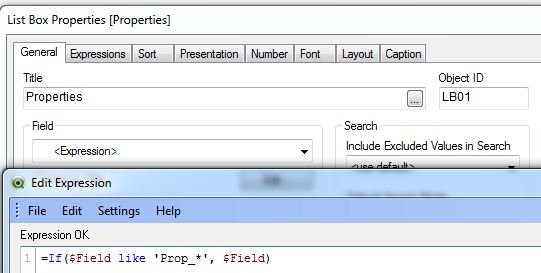
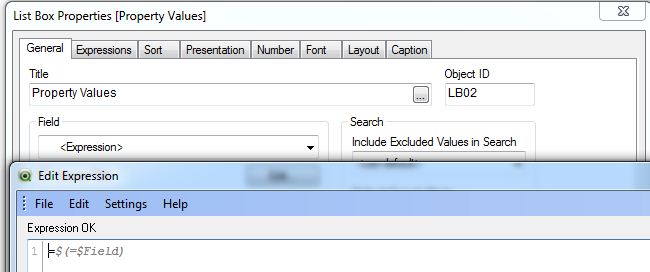
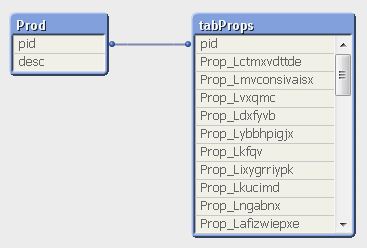
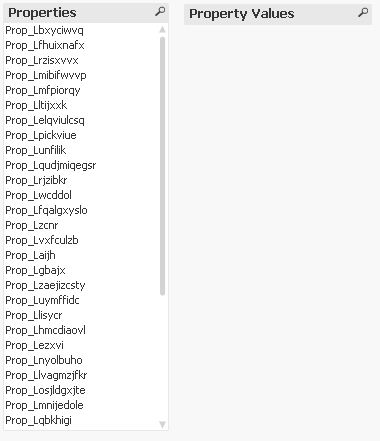
yet another solution might be to use dynamic selection list boxes:
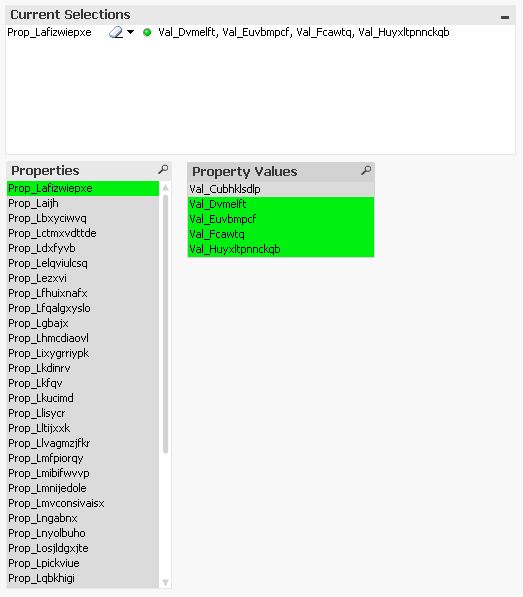
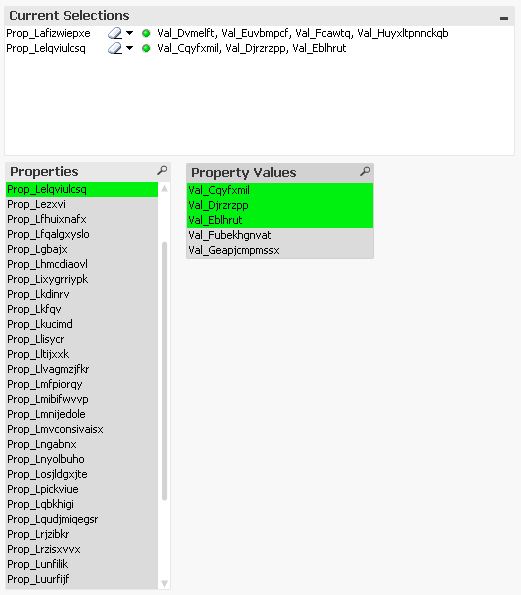
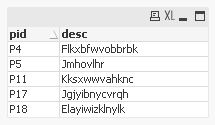
// test data generation

Prod:
LOAD 'P'&RecNo() as pid,
    Capitalize(KeepChar(Hash160(Rand()),'ABCDEFGHIJKLMNOPQRSTUVWXYZabcdefghijklmnopqrstuvwxyz')) as desc
AutoGenerate 20;

Properties:
LOAD *,
    pname&'='&pval as prop;
LOAD *,
    'Val_'&Capitalize(KeepChar(Hash128(pname&'/'&Ceil(Rand()*5)),'ABCDEFGHIJKLMNOPQRSTUVWXYZabcdefghijklmnopqrstuvwxyz'))  as pval;
LOAD 'P'&Ceil(Rand()*20) as pid,
    'Prop_'&Capitalize(KeepChar(Hash128(Ceil(Rand()*40)),'ABCDEFGHIJKLMNOPQRSTUVWXYZabcdefghijklmnopqrstuvwxyz')) as pname
AutoGenerate 1000;

// generic load

tabPropsGen:
Generic LOAD
  pid,
  pname,
  pval
Resident Properties;

tabProps:
LOAD Distinct pid Resident Properties;

DROP Table Properties;

FOR i = NoOfTables()-1 to 0 STEP -1
  LET vTable=TableName($(i));
  IF WildMatch('$(vTable)', 'tabPropsGen.*') THEN
  LEFT Join ([tabProps]) LOAD * Resident [$(vTable)];
  DROP Table [$(vTable)];
  ENDIF
NEXT
hope this helps
regards
Marco
- Mark as New
- Bookmark
- Subscribe
- Mute
- Subscribe to RSS Feed
- Permalink
- Report Inappropriate Content
That looks promising. I will explore this and report. Thanks Marco.
- Mark as New
- Bookmark
- Subscribe
- Mute
- Subscribe to RSS Feed
- Permalink
- Report Inappropriate Content
Marco - This alternate solution works perfectly for listbox. Thanks.
I was trying to do same on a pivot (Property Value Table in attached qvw) or a straight table so the columns gets listed with values. Using the $field I could list the properties as columns but the values show up only if the field is selected in the Properties listbox. What am I missing?
- Mark as New
- Bookmark
- Subscribe
- Mute
- Subscribe to RSS Feed
- Permalink
- Report Inappropriate Content
Using the solution discussed here Chart with count of $Field values I could dynamically show the properties with values on a pivot table but only if the properties are less than 100. Apparently there is a limitation of 100 set on if loop depth.
- « Previous Replies
-
- 1
- 2
- Next Replies »