Unlock a world of possibilities! Login now and discover the exclusive benefits awaiting you.

- Qlik Community
- :
- All Forums
- :
- QlikView
- :
- Bar Chart Color
Options
- Subscribe to RSS Feed
- Mark Topic as New
- Mark Topic as Read
- Float this Topic for Current User
- Bookmark
- Subscribe
- Mute
- Printer Friendly Page
Turn on suggestions
Auto-suggest helps you quickly narrow down your search results by suggesting possible matches as you type.
Showing results for

Not applicable
2015-08-06
05:32 AM
- Mark as New
- Bookmark
- Subscribe
- Mute
- Subscribe to RSS Feed
- Permalink
- Report Inappropriate Content
Bar Chart Color
Hi all,
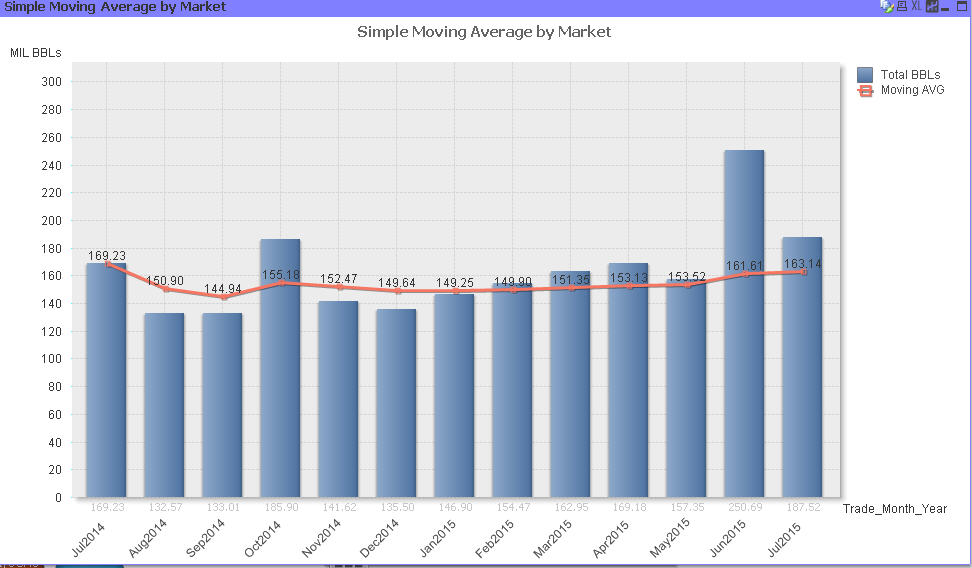
HOw can I change my bar chart color?
1,739 Views
1 Solution
Accepted Solutions

 sorrakis01
Specialist
2015-08-06
05:35 AM
- Mark as New
- Bookmark
- Subscribe
- Mute
- Subscribe to RSS Feed
- Permalink
- Report Inappropriate Content
1,586 Views
5 Replies
sorrakis01
Specialist
2015-08-06
05:35 AM
- Mark as New
- Bookmark
- Subscribe
- Mute
- Subscribe to RSS Feed
- Permalink
- Report Inappropriate Content
Hi jer,
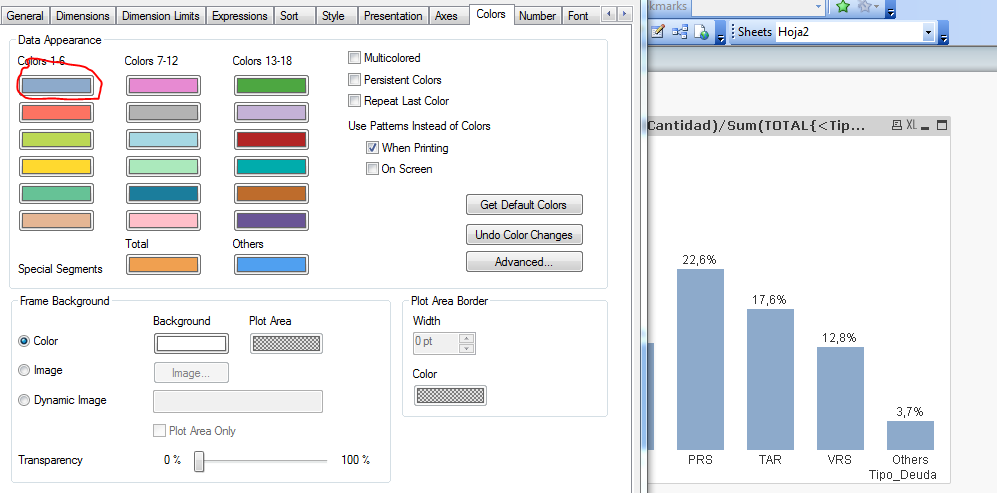
You can change your color in Colors Tab.
Regards
1,587 Views

 robert_mika
MVP
2015-08-06
05:35 AM
- Mark as New
- Bookmark
- Subscribe
- Mute
- Subscribe to RSS Feed
- Permalink
- Report Inappropriate Content
Go to Color Tab
Data Appearance- First bar is your first color
Not applicable
2015-08-06
05:48 AM
Author
- Mark as New
- Bookmark
- Subscribe
- Mute
- Subscribe to RSS Feed
- Permalink
- Report Inappropriate Content
You can try go to the Expressions > Background Color.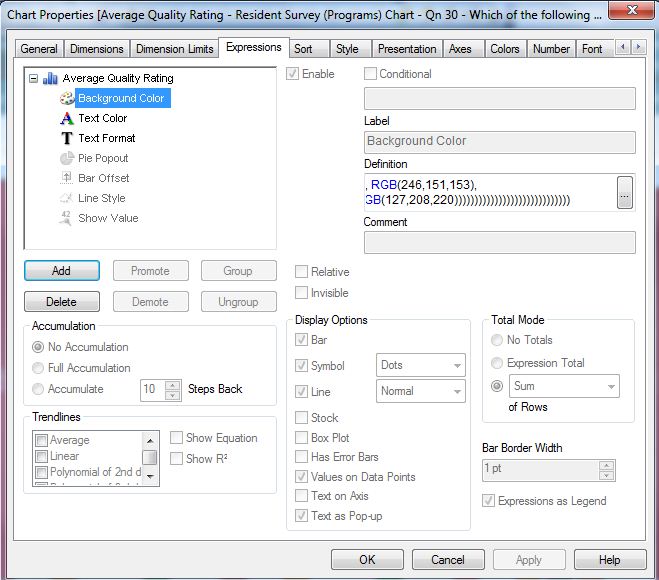
You can then for e.g add "=IF(Date='July2014', rgb(100,100,100))". It will change the colour of that specific bar.
It should work. Hope that helps..
1,586 Views

 daniel_kusiak
Creator II
2015-08-06
05:57 AM
- Mark as New
- Bookmark
- Subscribe
- Mute
- Subscribe to RSS Feed
- Permalink
- Report Inappropriate Content
Hi Jeremiah_Lee,
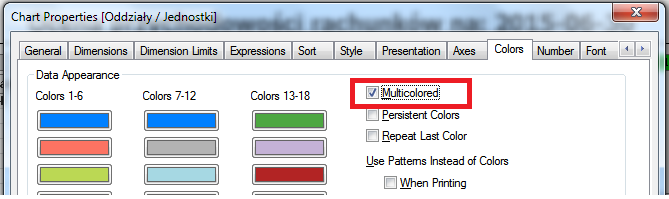
you can also set Multicolored option in Chart Properties->Colors if you want different colors for each month.
sorrakis01
Specialist
2015-08-07
03:47 AM
- Mark as New
- Bookmark
- Subscribe
- Mute
- Subscribe to RSS Feed
- Permalink
- Report Inappropriate Content
Hi Jeremiah,
You could relsove the problem?
Regards,
1,586 Views