Unlock a world of possibilities! Login now and discover the exclusive benefits awaiting you.

- Qlik Community
- :
- All Forums
- :
- QlikView
- :
- Can't connect to AccessPoint
- Subscribe to RSS Feed
- Mark Topic as New
- Mark Topic as Read
- Float this Topic for Current User
- Bookmark
- Subscribe
- Mute
- Printer Friendly Page

 gshockxcc
- Mark as New
- Bookmark
- Subscribe
- Mute
- Subscribe to RSS Feed
- Permalink
- Report Inappropriate Content
Can't connect to AccessPoint
I know this topic has been addressed already. I am running Qlikview Enterprise Server on a Windows 7, and I am unable to connect to AccessPoint outside of the server. I am able to connect to AccessPoint when I use Remote Desktop Connection, and log into the server.
I have checked all of our inbound/outbound rules, and the ports that should be opened have been. Ports 4747, 4749, and 80 all allow inbound/outbound connections.
Are there other settings in the QMC or AccessPoint that I may have overlooked?
Thanks,

 beck_bakytbek
- Mark as New
- Bookmark
- Subscribe
- Mute
- Subscribe to RSS Feed
- Permalink
- Report Inappropriate Content
Hi Kristan
try this: Folders > Mounted Folders>Select Browsable > Apply
Beck
gshockxcc
- Mark as New
- Bookmark
- Subscribe
- Mute
- Subscribe to RSS Feed
- Permalink
- Report Inappropriate Content
Thanks, Beck.
What application are you referring to? Is that from the QMC, Qlikview?
 german_avanzato
- Mark as New
- Bookmark
- Subscribe
- Mute
- Subscribe to RSS Feed
- Permalink
- Report Inappropriate Content
Yes, it´s in the QMC.
Just to be sure, I recommend to disable the firewall of windows (server side) to ensure that´s not the problem,
gshockxcc
- Mark as New
- Bookmark
- Subscribe
- Mute
- Subscribe to RSS Feed
- Permalink
- Report Inappropriate Content
I turned off the firewall, and that didn't resolve the issue. I also added the folder path to the Mounted Folders, and hit Apply.
The following error message came up.
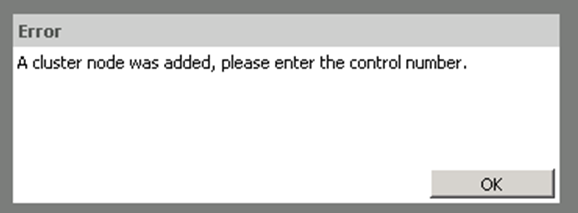
Thanks,
german_avanzato
- Mark as New
- Bookmark
- Subscribe
- Mute
- Subscribe to RSS Feed
- Permalink
- Report Inappropriate Content
You have a cluster server installation or was trying to add a node to your cluster?
gshockxcc
- Mark as New
- Bookmark
- Subscribe
- Mute
- Subscribe to RSS Feed
- Permalink
- Report Inappropriate Content
Not that I am aware of. We have a third party hosting the server. I suppose that have a cluster, and we are trying to add node by adding the Mounted Folder. Perhaps?
beck_bakytbek
- Mark as New
- Bookmark
- Subscribe
- Mute
- Subscribe to RSS Feed
- Permalink
- Report Inappropriate Content
Hi Kristan,
Yes i am using QMC, If you want i can show you my way of proceeding. I have a lot screenshots that will help you to orienttate yourself in issue: Access Point
Beck
