Unlock a world of possibilities! Login now and discover the exclusive benefits awaiting you.

- Qlik Community
- :
- All Forums
- :
- QlikView
- :
- Count costs
- Subscribe to RSS Feed
- Mark Topic as New
- Mark Topic as Read
- Float this Topic for Current User
- Bookmark
- Subscribe
- Mute
- Printer Friendly Page

 nickploeg1998
- Mark as New
- Bookmark
- Subscribe
- Mute
- Subscribe to RSS Feed
- Permalink
- Report Inappropriate Content
Count costs
Hii,
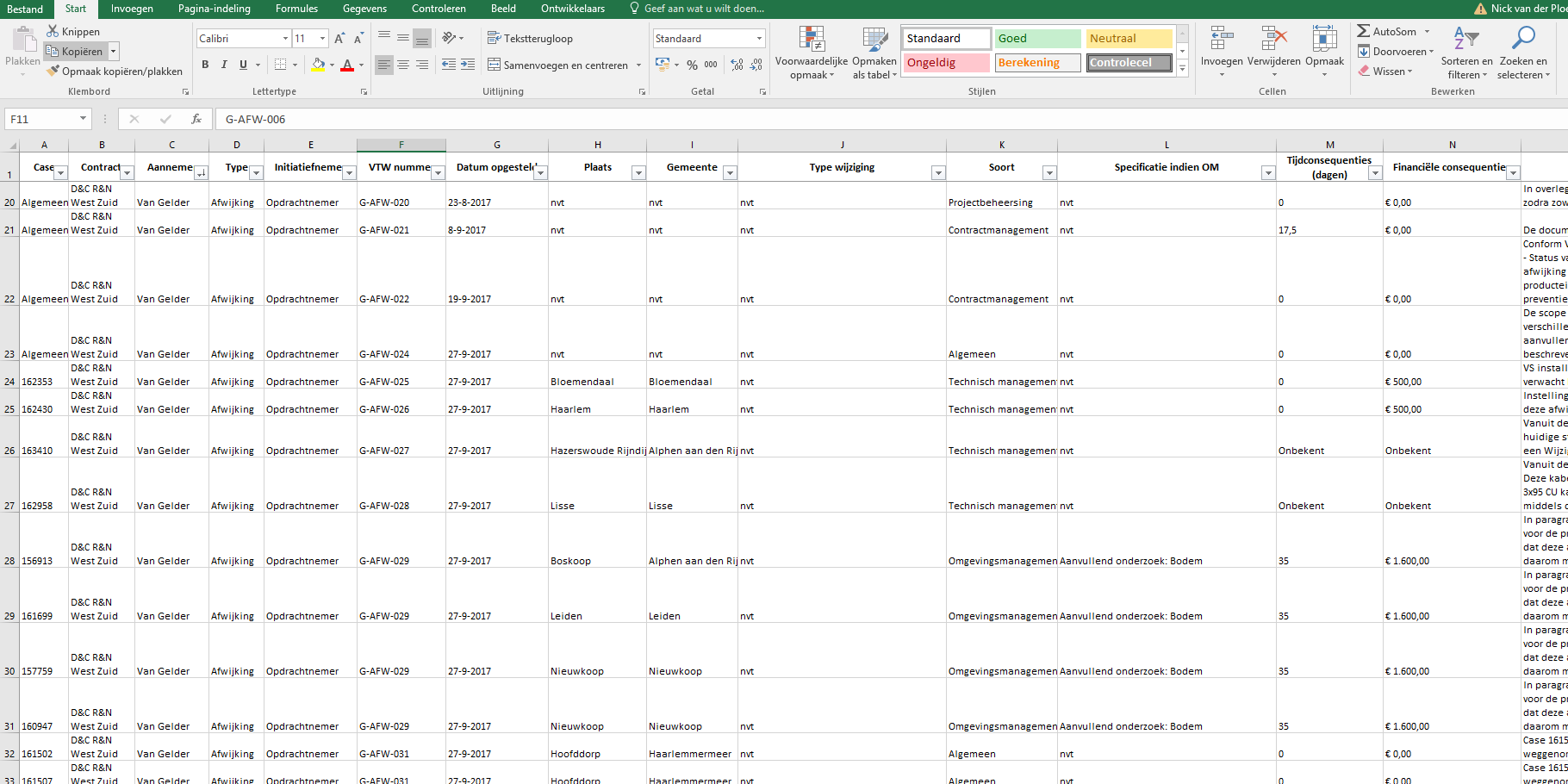
I have a question about counting costs. I got a excel row with costs per object. The problem is that from some objects the costs is "unknown". I want to som up the costs in Qlikview, but it gives errors because in the same row there are also "unknown" factors, not just numbers.
Lets hope someone can help me.
Accepted Solutions

 tresB
tresB
- Mark as New
- Bookmark
- Subscribe
- Mute
- Subscribe to RSS Feed
- Permalink
- Report Inappropriate Content
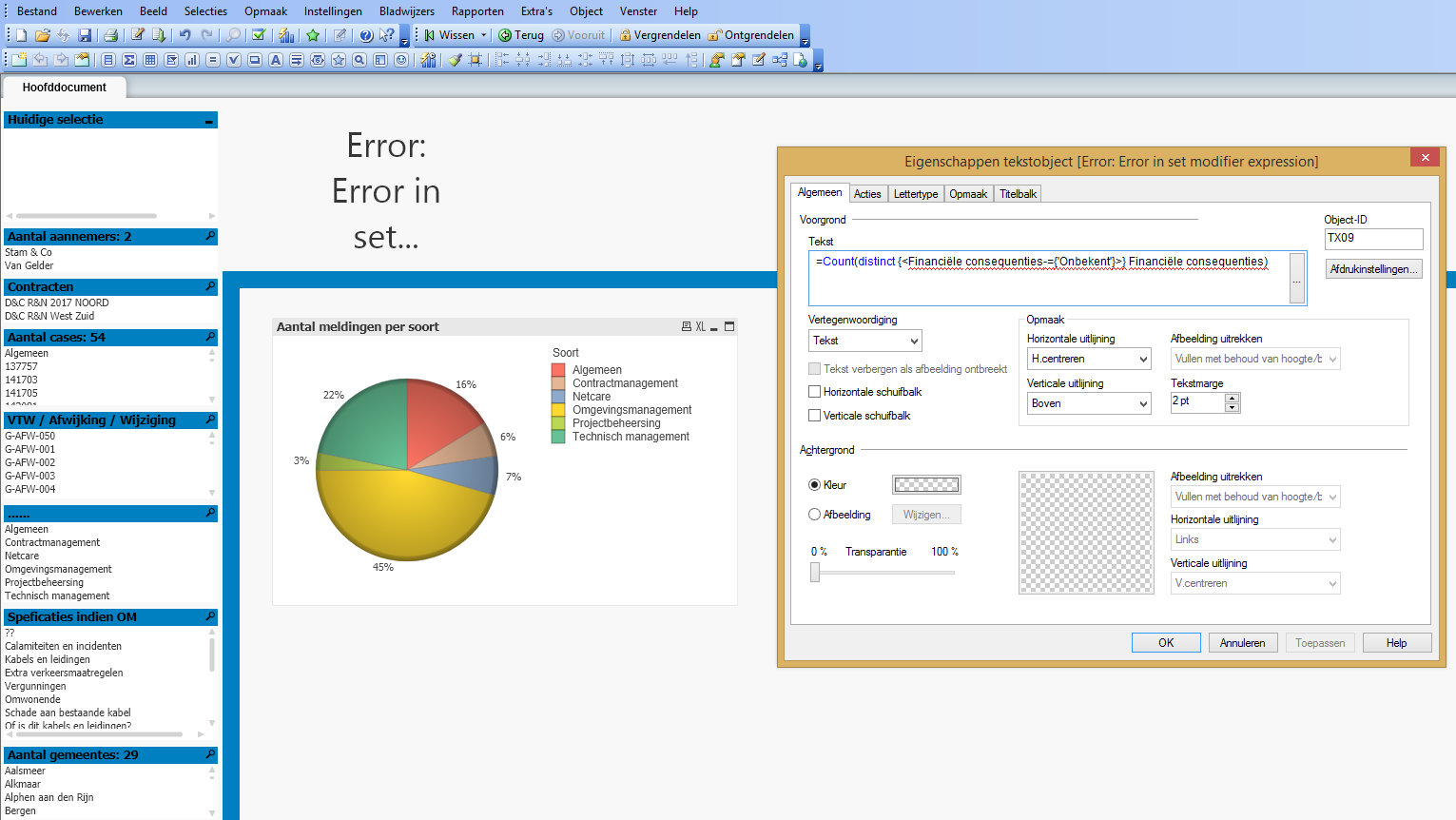
Your field names seems to have space in between. Try putting [ ] around your field name in the expression.
tresB
- Mark as New
- Bookmark
- Subscribe
- Mute
- Subscribe to RSS Feed
- Permalink
- Report Inappropriate Content
Do you want to sum it up or count it? If you use sum(), it should be able to sum the numeric values excluding the texts/strings by default. If you want to count the values excluding 'unknown' values, you could try using set analysis like:
Count(distinct {<cost-={'unknown'}>} cost)
nickploeg1998
- Mark as New
- Bookmark
- Subscribe
- Mute
- Subscribe to RSS Feed
- Permalink
- Report Inappropriate Content
If I put that comment in Qlik it gives me a error
tresB
- Mark as New
- Bookmark
- Subscribe
- Mute
- Subscribe to RSS Feed
- Permalink
- Report Inappropriate Content
Could you share a screen shot of the error along with the expression for better understanding?
nickploeg1998
- Mark as New
- Bookmark
- Subscribe
- Mute
- Subscribe to RSS Feed
- Permalink
- Report Inappropriate Content
 tresB
tresB
- Mark as New
- Bookmark
- Subscribe
- Mute
- Subscribe to RSS Feed
- Permalink
- Report Inappropriate Content
Your field names seems to have space in between. Try putting [ ] around your field name in the expression.
