Unlock a world of possibilities! Login now and discover the exclusive benefits awaiting you.

- Qlik Community
- :
- All Forums
- :
- QlikView
- :
- Custom Row Labels
Options
- Subscribe to RSS Feed
- Mark Topic as New
- Mark Topic as Read
- Float this Topic for Current User
- Bookmark
- Subscribe
- Mute
- Printer Friendly Page
Turn on suggestions
Auto-suggest helps you quickly narrow down your search results by suggesting possible matches as you type.
Showing results for

Not applicable
2016-02-19
03:25 PM
- Mark as New
- Bookmark
- Subscribe
- Mute
- Subscribe to RSS Feed
- Permalink
- Report Inappropriate Content
Custom Row Labels
I have a regular straight table with one row for my variable and two measures. I would like to customize the row label for each row so it appears to look like a button instead of just a standard white box. Does anybody know how to customize the row more than just color and font?
1,191 Views
2 Replies

 Peter_Cammaert
Partner - Champion III
2016-02-19
04:15 PM
- Mark as New
- Bookmark
- Subscribe
- Mute
- Subscribe to RSS Feed
- Permalink
- Report Inappropriate Content
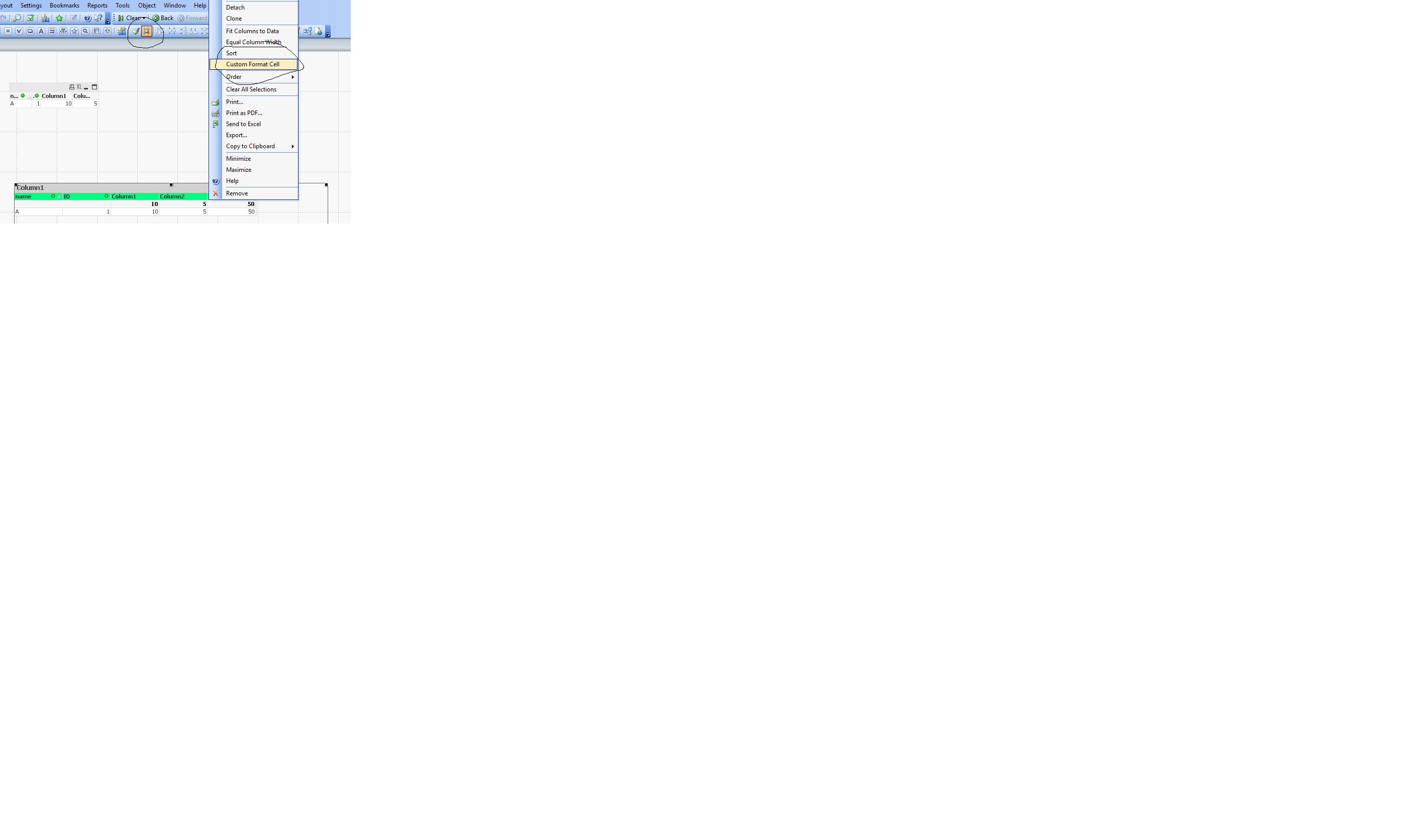
Enable View->Design Grid.
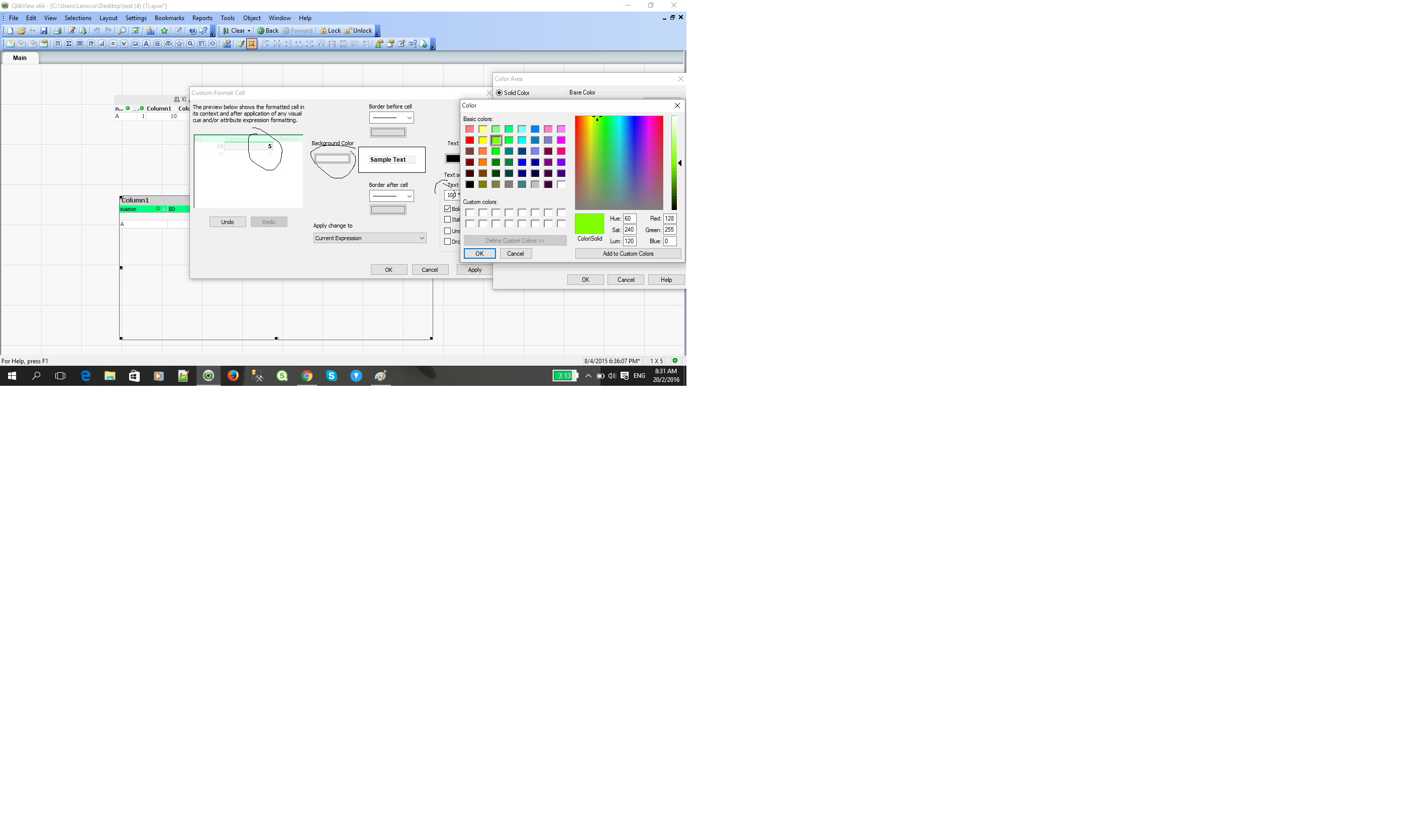
Rightclick the dimension column of your Straight Table and select Custom Format Cell... from the menu.
Best,
Peter
1,016 Views

 Chanty4u
MVP
2016-02-19
10:04 PM
- Mark as New
- Bookmark
- Subscribe
- Mute
- Subscribe to RSS Feed
- Permalink
- Report Inappropriate Content
hi
1,016 Views