Unlock a world of possibilities! Login now and discover the exclusive benefits awaiting you.

- Qlik Community
- :
- All Forums
- :
- QlikView
- :
- Customised bar chart
- Subscribe to RSS Feed
- Mark Topic as New
- Mark Topic as Read
- Float this Topic for Current User
- Bookmark
- Subscribe
- Mute
- Printer Friendly Page

- Mark as New
- Bookmark
- Subscribe
- Mute
- Subscribe to RSS Feed
- Permalink
- Report Inappropriate Content
Customised bar chart
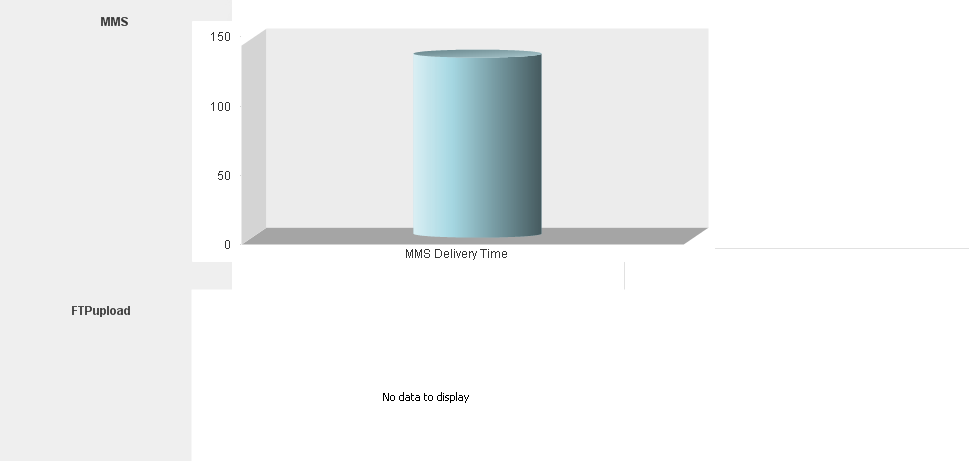
I have two bar charts in the same sheet,if i click on a bar of any one of the chart it shows the one, but in the other chart it shows "no data to display'. i need to show only the chart with data to display.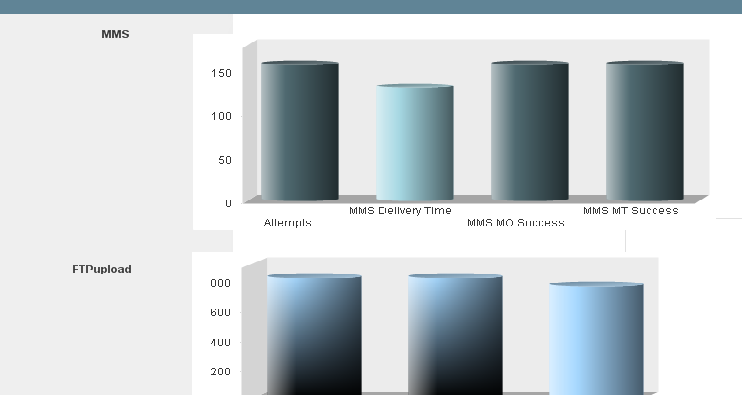
- Tags:
- new_to_qlikview
Accepted Solutions

 sibin_jacob
- Mark as New
- Bookmark
- Subscribe
- Mute
- Subscribe to RSS Feed
- Permalink
- Report Inappropriate Content
Hi Remya,
Please find the attached sample application. Here I am using 3 charts to achieve this functionality.
I hope this helps! Let me know if you need additional details.
Thanks,
Sibin Jacob.C
sibin_jacob
- Mark as New
- Bookmark
- Subscribe
- Mute
- Subscribe to RSS Feed
- Permalink
- Report Inappropriate Content
Hi Remya,
Please elaborate your question.
If you don't need the selection inside the chart,Please check read only property of the chart.
Chart properties-> General tab-> Read only
Thanks,
Sibin Jacob. C
- Mark as New
- Bookmark
- Subscribe
- Mute
- Subscribe to RSS Feed
- Permalink
- Report Inappropriate Content
hi Sibin,
i need the selection inside the chart.
how can i maximize the first chart while clicking without using buttons
sibin_jacob
- Mark as New
- Bookmark
- Subscribe
- Mute
- Subscribe to RSS Feed
- Permalink
- Report Inappropriate Content
Hi Remya,
As far as my knowledge, we can't maximize the chart automatically. But you can achieve this functionality using two charts. Create two charts of MMS data and based on condition hide and show the charts.
First chart should be the actual size and another one create as maximize size.
Please let me know if you need any additional information.
Thanks,
Sibin Jacob. C

 kumarnatarajan
- Mark as New
- Bookmark
- Subscribe
- Mute
- Subscribe to RSS Feed
- Permalink
- Report Inappropriate Content
Hi Ramya,
I don't know exactly what you are looking, i think below steps will help you.
1. Using Restore Object.
2. Using alternate state else nullify the selected dimension field
Else send some sample. i will try to help you.
- Mark as New
- Bookmark
- Subscribe
- Mute
- Subscribe to RSS Feed
- Permalink
- Report Inappropriate Content
Sorry if i am not clear earlier...My req is such as, if one graph has no value, then the second graph should fill the page instead of showing "no data to display". Is this achievable in any way, thanks in advance guys..
sibin_jacob
- Mark as New
- Bookmark
- Subscribe
- Mute
- Subscribe to RSS Feed
- Permalink
- Report Inappropriate Content
Hi Remya,
Please find the attached sample application. Here I am using 3 charts to achieve this functionality.
I hope this helps! Let me know if you need additional details.
Thanks,
Sibin Jacob.C