Unlock a world of possibilities! Login now and discover the exclusive benefits awaiting you.

- Qlik Community
- :
- All Forums
- :
- QlikView
- :
- Delete Pie Chart Borders QlikView
- Subscribe to RSS Feed
- Mark Topic as New
- Mark Topic as Read
- Float this Topic for Current User
- Bookmark
- Subscribe
- Mute
- Printer Friendly Page

- Mark as New
- Bookmark
- Subscribe
- Mute
- Subscribe to RSS Feed
- Permalink
- Report Inappropriate Content
Delete Pie Chart Borders QlikView
Hi,
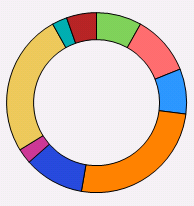
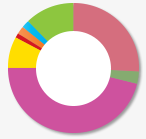
Is it possible to remove black borders from the pie chart in QlikView?
I don't want to use 3D style.
I am getting this > I want to achieve this>
Thanks.
- Mark as New
- Bookmark
- Subscribe
- Mute
- Subscribe to RSS Feed
- Permalink
- Report Inappropriate Content
Hi Shyamli,
Set sector outline to transparent.
Regards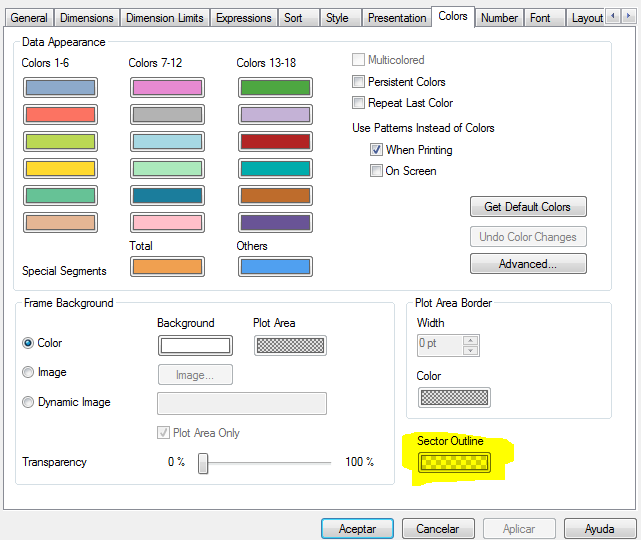

 Chanty4u
- Mark as New
- Bookmark
- Subscribe
- Mute
- Subscribe to RSS Feed
- Permalink
- Report Inappropriate Content
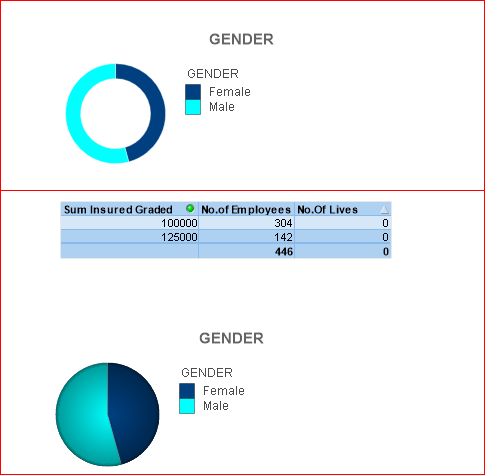
is this?
jst chnge the style to third one in the tab
- Mark as New
- Bookmark
- Subscribe
- Mute
- Subscribe to RSS Feed
- Permalink
- Report Inappropriate Content
Hi Manuel,
It seems that "sector outline" option is not present in IR version. We need to upgrade I guess. At least now I know that this option is available in later versions.
Thanks a lot.

- Mark as New
- Bookmark
- Subscribe
- Mute
- Subscribe to RSS Feed
- Permalink
- Report Inappropriate Content
Select Outline is not working....
- Mark as New
- Bookmark
- Subscribe
- Mute
- Subscribe to RSS Feed
- Permalink
- Report Inappropriate Content
Hi,
I think that it's not possible...
Change the style of your chart.
Style ->Choose Top Right chart.

- Mark as New
- Bookmark
- Subscribe
- Mute
- Subscribe to RSS Feed
- Permalink
- Report Inappropriate Content
Keep in mint that sector outline is transparent, if you have a black backgroung, what are you viewing is the background colour.
- Mark as New
- Bookmark
- Subscribe
- Mute
- Subscribe to RSS Feed
- Permalink
- Report Inappropriate Content
I would agree with Manuel's suggestion to set the transparency of sector outline on the colours tab of the chart properties to 100%.
- Mark as New
- Bookmark
- Subscribe
- Mute
- Subscribe to RSS Feed
- Permalink
- Report Inappropriate Content
I use QV 11 - SR11.
Regards!
- Mark as New
- Bookmark
- Subscribe
- Mute
- Subscribe to RSS Feed
- Permalink
- Report Inappropriate Content
Hi Shyamli,
This is not possible in IR version of Qlikview. However this can be done in SR version. So achieving this with IR version is not possible. I myself need this thing but it is not available.
Regards,
Abhishek