Unlock a world of possibilities! Login now and discover the exclusive benefits awaiting you.

- Qlik Community
- :
- All Forums
- :
- QlikView
- :
- Display Picture in Dimension
- Subscribe to RSS Feed
- Mark Topic as New
- Mark Topic as Read
- Float this Topic for Current User
- Bookmark
- Subscribe
- Mute
- Printer Friendly Page

 tracycrown
- Mark as New
- Bookmark
- Subscribe
- Mute
- Subscribe to RSS Feed
- Permalink
- Report Inappropriate Content
Display Picture in Dimension
Dear all
I am able to plot product picture in Dimension for Table 1 but not in Table 2, please advise.
Thank you
Tracy


 bindu_apte
- Mark as New
- Bookmark
- Subscribe
- Mute
- Subscribe to RSS Feed
- Permalink
- Report Inappropriate Content
Hi,
Do you want to plot the images in such a way that it should work with expression? or just plotting the image.

- Mark as New
- Bookmark
- Subscribe
- Mute
- Subscribe to RSS Feed
- Permalink
- Report Inappropriate Content
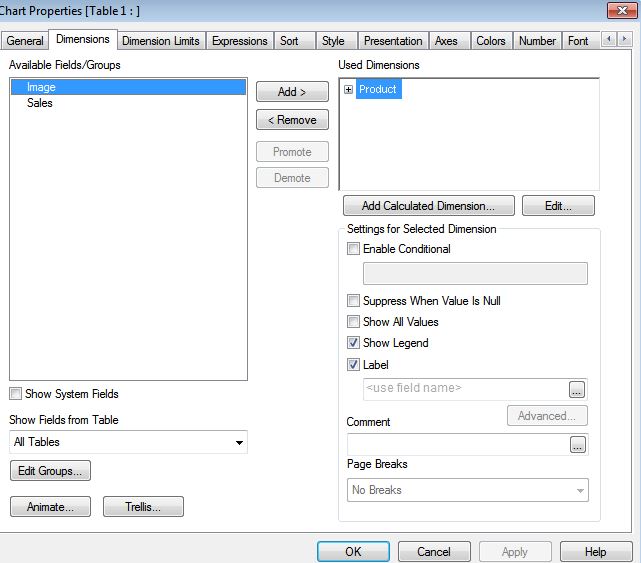 As i cannot see if you have used "image" as your dimension. I think image can only be displayed in expressions (Ref: Image as dimension | Qlik Community ). I recommend you use "a pop out text object" when click the chart or use straight table. Hope it helps!
tracycrown
- Mark as New
- Bookmark
- Subscribe
- Mute
- Subscribe to RSS Feed
- Permalink
- Report Inappropriate Content
Dear Jacky
If you change Image to product in the dimension of Table 2 then you will get the same result as Table 1.
In fact, I would like to display picture or image in X axis (dimension) in Table 2.
Thanks
Tracy
- Mark as New
- Bookmark
- Subscribe
- Mute
- Subscribe to RSS Feed
- Permalink
- Report Inappropriate Content
Image as a representation of dimension in a chart<- FYR, I tried to reply you asap but I am too busy these few days. I think its not possible in current version . Have you tried the pop out image method I mentioned, by adjusting the layer, I think it can satisfy your need. Hope this helps!