Unlock a world of possibilities! Login now and discover the exclusive benefits awaiting you.

- Qlik Community
- :
- All Forums
- :
- QlikView
- :
- Display missing bars in a bar chart
- Subscribe to RSS Feed
- Mark Topic as New
- Mark Topic as Read
- Float this Topic for Current User
- Bookmark
- Subscribe
- Mute
- Printer Friendly Page

 manideep78
- Mark as New
- Bookmark
- Subscribe
- Mute
- Subscribe to RSS Feed
- Permalink
- Report Inappropriate Content
Display missing bars in a bar chart
Dear Community,
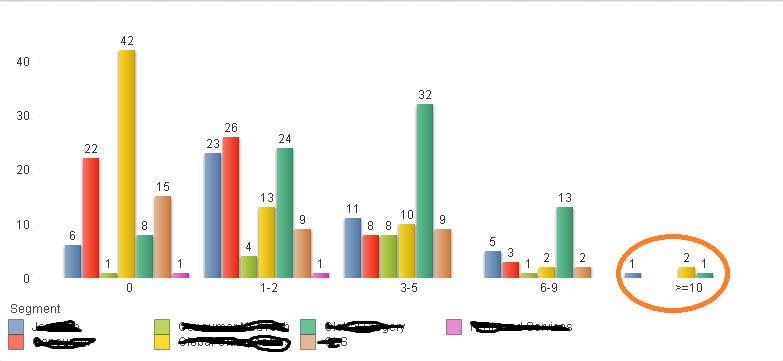
I wanted to show the bar chart with 2 dimensions like a below image:
But here, for the first dimension some values are missing in second dimension (marked in the red circle) and it show empty with out even showing a zero value.
can you please suggest me know how can I display the missing second dimension with 0 value.
any help would be appreciated.
Thanks in advance.
Regards,
Manideep
- « Previous Replies
-
- 1
- 2
- Next Replies »

 sunny_talwar
- Mark as New
- Bookmark
- Subscribe
- Mute
- Subscribe to RSS Feed
- Permalink
- Report Inappropriate Content
I guess none of the techniques mentioned above won't work with missing data. you will have to convert missing data into null data to make this to work. Having said that, I would encourage you to seek other people advice, because I may not know if there is a way to do this. May be someone have a way to figure this out, but I am not aware of any way to do this 
manideep78
- Mark as New
- Bookmark
- Subscribe
- Mute
- Subscribe to RSS Feed
- Permalink
- Report Inappropriate Content
That's great Sunny. Thanks. I appreciate your help!
manideep78
- Mark as New
- Bookmark
- Subscribe
- Mute
- Subscribe to RSS Feed
- Permalink
- Report Inappropriate Content
Hi Rahul,
I tried this expression already and found no luck. 
Regards,
Manideep
 MarcoWedel
- Mark as New
- Bookmark
- Subscribe
- Mute
- Subscribe to RSS Feed
- Permalink
- Report Inappropriate Content
Hi,
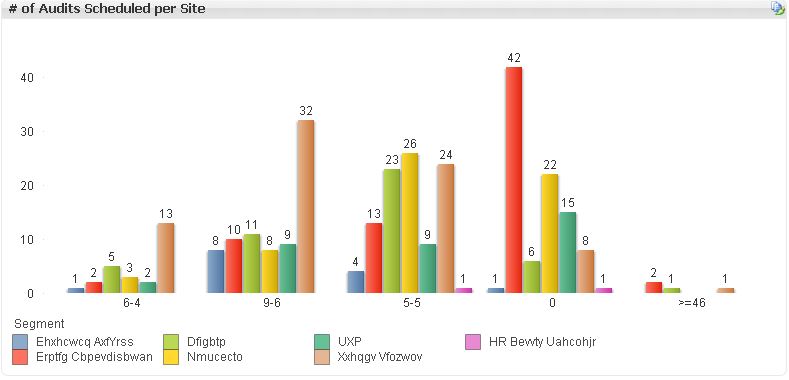
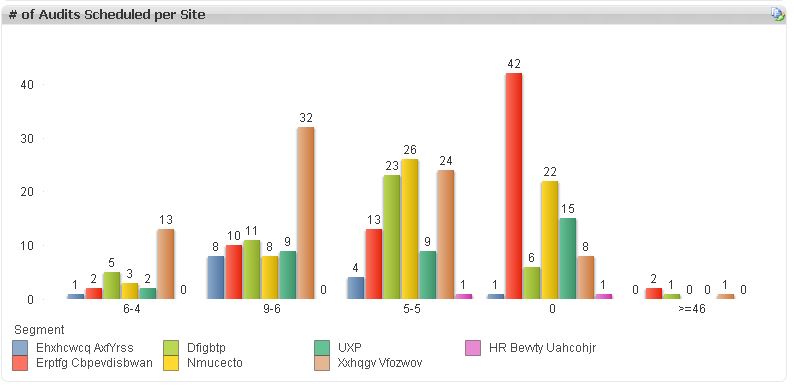
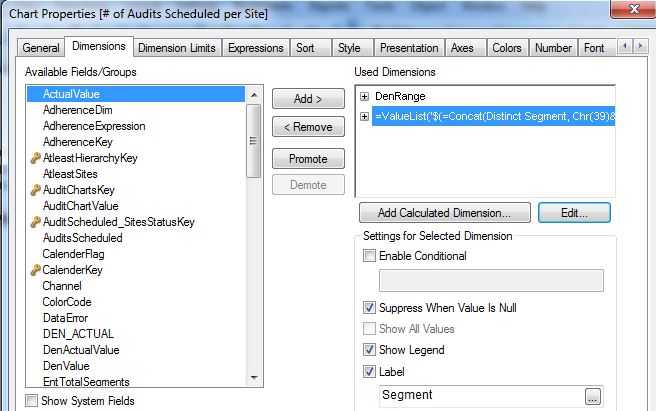
maybe one solution might be:

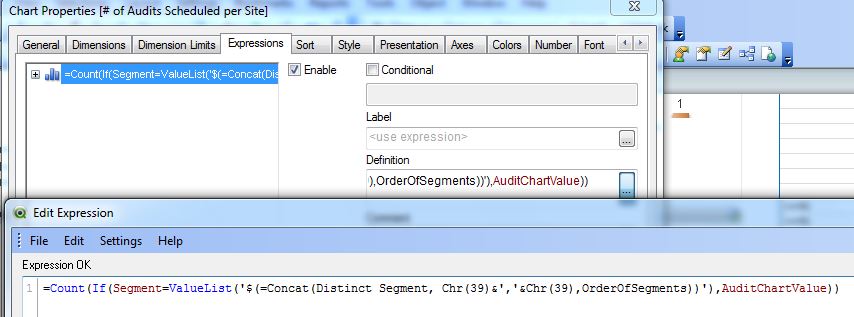
hope this helps
regards
Marco

- « Previous Replies
-
- 1
- 2
- Next Replies »