Unlock a world of possibilities! Login now and discover the exclusive benefits awaiting you.

- Qlik Community
- :
- All Forums
- :
- QlikView
- :
- Dynamic layer
- Subscribe to RSS Feed
- Mark Topic as New
- Mark Topic as Read
- Float this Topic for Current User
- Bookmark
- Subscribe
- Mute
- Printer Friendly Page

- Mark as New
- Bookmark
- Subscribe
- Mute
- Subscribe to RSS Feed
- Permalink
- Report Inappropriate Content
Dynamic layer
Hi people,
Does anyone knowhow to do a dynamic layer with a formula?
For example, I have 3 circles with the same size (but different colors) one on the top of the other and I wish decide the layer automatically (based on a formula) to decide which circle is on the top.
Regards,

 Sergey_Shuklin
- Mark as New
- Bookmark
- Subscribe
- Mute
- Subscribe to RSS Feed
- Permalink
- Report Inappropriate Content
Hello, Bruno!
Can you explain more deployed? I don't get a thing with circles and layers!

 felipedl
- Mark as New
- Bookmark
- Subscribe
- Mute
- Subscribe to RSS Feed
- Permalink
- Report Inappropriate Content
Hi Bruno,
I used a simple condition just to make it possible to see what can be done.
In that case, making a selection on the dimension 'Dim' enables the "Layout -> Show" option on the text box, allowing the dynamic layering your after.
See the attached file to see if that helps.
Best regards,
Felipe.

 Digvijay_Singh
- Mark as New
- Bookmark
- Subscribe
- Mute
- Subscribe to RSS Feed
- Permalink
- Report Inappropriate Content
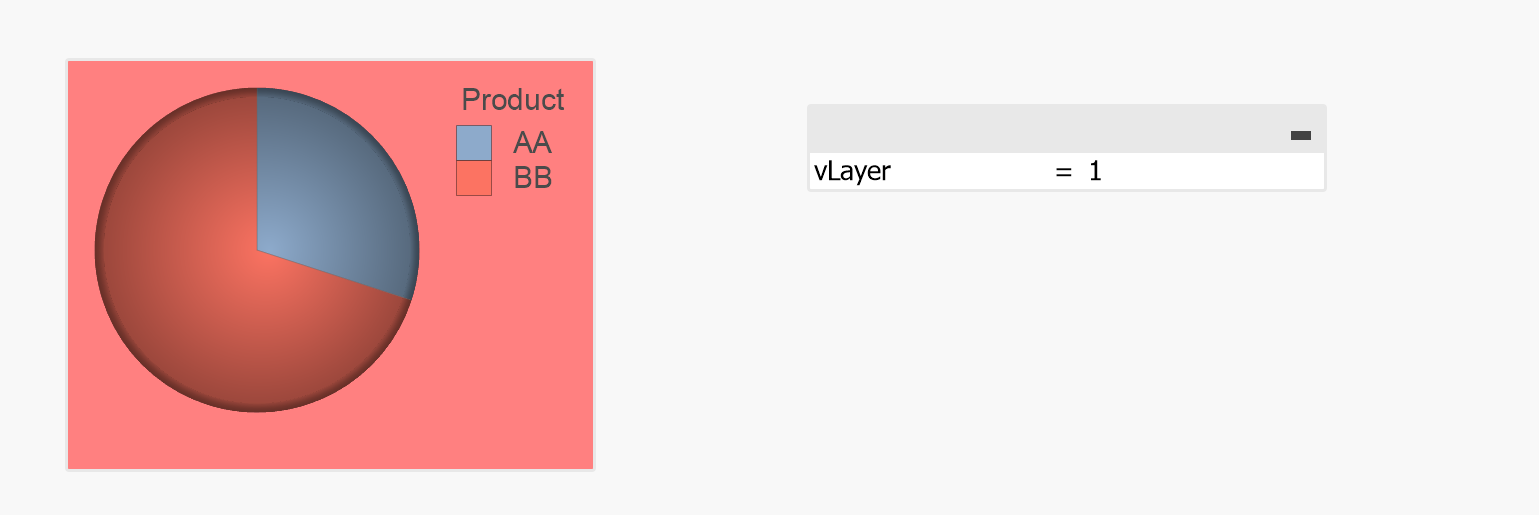
You can also do this using variable vLayer with values 1, 2 and 3 checked in the Object-->Layout-->Show-->Conditional as vLayer=1, in next object enter vLayer=2 and vLayer=3 in the last one.
Create input field and by changing variable value you can decide which chart is at top.