Unlock a world of possibilities! Login now and discover the exclusive benefits awaiting you.

- Qlik Community
- :
- All Forums
- :
- QlikView
- :
- Dynamic variables: Use Concatenated strings as var...
- Subscribe to RSS Feed
- Mark Topic as New
- Mark Topic as Read
- Float this Topic for Current User
- Bookmark
- Subscribe
- Mute
- Printer Friendly Page

- Mark as New
- Bookmark
- Subscribe
- Mute
- Subscribe to RSS Feed
- Permalink
- Report Inappropriate Content
Dynamic variables: Use Concatenated strings as variable in script
Hi,
I want to create a variable that contain different variables depending on selections i field
Background:
I have declared the following variables in the script:
let vProduct_1Max = 'Max({<Product = {'Product 1}>} Sales)';
let vProduct_2Max = 'Max({<Product = {'Product 1}>} Sales)';
let vProduct_3Max = 'Max({<Product = {'Product 1}>} Sales)';
I have created a table like this:
| vProduct |
|---|
| vProduct_1 |
| vProduct_2 |
| vProduct_3 |
I want to create a variable in the script that concatenates the selected value in "vProduct" field with Max, to create:
$([Selected product]+"Max")
I have tried: LET vMax = ''&'$'&'(=' & chr(39) & '&vProduct&' & chr(39) & '&' & chr(39) & 'Max' & chr(39) &')';
This does not work however.
Any ideas?

 Gysbert_Wassena
- Mark as New
- Bookmark
- Subscribe
- Mute
- Subscribe to RSS Feed
- Permalink
- Report Inappropriate Content
Create your table like this:
ProductMaxExpressions:
LOAD * INLINE [
Product, MaxSales
Product 1, Max({<Product = {'Product 1}>} Sales)
Product 2, Max({<Product = {'Product 2}>} Sales)
Product 3, Max({<Product = {'Product 3}>} Sales)
];
Then when you select a Product you can use =$(=only(MaxSales)) as expression in a chart or text box.
talk is cheap, supply exceeds demand
- Mark as New
- Bookmark
- Subscribe
- Mute
- Subscribe to RSS Feed
- Permalink
- Report Inappropriate Content
Thanks fot the reply.
However, my example represents a bigger solution where i vant more to crate and refer to more variables easily.
Thus, I want to use the technique to create more variables by ONLY relacing the "Max" string with for example: Min, Avg, Median, +++

 Kushal_Chawda
- Mark as New
- Bookmark
- Subscribe
- Mute
- Subscribe to RSS Feed
- Permalink
- Report Inappropriate Content
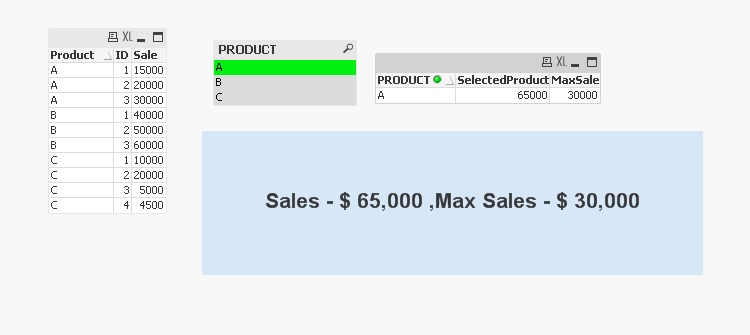
if I understood correctly you can do something like below
Data:
LOAD Product,
ID,
Sale
FROM
[Rank.xlsx]
(ooxml, embedded labels, table is Sheet1);
Variable:
LOAD 1 as Temp
AutoGenerate(1);
for i=1 to FieldValueCount('Product')
let vProduct = FieldValue('Product','$(i)');
Concatenate(Variable)
LOAD '$(vProduct)' as PRODUCT,
sum(Sale) as SelectedProduct,
max(Sale) as MaxSale
Resident Data
where Product = '$(vProduct)'
Group by Product;
NEXT i
DROP Field Temp;
 MarcoWedel
- Mark as New
- Bookmark
- Subscribe
- Mute
- Subscribe to RSS Feed
- Permalink
- Report Inappropriate Content
Hi,
maybe you could use one parameterized variable instead, maybe similar to this:
hope this helps
regards
Marco
- Mark as New
- Bookmark
- Subscribe
- Mute
- Subscribe to RSS Feed
- Permalink
- Report Inappropriate Content
Hi,
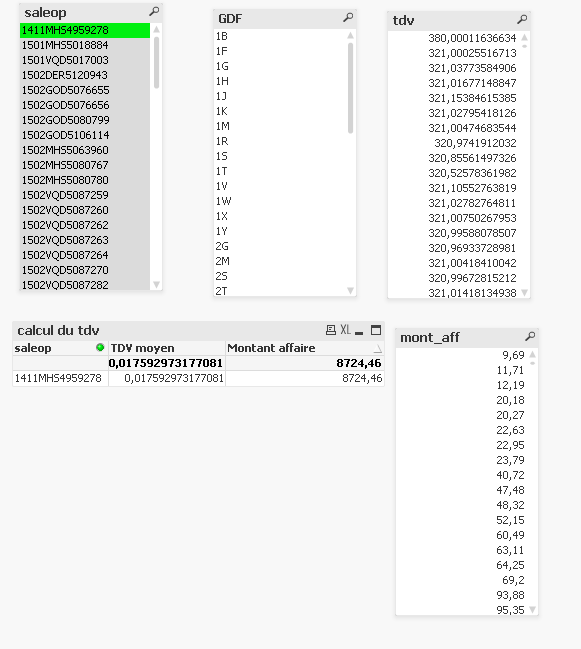
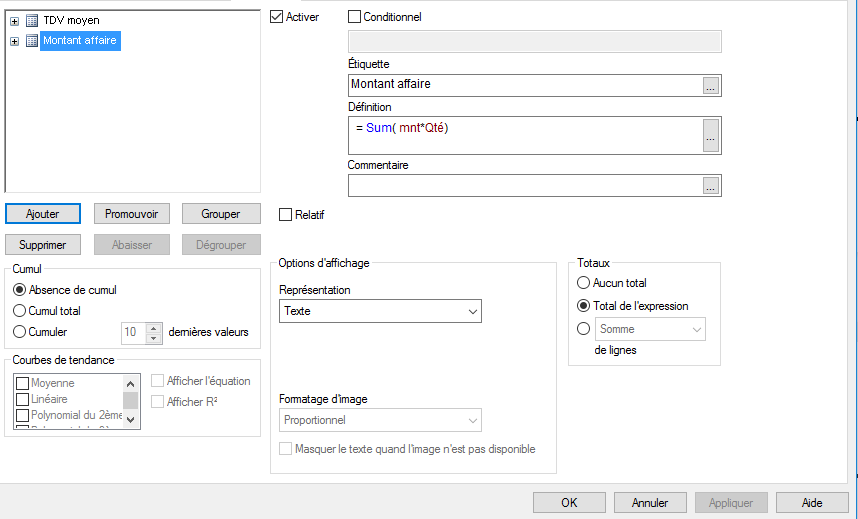
I am a new user of qlikview. the scrip below does axactly what i would like to do.with my data. i tried it with my data but it is not working. i can't understant why:
Data:
LOAD Opération_N° as Product,
Qté,
Mnt_Net_client as Sale,
TF
// Qté*Mnt_Net_client as [MntM] ,
// Qté*TF as [TFM]
FROM
(biff, embedded labels, table is Feuil2$);
Variable:
LOAD 1 as Temp
AutoGenerate(1);
for i=1 to FieldValueCount('Product')
let vProduct = FieldValue('Product','$(i)');
Concatenate(Variable)
LOAD '$(vProduct)' as PRODUCT,
sum(Sale) as SelectedProduct,
max(Sale) as MaxSale
Resident Data
where Product = '$(vProduct)'
Group by Product;
NEXT i
DROP Field Temp;
I