Unlock a world of possibilities! Login now and discover the exclusive benefits awaiting you.

- Qlik Community
- :
- All Forums
- :
- QlikView
- :
- Gauge chart creation
- Subscribe to RSS Feed
- Mark Topic as New
- Mark Topic as Read
- Float this Topic for Current User
- Bookmark
- Subscribe
- Mute
- Printer Friendly Page

- Mark as New
- Bookmark
- Subscribe
- Mute
- Subscribe to RSS Feed
- Permalink
- Report Inappropriate Content
Gauge chart creation
Hi
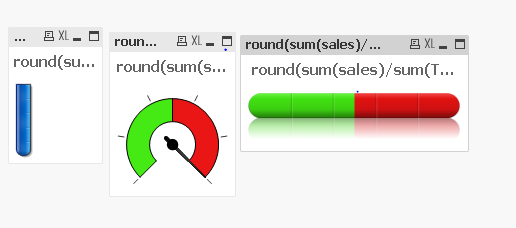
Can some one help me in creating the gauge chart
any of the below charts would be helpful
- Tags:
- chart types
- charts explained
- choosing charts
- gauge chart
- gauge setting
- new to qlikivew
- new to qlikview
- new_to_qlikview
- set analaysis
Accepted Solutions

 robert_mika
- Mark as New
- Bookmark
- Subscribe
- Mute
- Subscribe to RSS Feed
- Permalink
- Report Inappropriate Content
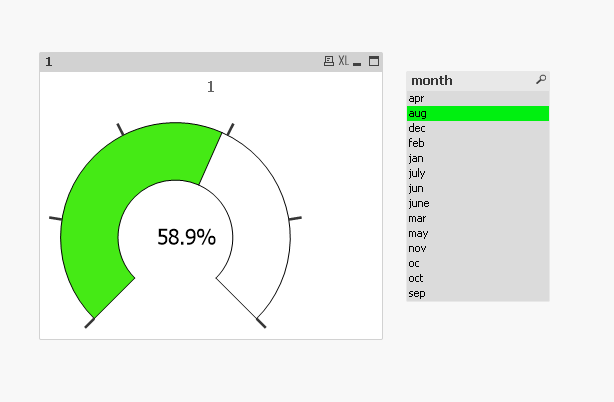
Expression tab: One expression=1
Presentation tab Segment 1 =0
Segment 2 = =sum(sales)/sum({1} sales)
Text in Chart: =num(sum(sales)/sum({1} sales),'00.0%')
robert_mika
- Mark as New
- Bookmark
- Subscribe
- Mute
- Subscribe to RSS Feed
- Permalink
- Report Inappropriate Content
Expression tab: One expression=1
Presentation tab Segment 1 =0
Segment 2 = =sum(sales)/sum({1} sales)
Text in Chart: =num(sum(sales)/sum({1} sales),'00.0%')
- Mark as New
- Bookmark
- Subscribe
- Mute
- Subscribe to RSS Feed
- Permalink
- Report Inappropriate Content
Hi Robert
When i was trying to convert the same gauge chart to test tube chart
I'm unable to see the change in colour in test tube chart can you pleas ehelp me out
robert_mika
- Mark as New
- Bookmark
- Subscribe
- Mute
- Subscribe to RSS Feed
- Permalink
- Report Inappropriate Content
Here are examples you can fallow.