Unlock a world of possibilities! Login now and discover the exclusive benefits awaiting you.

- Qlik Community
- :
- All Forums
- :
- QlikView
- :
- Google Map in QV
- Subscribe to RSS Feed
- Mark Topic as New
- Mark Topic as Read
- Float this Topic for Current User
- Bookmark
- Subscribe
- Mute
- Printer Friendly Page

 upaliwije
- Mark as New
- Bookmark
- Subscribe
- Mute
- Subscribe to RSS Feed
- Permalink
- Report Inappropriate Content
Google Map in QV
Dear Friends
I have with the help QV community inserted a Map in my QV document. I have following issues for which your help is needed.
How Can I show the figures shown in the table in the map itself just next to my location(location name to be shown in the map)
How can I zoom the map
Pls Help me. My QV document and data file is attached pls.
Accepted Solutions

 migueldelval
- Mark as New
- Bookmark
- Subscribe
- Mute
- Subscribe to RSS Feed
- Permalink
- Report Inappropriate Content
Hi Upali,
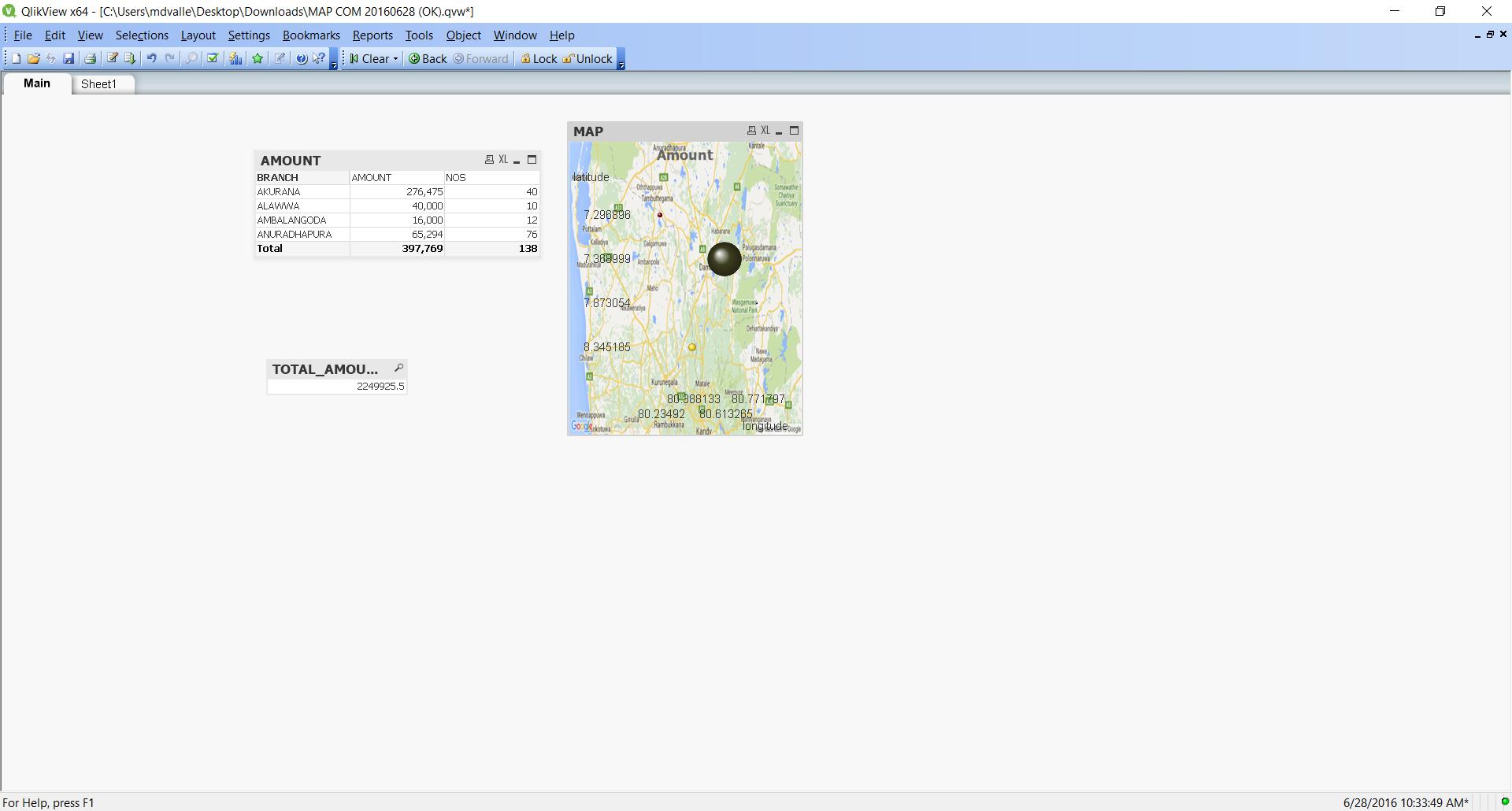
I don´t Know if you can drill down if you click over one value.
But If you select an area the zoom it´s auto.
Regards
migueldelval
- Mark as New
- Bookmark
- Subscribe
- Mute
- Subscribe to RSS Feed
- Permalink
- Report Inappropriate Content
Hi UPALI,
Try this and remember to add your Key.
Regards
Miguel del Valle
upaliwije
- Mark as New
- Bookmark
- Subscribe
- Mute
- Subscribe to RSS Feed
- Permalink
- Report Inappropriate Content
Thanks
Pls let me know how to find the applicable to me
migueldelval
- Mark as New
- Bookmark
- Subscribe
- Mute
- Subscribe to RSS Feed
- Permalink
- Report Inappropriate Content
Hi Upali,
Try this qvw, I think that it´s ok.
I forget to change the languge of variables. Sorry
Regards
Miguel del Valle
upaliwije
- Mark as New
- Bookmark
- Subscribe
- Mute
- Subscribe to RSS Feed
- Permalink
- Report Inappropriate Content
Tks
Still I cant plot my Amount in the map itself
migueldelval
- Mark as New
- Bookmark
- Subscribe
- Mute
- Subscribe to RSS Feed
- Permalink
- Report Inappropriate Content
Hi Upali,
I can´t understan so well. What do you need exactly?
Regards
Miguel del Valle
upaliwije
- Mark as New
- Bookmark
- Subscribe
- Mute
- Subscribe to RSS Feed
- Permalink
- Report Inappropriate Content
Hi Miguel
I want all the Amount in the Branch to be shown in the map all at once amd when I qlik the map it should zoom
migueldelval
- Mark as New
- Bookmark
- Subscribe
- Mute
- Subscribe to RSS Feed
- Permalink
- Report Inappropriate Content
Hi Upali,
I don´t Know if you can drill down if you click over one value.
But If you select an area the zoom it´s auto.
Regards
upaliwije
- Mark as New
- Bookmark
- Subscribe
- Mute
- Subscribe to RSS Feed
- Permalink
- Report Inappropriate Content
THNAKS FOR YOU HELP
