Unlock a world of possibilities! Login now and discover the exclusive benefits awaiting you.

- Qlik Community
- :
- All Forums
- :
- QlikView
- :
- Header in two colors?
Options
- Subscribe to RSS Feed
- Mark Topic as New
- Mark Topic as Read
- Float this Topic for Current User
- Bookmark
- Subscribe
- Mute
- Printer Friendly Page
Turn on suggestions
Auto-suggest helps you quickly narrow down your search results by suggesting possible matches as you type.
Showing results for

Not applicable
2016-02-10
04:34 AM
- Mark as New
- Bookmark
- Subscribe
- Mute
- Subscribe to RSS Feed
- Permalink
- Report Inappropriate Content
Header in two colors?
Hi all.
Could anyone explain me why this chart header is in two colors? and how can I have only one color?
thanks in advance.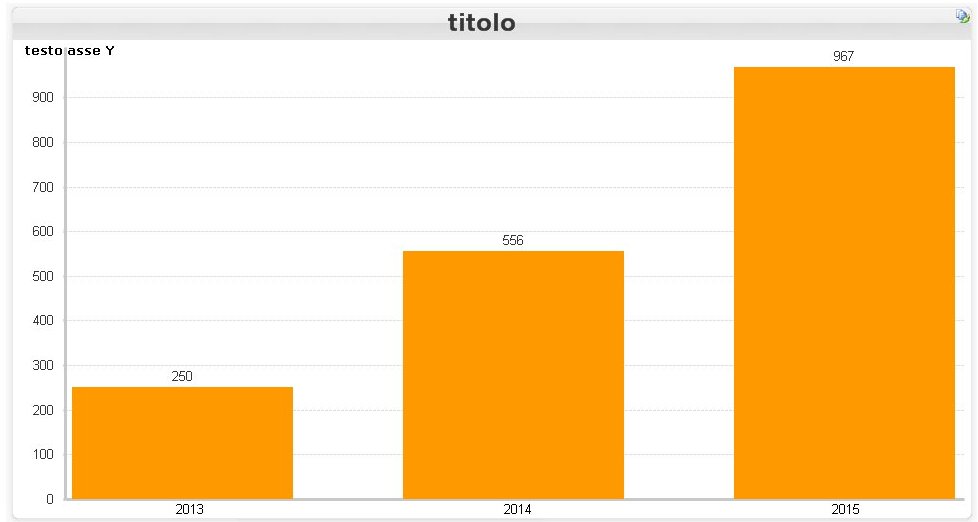
luca
1,253 Views
1 Solution
Accepted Solutions

 sunny_talwar
MVP
2016-02-10
06:28 AM
- Mark as New
- Bookmark
- Subscribe
- Mute
- Subscribe to RSS Feed
- Permalink
- Report Inappropriate Content
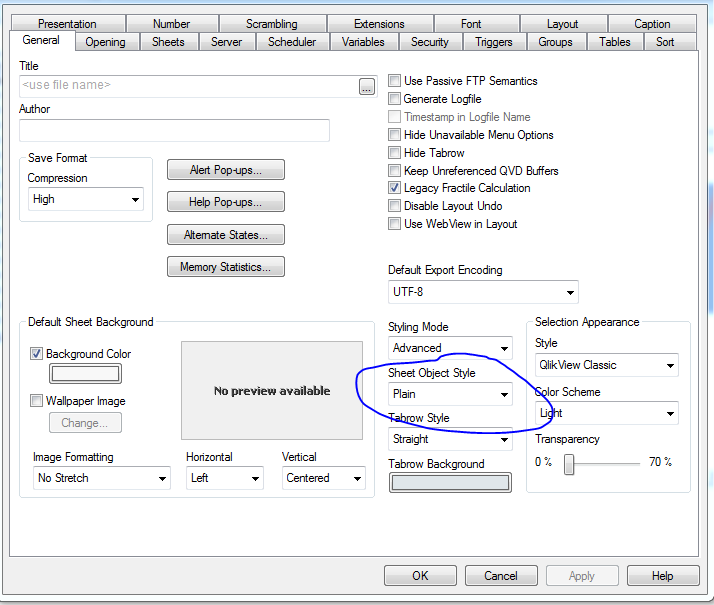
Try changing the Sheet Object Style in document properties to Plain from Glass
1,191 Views
4 Replies
sunny_talwar
MVP
2016-02-10
06:28 AM
- Mark as New
- Bookmark
- Subscribe
- Mute
- Subscribe to RSS Feed
- Permalink
- Report Inappropriate Content
Try changing the Sheet Object Style in document properties to Plain from Glass
1,192 Views
Not applicable
2016-02-10
06:30 AM
Author
- Mark as New
- Bookmark
- Subscribe
- Mute
- Subscribe to RSS Feed
- Permalink
- Report Inappropriate Content
Thanks a lot!
1,191 Views
sunny_talwar
MVP
2016-02-10
06:31 AM
- Mark as New
- Bookmark
- Subscribe
- Mute
- Subscribe to RSS Feed
- Permalink
- Report Inappropriate Content
Not a problem 
1,191 Views

 its_anandrjs
Champion III
2016-02-10
06:33 AM
- Mark as New
- Bookmark
- Subscribe
- Mute
- Subscribe to RSS Feed
- Permalink
- Report Inappropriate Content
Hi,
See the Caption Properties of the chart for this and and set similar color property for Inactive or Active properties.
Regards,
Anand
1,191 Views