Unlock a world of possibilities! Login now and discover the exclusive benefits awaiting you.

- Qlik Community
- :
- All Forums
- :
- QlikView
- :
- How to change the custom error message?
- Subscribe to RSS Feed
- Mark Topic as New
- Mark Topic as Read
- Float this Topic for Current User
- Bookmark
- Subscribe
- Mute
- Printer Friendly Page

- Mark as New
- Bookmark
- Subscribe
- Mute
- Subscribe to RSS Feed
- Permalink
- Report Inappropriate Content
How to change the custom error message?
Hello Everyone,
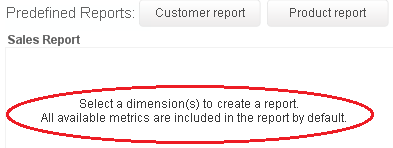
I don't know where this particular Error Message came from in QlikView version11 example - "Whats New in QlikView11.qvw"
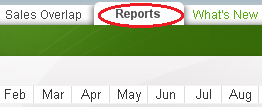
The error message is at Tab - "Reports", I looked around and around and couldn't find where it is.
Please see the screenshots illustrated below.
Thanks in advance for your help.
Accepted Solutions
- Mark as New
- Bookmark
- Subscribe
- Mute
- Subscribe to RSS Feed
- Permalink
- Report Inappropriate Content
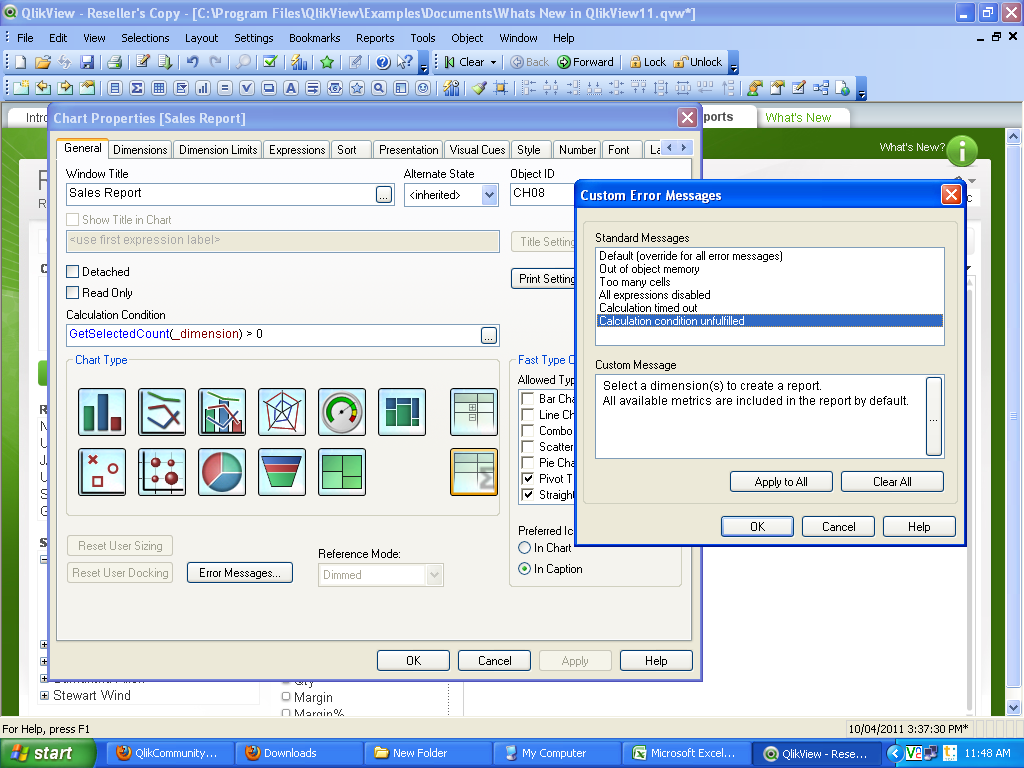
Go to the prperties of the chart.
in General Tab>Click on the Option of error Messages.>calculated condition unfulfilled..> there u can write a custom Message.
- Mark as New
- Bookmark
- Subscribe
- Mute
- Subscribe to RSS Feed
- Permalink
- Report Inappropriate Content
Go to the prperties of the chart.
in General Tab>Click on the Option of error Messages.>calculated condition unfulfilled..> there u can write a custom Message.
- Mark as New
- Bookmark
- Subscribe
- Mute
- Subscribe to RSS Feed
- Permalink
- Report Inappropriate Content
Hi Erika,
You're correct. I can change it now.
Thank you very much.