Unlock a world of possibilities! Login now and discover the exclusive benefits awaiting you.

Announcements
Share your agentic AI experience, learn from others, and earn a new badge: Put Agentic AI to Work
- Qlik Community
- :
- All Forums
- :
- QlikView
- :
- How to hide script execution progress
Options
- Subscribe to RSS Feed
- Mark Topic as New
- Mark Topic as Read
- Float this Topic for Current User
- Bookmark
- Subscribe
- Mute
- Printer Friendly Page
Turn on suggestions
Auto-suggest helps you quickly narrow down your search results by suggesting possible matches as you type.
Showing results for

 erichuang
Contributor III
2018-03-02
12:10 AM
- Mark as New
- Bookmark
- Subscribe
- Mute
- Subscribe to RSS Feed
- Permalink
- Report Inappropriate Content
How to hide script execution progress
Hi all,
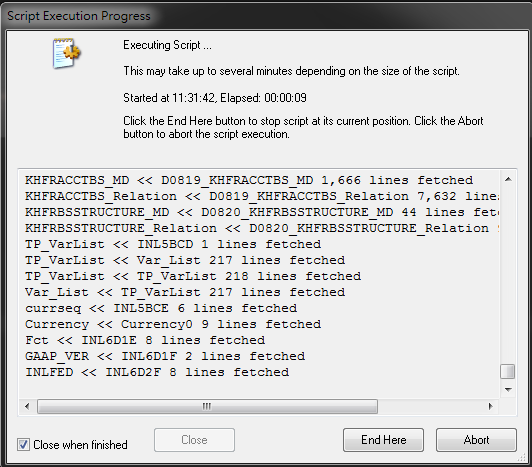
Is it possible to hide "script execution progress" window? For automation, I use command line(C:\Program Files\QlikView\qv.exe" /r ....) to reload qvw file, but the window is always displayed while reloading...
Thanks a lot~
2,793 Views
1 Solution
Accepted Solutions

 kakani87
Specialist
2018-03-02
12:24 AM
- Mark as New
- Bookmark
- Subscribe
- Mute
- Subscribe to RSS Feed
- Permalink
- Report Inappropriate Content
Eric This thread may be helpful
2 Replies
kakani87
Specialist
2018-03-02
12:24 AM
- Mark as New
- Bookmark
- Subscribe
- Mute
- Subscribe to RSS Feed
- Permalink
- Report Inappropriate Content
Eric This thread may be helpful

 jonathandienst
Partner - Champion III
2018-03-02
12:26 AM
- Mark as New
- Bookmark
- Subscribe
- Mute
- Subscribe to RSS Feed
- Permalink
- Report Inappropriate Content
A reload from the desktop client (including one fired from a .bat file) will always show a progress window. A server reload with QV Publisher or QV Server runs in the background and is silent.
The previous post shows a link to another way which is to load via a call to the QV automation API using a scripting language like vbscript.
Logic will get you from a to b. Imagination will take you everywhere. - A Einstein
