Unlock a world of possibilities! Login now and discover the exclusive benefits awaiting you.

Announcements
ALERT: QlikView server communication interruptions following Microsoft Windows Domain Controller security updates
- Qlik Community
- :
- All Forums
- :
- QlikView
- :
- How to troubleshoot QVServer?
Options
- Subscribe to RSS Feed
- Mark Topic as New
- Mark Topic as Read
- Float this Topic for Current User
- Bookmark
- Subscribe
- Mute
- Printer Friendly Page
Turn on suggestions
Auto-suggest helps you quickly narrow down your search results by suggesting possible matches as you type.
Showing results for

Not applicable
2012-06-21
10:07 PM
- Mark as New
- Bookmark
- Subscribe
- Mute
- Subscribe to RSS Feed
- Permalink
- Report Inappropriate Content
How to troubleshoot QVServer?
Hi,
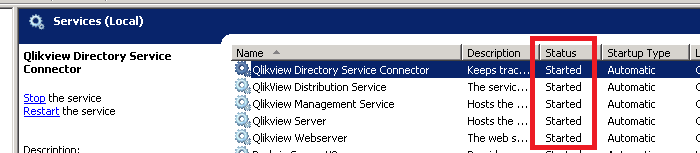
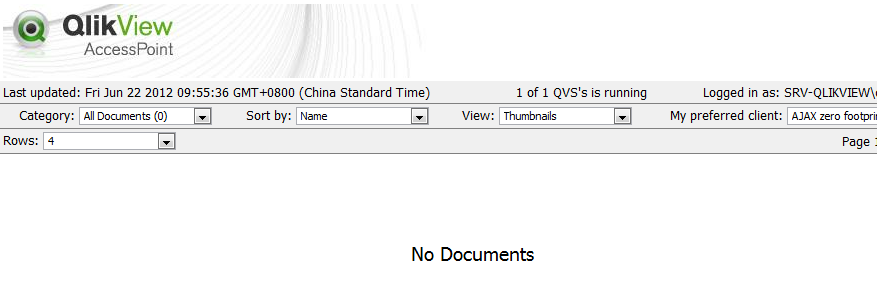
I was wondering yesterday, all qlikview services were running... I already do restarting of the services and at the same time, restart the computer itself. But still I got this problem, I can't able to see documents that I am supposed to. See images below. Thanks in advance.
SERVICES WERE RUNNING...
DISPLAY ON THE WEB BROWSER (IE9, Mozilla, Chrome)
342 Views
1 Reply
Not applicable
2012-06-22
01:53 AM
Author
- Mark as New
- Bookmark
- Subscribe
- Mute
- Subscribe to RSS Feed
- Permalink
- Report Inappropriate Content
Hi,
Are you able to use QMC?
Regards,
Kiran Rokkam.
255 Views