Unlock a world of possibilities! Login now and discover the exclusive benefits awaiting you.

- Qlik Community
- :
- All Forums
- :
- QlikView
- :
- List Box issue
Options
- Subscribe to RSS Feed
- Mark Topic as New
- Mark Topic as Read
- Float this Topic for Current User
- Bookmark
- Subscribe
- Mute
- Printer Friendly Page
Turn on suggestions
Auto-suggest helps you quickly narrow down your search results by suggesting possible matches as you type.
Showing results for

 gargi_bardhan
Creator II
2015-07-29
03:53 AM
- Mark as New
- Bookmark
- Subscribe
- Mute
- Subscribe to RSS Feed
- Permalink
- Report Inappropriate Content
List Box issue
Hi All ,
Hope you are doing well. Thanks all fro your time .
How can I change the color of font in List Box ?
I know that Presentation -> Selection Style Override -> other than 'Qlikview Classic' and 'User Default' I get the option of changing font color but it gives the check box kind look too , which I don't want .
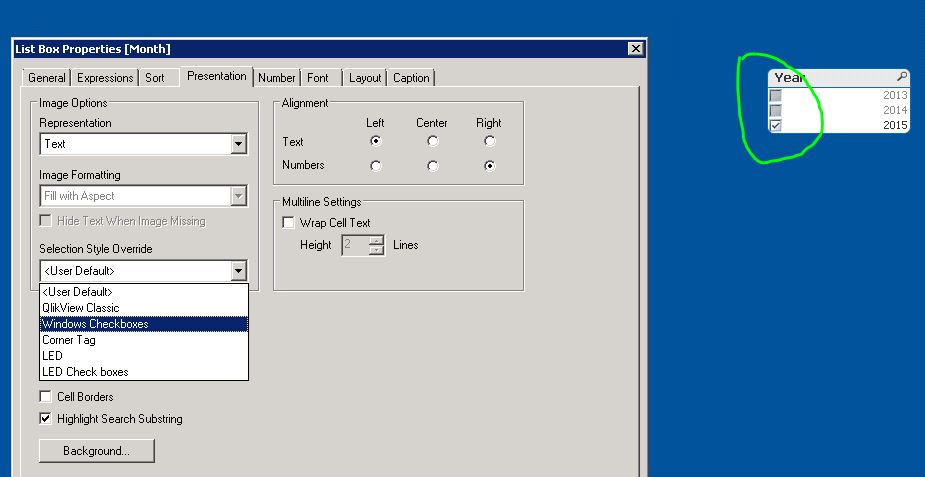
I want in this manner :

Can it be done ?
Thanks,
Gargi
749 Views
1 Reply

 MK_QSL
MVP
2015-07-29
04:23 AM
- Mark as New
- Bookmark
- Subscribe
- Mute
- Subscribe to RSS Feed
- Permalink
- Report Inappropriate Content
There is not direct option to change Font Color in List box for QlikView Classic Style mode.
You can use a trick by using a Straight Table..
Check below link where a solution is provided by JohnW
