Unlock a world of possibilities! Login now and discover the exclusive benefits awaiting you.

- Qlik Community
- :
- All Forums
- :
- QlikView
- :
- Minus Datetime
- Subscribe to RSS Feed
- Mark Topic as New
- Mark Topic as Read
- Float this Topic for Current User
- Bookmark
- Subscribe
- Mute
- Printer Friendly Page

- Mark as New
- Bookmark
- Subscribe
- Mute
- Subscribe to RSS Feed
- Permalink
- Report Inappropriate Content
Minus Datetime
I have a trouble with minusing 2 datetime field. Can anyone help me to solve this problem, please? i will attached my file into this thread.
- Tags:
- new_to_qlikview
Accepted Solutions

 tresB
tresB
- Mark as New
- Bookmark
- Subscribe
- Mute
- Subscribe to RSS Feed
- Permalink
- Report Inappropriate Content
I would avoid aggr() and use:
=Interval(Sum(ClosedDate-CreatedDate , CaseCode), 'D hh:mm:ss')
Corrected

 sunny_talwar
- Mark as New
- Bookmark
- Subscribe
- Mute
- Subscribe to RSS Feed
- Permalink
- Report Inappropriate Content
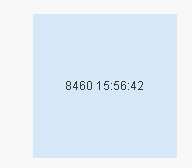
May be this:
=Interval(Sum(Aggr(ClosedDate-CreatedDate, CaseCode)), 'D hh:mm:ss')
tresB
- Mark as New
- Bookmark
- Subscribe
- Mute
- Subscribe to RSS Feed
- Permalink
- Report Inappropriate Content
I would avoid aggr() and use:
=Interval(Sum(ClosedDate-CreatedDate , CaseCode), 'D hh:mm:ss')
Corrected
sunny_talwar
- Mark as New
- Bookmark
- Subscribe
- Mute
- Subscribe to RSS Feed
- Permalink
- Report Inappropriate Content
I guess you are right  . Just a minor correction though, you forgot to remove the aggregated dimension from my expression:
=Interval(Sum(ClosedDate-CreatedDate), 'D hh:mm:ss')

 HirisH_V7
- Mark as New
- Bookmark
- Subscribe
- Mute
- Subscribe to RSS Feed
- Permalink
- Report Inappropriate Content
Hi,
May be like this,
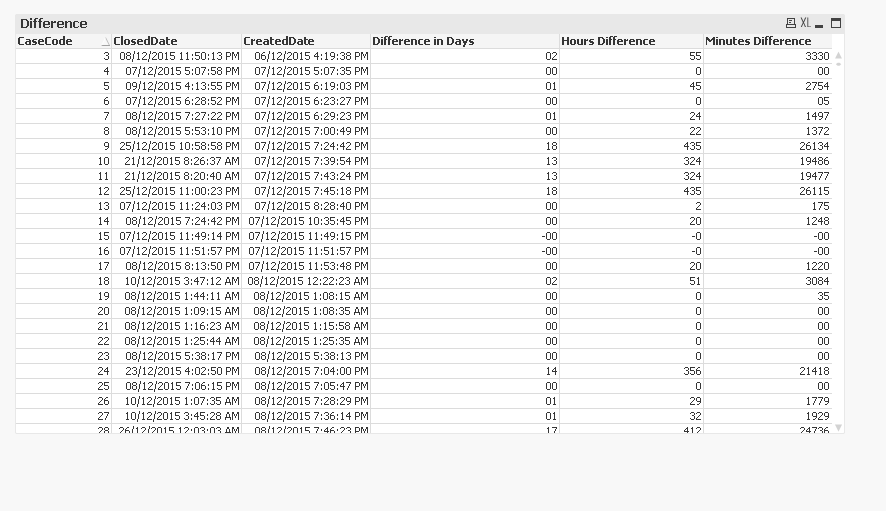
Three expressions,
Interval(ClosedDate-CreatedDate,'DD')

Interval(ClosedDate-CreatedDate,'h')

Interval(ClosedDate-CreatedDate,'mm')
Hope this helps,
PFA,
Hirish
- Mark as New
- Bookmark
- Subscribe
- Mute
- Subscribe to RSS Feed
- Permalink
- Report Inappropriate Content
Thank all very much