Unlock a world of possibilities! Login now and discover the exclusive benefits awaiting you.

- Qlik Community
- :
- All Forums
- :
- QlikView
- :
- Multibox <= expression
- Subscribe to RSS Feed
- Mark Topic as New
- Mark Topic as Read
- Float this Topic for Current User
- Bookmark
- Subscribe
- Mute
- Printer Friendly Page

- Mark as New
- Bookmark
- Subscribe
- Mute
- Subscribe to RSS Feed
- Permalink
- Report Inappropriate Content
Multibox <= expression
Hello,
I think this scenario should be simple - i just can't figure it out...
I have a data set with (amongst other columns), a financial Year (1999 - 2012) and a financial period (1 - 11).
Dropping a tablebox on the sheet gives me all the data. Adding a financial year multibox filters for the selected year.
What I want now is another multibox for financial period but not where the data reflects that one selected period. When selecting a period I want records for every value of period upto and including the selected item. So selecting financial period 9 for example gives records for periods 1 to 9.
Any help gratefully received.
- Tags:
- new_to_qlikview
- Mark as New
- Bookmark
- Subscribe
- Mute
- Subscribe to RSS Feed
- Permalink
- Report Inappropriate Content
Could you please attach the sample application to help you out...
- Mark as New
- Bookmark
- Subscribe
- Mute
- Subscribe to RSS Feed
- Permalink
- Report Inappropriate Content
I'm using QVPE. Am i right in thinking I can't share this report? I've attached a screen shot if thats any help...
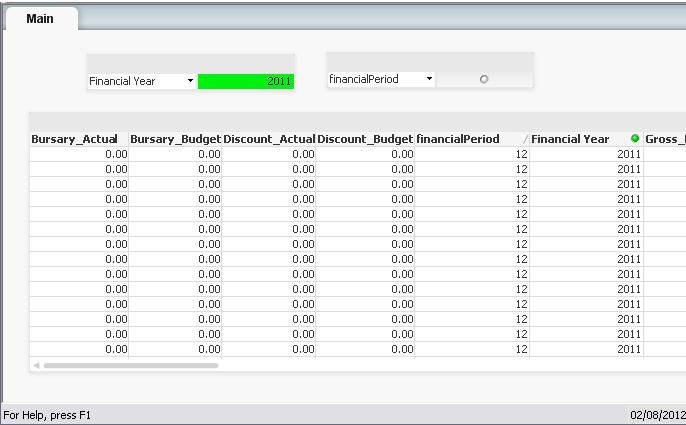
Looking at the image, if I select a value of say 9 from financial period then the records in the table reflect that. What I want when i select 9 is all records where financial period is less than 10.

 whiteline
- Mark as New
- Bookmark
- Subscribe
- Mute
- Subscribe to RSS Feed
- Permalink
- Report Inappropriate Content
What I want when i select 9 is all records where financial period is less than 10.
It's quite simple.
Just add another table to your data model with two fields: financialPeriod and finansialPeriodAndPrev.
The field finansialPeriodAndPrev should be used instead of financialPeriod for selections.
The table should connect finansialPeriodAndPrev (selection periods) with corresponding financialPeriod-s.
For examlpe:
financialPeriod finansialPeriodAndPrev
1 1
1 2
2 2
1 3
2 3
3 3
...
So, selection "3" from finansialPeriodAndPrev associated with financialPeriod-s "1","2","3".