Unlock a world of possibilities! Login now and discover the exclusive benefits awaiting you.

- Qlik Community
- :
- All Forums
- :
- QlikView
- :
- Problem arise while opening the Heavy QVW file. Re...
- Subscribe to RSS Feed
- Mark Topic as New
- Mark Topic as Read
- Float this Topic for Current User
- Bookmark
- Subscribe
- Mute
- Printer Friendly Page

- Mark as New
- Bookmark
- Subscribe
- Mute
- Subscribe to RSS Feed
- Permalink
- Report Inappropriate Content
Problem arise while opening the Heavy QVW file. Require Solution
Hi Forums/Friends/Experts,
I am not able to open the one QVW file in my desktop. The file size is about near 83 MB.
My desktop RAM:8 GB
But same file I can open in another desktop where the RAM:4GB.
When I try to open the file in my desktop following error occure. PFA of the same image in ascending order as follows:-


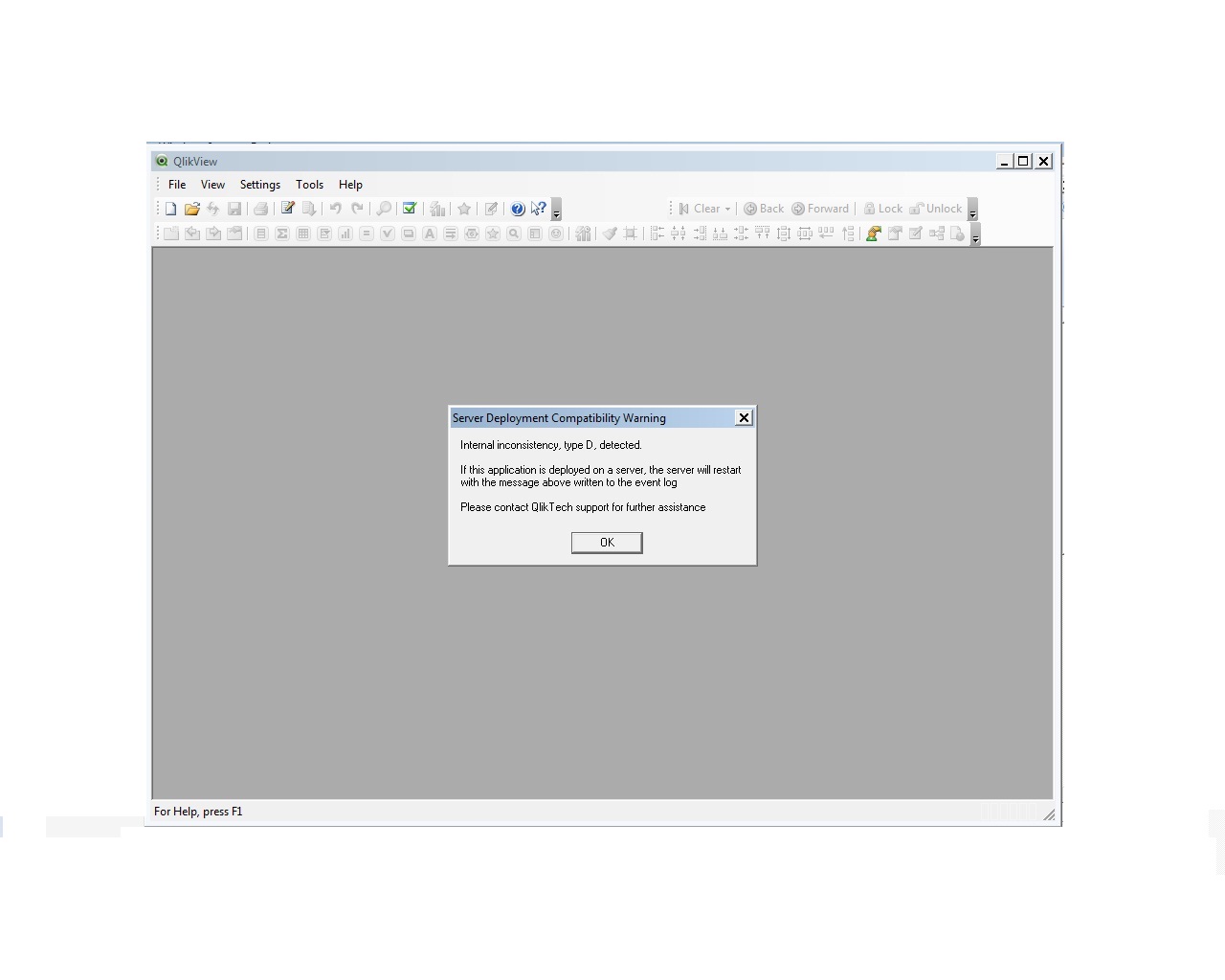

I am struck here. It will be great help if any body can throw light of these or give solution for sort out the problem.
Advance Thanks
SD

 prma7799
- Mark as New
- Bookmark
- Subscribe
- Mute
- Subscribe to RSS Feed
- Permalink
- Report Inappropriate Content
Hi,
Close desktop and reopen the file.
Thanks
Prashant
- Mark as New
- Bookmark
- Subscribe
- Mute
- Subscribe to RSS Feed
- Permalink
- Report Inappropriate Content
Can you attach your QVW here.

 its_anandrjs
- Mark as New
- Bookmark
- Subscribe
- Mute
- Subscribe to RSS Feed
- Permalink
- Report Inappropriate Content
Hi,
There are few reasons behind this
1. Problem seems there is some nested calculation in the back end need to check.
2. Some tables create the synthetic keys in data model.
3. In front end any straight chart which has nested if condition and while opening calculation going on.
For loading QVW file in qlik desktop in recent opening documents
Right click on your file name and open as without data for debugging the problem.
Regards
Anand
- Mark as New
- Bookmark
- Subscribe
- Mute
- Subscribe to RSS Feed
- Permalink
- Report Inappropriate Content
You can try opening the file without any data and then reload it and save it.
Now try opening it again and see if anything changes.
Run this in Command Prompt
"C:\Program Files\QlikView\qv.exe" /nodata "C:\YourFolder\YourFile.qvw "
It definitely seems like a memory issue. Are there any other processes that are running that could be hogging memory.
Thanks
- Mark as New
- Bookmark
- Subscribe
- Mute
- Subscribe to RSS Feed
- Permalink
- Report Inappropriate Content
Hi Ajay,
I shutdown the complete Machine. And only open that QVW which is showing above problem.
But then also it show same error.
Let me check with other why suggested by above friends.
Thanks
SD